A rainbow screen of death is the informal name for a sudden multi-colored crash or freeze—sparkles, rainbow blocks, solarized hues—usually from GPU artifacting or display hardware failure, not an official Windows stop screen. This guide shows how to tell software from hardware, walk Windows 10 and Samsung paths, and decide fix versus replace.
Rainbow Screen of Death: Causes, Diagnosis, and Fixes
A rainbow screen of death looks dramatic, so people assume it is a special cousin of the Blue Screen of Death. It is not. Microsoft does not ship a rainbow stop UI. What you are seeing is almost always corrupted pixel data: the GPU writing bad frames, a driver collapsing, a cable scrambling the signal, or a panel/T-Con path painting wrong colors. The machine may freeze, reboot, or recover after a Graphics Device Reset—but the rainbow itself is a symptom map, not a named OS feature.
This article focuses on practical diagnosis. You will learn what a rainbow screen of death looks like across PCs and phones, how a rainbow screen of death on Windows 10 is usually fixed with Safe Mode and a clean driver path, how a Samsung rainbow screen of death differs on phones versus TVs, which causes are reversible, and when repair or replacement is the only honest next step.
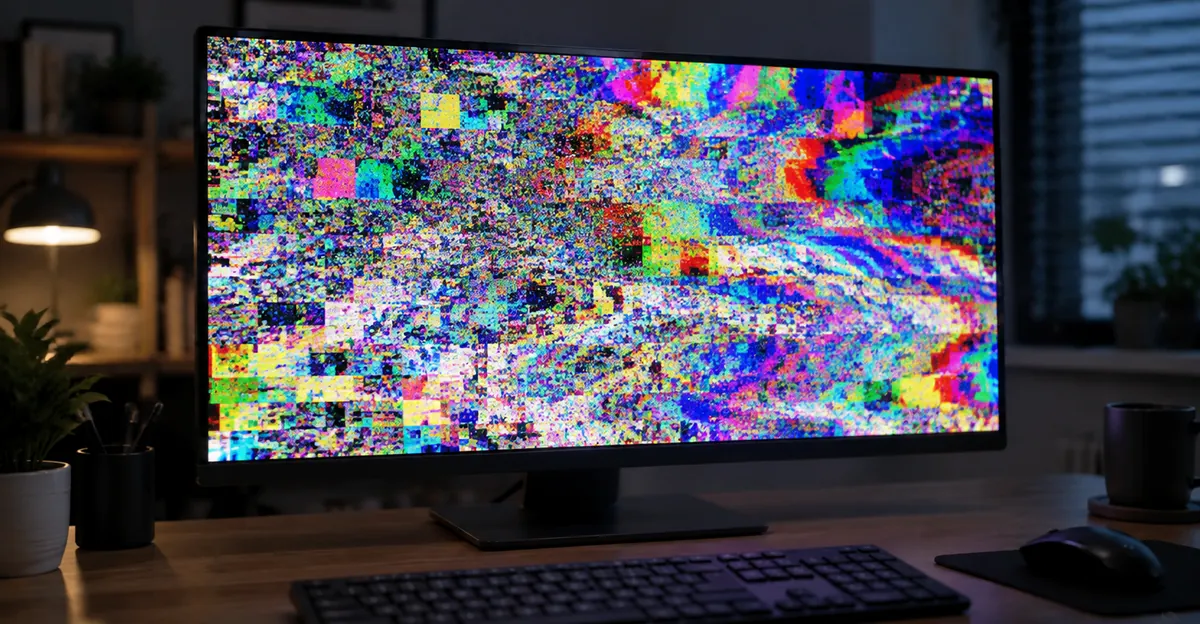
What a Rainbow Screen of Death Looks Like
A rainbow screen of death is any sudden, system-wide (or near system-wide) burst of incorrect color: flashing rainbow bands, glittering multi-colored pixels, frozen psychedelic blocks, or a “solarized” picture where hues invert or smear while the underlying image is still faintly recognizable. Users on Microsoft Q&A and BleepingComputer describe desktops that lock up while the screen flashes rainbow colors until a hard restart, and PCs covered in “rainbow pixels” with flicker that tracks to the discrete GPU path.
Compare that to related but different problems:
| Pattern | Typical meaning | Software likely? |
|---|---|---|
| Flashing full-screen rainbow / lockup | GPU hang, driver crash, severe artifacting | Often (driver/OC); sometimes dying GPU |
| Colored sparkles / checkerboards under load | GPU VRAM or clock instability | Sometimes (reset OC); often hardware if stock |
| Clean screenshot, broken live image | Cable, monitor, or panel path | Cable/OSD first |
| Broken screenshot too | Corruption before the panel | GPU/driver |
| Soft rainbow halo on a bruise | Polarizer / pressure layer damage | No — panel |
| Solarized TV picture at boot | T-Con, LVDS, caps, or panel | Rarely software |
The name “of death” stuck because the experience feels final: the UI becomes unusable and a reboot is required. That drama does not prove the panel is dead. RigPulse-style GPU troubleshooting guidance and vendor support threads converge on the same split: artifacts that appear only after Windows loads and vanish under a basic driver lean software; artifacts in BIOS/UEFI or under Safe Mode lean hardware, cable, or the display itself.
Two quick checks prevent expensive mistakes.
Screenshot test. Capture the screen while the rainbow is visible (Win+PrtScn, Snipping Tool, or phone screenshot). Open the file on another device. If the file contains the corruption, the fault sits in GPU, driver, or compositor. If the file is clean while the live panel looked broken, chase cable, port, refresh rate, monitor electronics, or the panel stack. The same logic appears across GPU artifact guides: the screenshot is your first fork in the road.
External path test (PC). Move the HDMI/DisplayPort cable to another GPU port, another cable, and if possible another monitor. Corruption that follows every output with the discrete GPU, then disappears when you switch to motherboard HDMI (integrated graphics), is a strong GPU-path signal—matching Microsoft Answers cases where rainbow flicker vanished on Intel iGPU / basic driver but returned on the discrete AMD card.
For broader color-tint problems that are steady rather than crash-like, see our monitor color problem hub. Soft rainbow edges around a dark bruise belong with pressure damage and black spot screen workflows, not this crash-oriented guide.
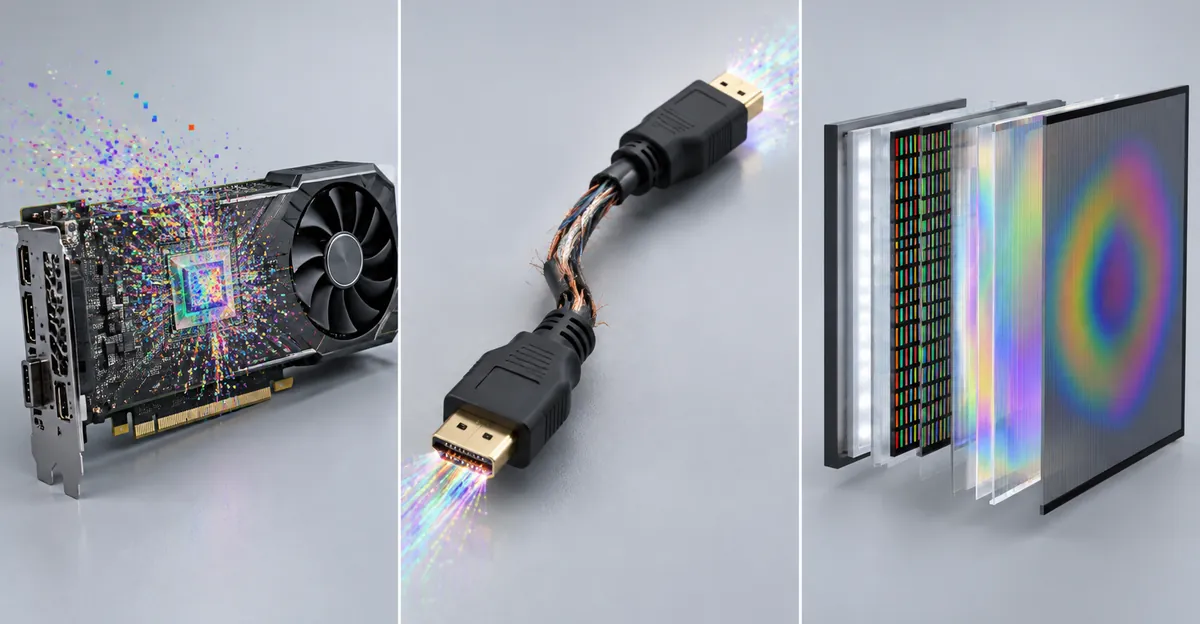
Rainbow Screen of Death on Windows 10
A rainbow screen of death on Windows 10 almost never means “Windows invented a new stop color.” It means the graphics stack failed loudly. Common triggers include a bad or half-installed GPU driver, leftover files after switching NVIDIA ↔ AMD ↔ Intel, an unstable overclock or undervolt, overheating VRAM under load, a failing discrete GPU, or a damaged DisplayPort/HDMI path that only shows up at high refresh rates.
Community reports on BleepingComputer describe desktops that freeze and flash rainbow colors until restart—treated as crash-adjacent display failure, not a classic BSOD posting with a stop code. Microsoft Answers threads about abundant rainbow pixels and flicker often land on the discrete GPU driver (for example AMD) when dumps and Safe Mode isolation point there, while the Microsoft Basic Display Adapter and integrated graphics stay clean.
Windows 10 triage order (least destructive first)
- Note when it happens. Idle desktop, one game, every 3D app, or before the login screen? Artifacts only in one title after a patch can be a game/shader issue. Artifacts across desktop, browser, and multiple games are more serious.
- Reset GPU tunes. In MSI Afterburner, AMD Software, or NVIDIA tools, return core clock, memory clock, voltage, power limit, and fan profiles to stock. Disable startup OC profiles. A card that is clean at stock and dirty when tuned has an unstable tune—not automatic hardware death.
- Lower bandwidth temporarily. Drop refresh rate (e.g., 144 Hz → 60 Hz), try a different cable/port, and disable extras like G-SYNC/FreeSync briefly. Cable and link training faults can sparkle like GPU failure.
- Safe Mode check. Shift+Restart → Troubleshoot → Advanced options → Startup Settings → Restart → press 4 or F4 for Safe Mode. Safe Mode loads a minimal display stack. If the rainbow is gone, your vendor driver or a third-party overlay is the prime suspect.
- Clean driver path. Download the correct production driver from NVIDIA, AMD, Intel, or your OEM before you remove anything. Disconnect Ethernet/Wi‑Fi so Windows 10 does not auto-reinstall a broken package mid-process (Wagnardsoft DDU guidance treats this as strongly recommended on Windows 10+). In Safe Mode, run Display Driver Uninstaller, select the GPU vendor, choose Clean and restart, then install the saved driver offline.
- If Safe Mode still shows rainbow / BIOS shows it. Stop chasing drivers. Reseat the GPU, try another PCIe slot if available, swap the cable, test another PSU power connector on the card, and if possible test the GPU in another PC. Corruption before Windows loads cannot be a Windows 10 app bug.
Windows 10 patterns that mislead
- Night Light / color filters warm or remap color; they do not produce crashing rainbow sparkles. If the whole UI is merely gray, that is a different problem—see monochrome screen.
- Single-channel tints (solid pink, red, green) can be cable pin or panel channel loss. Compare pink screen and red screen if the image is a steady cast rather than multi-hue chaos.
- TDR / BSOD after rainbow. When the GPU hangs, Windows may attempt a Timeout Detection and Recovery reset. If recovery fails, you can still get a stop error such as VIDEO_TDR_FAILURE. The rainbow was the visual failure; the BSOD is the OS admitting the graphics device did not come back.
Keep notes: temperature under load, whether fans spin, whether the fault started after a driver update or GPU tune, and whether integrated graphics is clean. Those four facts decide RMA versus another software pass.
Samsung Rainbow Screen of Death
A Samsung rainbow screen of death shows up in two families that search the same phrase: phones/tablets and Samsung LCD/LED TVs. The shared language is “rainbow,” but the repair path splits quickly.
Samsung phones and tablets
On Galaxy devices, multi-colored corruption, rainbow static while charging, or psychedelic bands after a drop usually fall into one of these buckets:
| Symptom | Likely cause | First safe steps |
|---|---|---|
| Rainbow briefly after force restart, then normal | Transient display controller glitch | Monitor; update software |
| Rainbow only while charging / with a third-party brick | Power path noise, port/cable, heat | OEM charger/cable; cool device |
| Rainbow / colored lines persist in Safe Mode | OLED panel, flex cable, connector | Backup; authorized repair |
| Soft rainbow around a pressure bruise | Layer damage under glass | Do not massage; panel path |
Samsung documents Safe Mode as the way to disable third-party apps: power off, power on and hold Volume Down at the Samsung logo until “Safe mode” appears, or use the Power menu Safe mode icon on supported models. If the rainbow vanishes in Safe Mode, uninstall recent apps and overlays. If it remains—especially after impact, pocket pressure, or moisture—treat it as hardware. iFixit-style OLED guidance notes that column damage and flex tears produce colored lines and that pressure-sensitive lines often mean a bonding or cable fault that ends in display assembly replacement, not a settings toggle.
Charging-related rainbow reports (for example older Note devices) are often tied to unstable voltage at the display controller: non-certified fast chargers, frayed cables, linty ports, or heat under a pillow. Force-restart (Side + Volume Down ~10 seconds), switch to a Samsung-certified charger/cable, and avoid charging while the device is hot. Persistence after that points internal—loose ribbon, board-level power issue, or panel—and DIY “massage” makes OLED/LCD damage worse.
Samsung TVs
TV threads on Badcaps and older AV forums describe Samsung sets that boot into rainbow or “solarized” colors: the picture geometry is recognizable, but hues look inverted, psychedelic, or wrong until a warm-up ritual or board repair. Documented causes include:
- Failing electrolytic capacitors on the power supply (one LN-T4066F case cleared rainbow-on-boot after replacing multiple caps).
- T-Con / gamma IC faults (solarized picture fixed by T-Con repair or replacement on multiple Samsung chassis).
- LVDS / ribbon seating problems (oxidation, incomplete insertion, cables disturbed during a board swap).
- Panel TAB/COF or the panel itself when a known-good T-Con and cables do not change the image.
Home triage without opening the set: power-cycle from the wall, try another HDMI source and cable, factory reset picture settings, and note whether rainbow appears on every input including built-in apps. If every input is solarized the same way, the fault is downstream of the tuner/apps—T-Con, LVDS, or panel. If only one HDMI input fails, chase that port/cable first. Opening a TV for cap or T-Con work is technician territory; mismatched boards and damaged LVDS during DIY are common ways a “maybe fixable” set becomes a dead panel.
Samsung phone green-line epidemics are related branding (“green line of death”) but not identical to a full rainbow wash. Still, the diagnostic ethic is the same: Safe Mode and restart first; persistent geometry-locked color defects after that are hardware.
Common Causes (GPU, Cable, Polarizer, Pressure)
Rainbow symptoms share a visual language but sit on different layers of the stack. Naming the layer stops you from “fixing” the wrong one.
GPU and driver path
The graphics processor (or its memory) emits incorrect pixel values. Causes that appear across 2025–2026 GPU artifact write-ups include heat, unstable core/memory clocks, aggressive undervolt, failing VRAM, and driver conflicts after incomplete installs. Fingerprints:
- Worse under 3D load or when the card is hot → thermals, power, or memory instability.
- Starts right after a driver swap or vendor change → leftover driver files; DDU + clean install.
- Present in BIOS/UEFI → not Windows software; GPU, VRAM, cable, or firmware path.
- Gone on integrated graphics, present on discrete → discrete GPU path.
Cable and signal path
A damaged HDMI/DisplayPort cable, a bent pin, a flaky dock, or a link running beyond what the cable can carry at high refresh can produce sparkles and color errors that look like a dying GPU. The screenshot test is decisive: clean capture + ugly live image = signal/panel side more often than renderer side.
Polarizer and moisture
LCD stacks use polarizer films that can delaminate or scatter light after moisture or heat/humidity stress, producing cloudy or rainbow-tinted patches. That pattern is usually a soft region on an otherwise working UI—not a flashing crash. It overlaps our water damage guidance more than GPU artifacting.
Pressure and internal crack
Local force on an LCD can leave a bruise with a faint rainbow sheen when viewed off-axis. MacBook and laptop internal crack patterns can also leak rainbow color bands from an edge. Those defects survive screenshots (they are on the panel), do not clear in Safe Mode, and do not respond to driver reinstalls. Route those cases to pressure damage screen rather than GPU RMA.
TV timing / power boards
On Samsung and other LCD TVs, rainbow or solarized images often track to T-Con gamma, LVDS integrity, or PSU capacitors rather than “smart TV software.” Warm-up rituals that temporarily clear color are a classic capacitor/T-Con fingerprint in repair forums—not a long-term fix.
Exclusive diagnostic matrix (use this before you spend money)
| Test result | Most likely layer | Next action |
|---|---|---|
| Rainbow gone in Windows Safe Mode | Vendor GPU driver / overlay | DDU + known-good driver |
| Rainbow gone on iGPU, present on dGPU | Discrete GPU or its cable from that card | Reseat, cable, RMA GPU |
| Live bad, screenshot clean | Cable / monitor / panel | Swap cable & display |
| Live bad, screenshot bad | GPU / driver / compositor | Software then hardware GPU tests |
| Present in BIOS | Hardware / signal before OS | Cable, GPU, board |
| Soft fixed rainbow bruise | Panel pressure / polarizer | Repair/replace panel |
| Samsung phone: bad in Safe Mode | Display assembly / flex | Authorized repair |
| Samsung TV: all inputs solarized | T-Con / LVDS / panel / PSU | Technician board/panel path |
How to Diagnose Before You Replace Anything
Replace parts last. Sequence the evidence so each step falsifies a whole class of causes.
Universal five-minute kit
- Photograph the live screen with another phone (for patterns that will not screenshot cleanly).
- Take an OS screenshot and open it elsewhere.
- Restart once; note whether rainbow returns immediately or only under load.
- Remove recent variables: new GPU driver, overclock profile, cheap HDMI cable, third-party charger, dock.
- Write down: device model, GPU model, when it started, and whether BIOS/boot logo is clean.
PC deep path
- Temperatures. Use a lightweight overlay or vendor tool. Sustained VRAM or GPU hotspot extremes under light load with dust-clogged fans are reversible with cleaning and paste/pad service; ignoring heat turns a fixable card into a dead one.
- Stock clocks. Clear every tune. Retest the same scene that failed.
- Clean driver. Safe Mode → DDU → offline vendor installer. Confirm Device Manager shows the correct adapter without yellow bangs.
- Alternate output. Motherboard HDMI vs GPU HDMI; second monitor; lower resolution/refresh.
- Second machine or second GPU if available. A card that rainbows in two PCs is the card. A PC that rainbows with two cards needs PSU, board, or cable attention.
Samsung phone deep path
- Force restart; try Safe Mode; uninstall recent apps if Safe Mode is clean.
- OEM charger only; clean the USB-C port; avoid charging while hot.
- Remove thick cases that flex the chassis.
- Backup immediately if the rainbow is spreading—display failures can progress to blackout.
Samsung TV deep path
- Confirm the fault on multiple inputs and a known-good HDMI source.
- Power-cycle at the wall outlet for several minutes.
- Note warm-up behavior (rainbow that clears after minutes suggests power/T-Con aging more than “app glitch”).
- Stop at board-level DIY unless you already replace capacitors/T-Con confidently; mismatched T-Con connectors brick otherwise healthy sets.
If your defect is a steady single-color cast rather than multi-hue chaos, branch to the color guides linked above. If it is a localized bruise with rainbow sheen, branch to pressure/water articles. Staying on the wrong tree is how people DDU a crushed LCD.
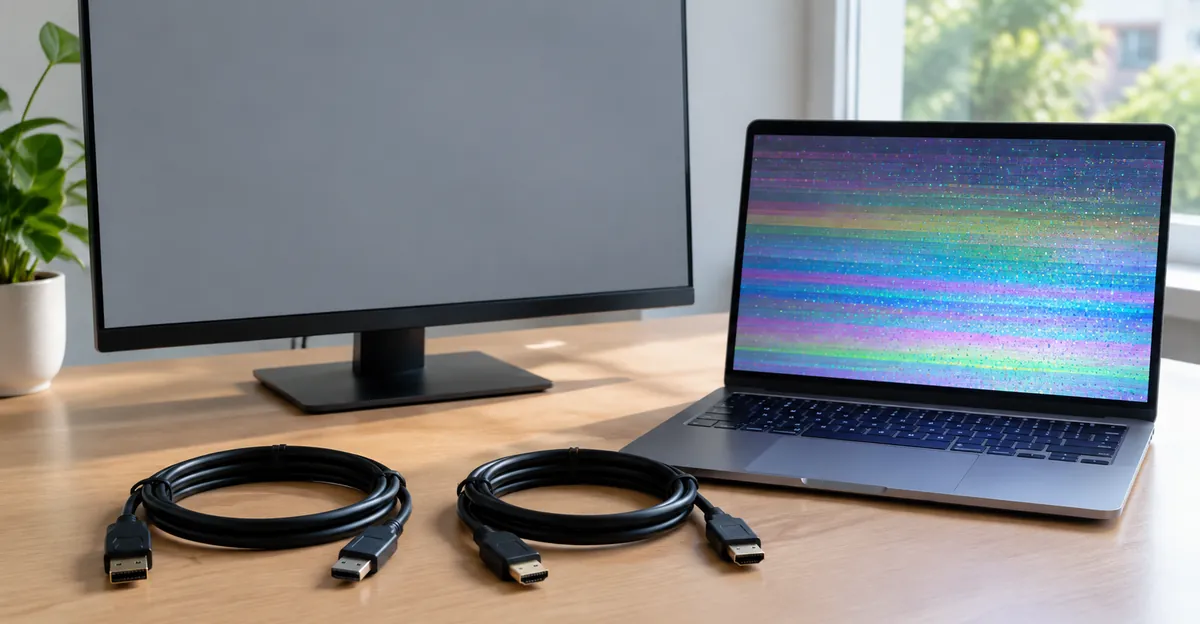
Fixes That Work vs Myths
Fixes that work (when matched to the cause)
- Stock clocks + thermal cleanup for load-only sparkles on a previously tuned GPU.
- Safe Mode isolation + DDU + clean vendor driver for Windows 10 rainbow crashes that vanish on the Basic Display Adapter (Microsoft Answers and DDU documentation both center this path).
- Cable/port/refresh reduction when screenshots are clean.
- Integrated graphics workaround to keep working while an RMA ships.
- OEM charger / force restart / Safe Mode app removal on Samsung phones when the fault is power- or app-related.
- PSU capacitor or T-Con service on TVs when a technician confirms those boards—documented rainbow-on-boot Samsung repairs cleared after cap kits.
Myths and harmful “fixes”
| Myth | Why it fails |
|---|---|
| “Massage the rainbow spot” | Enlarges LCD/OLED pressure damage |
| “Heat gun the panel” | Warps polarizers; voids warranties |
| “Reinstall Windows first” | Wastes hours if BIOS already shows artifacts |
| “Any HDMI cable is fine at 4K 144 Hz” | Underrated cables sparkle like dying GPUs |
| “Color filter settings cause rainbow death” | Filters remap hues; they do not crash into sparkles |
| “It’s always the GPU—RMA immediately” | Skips cable, driver, and OC checks that fix many cases |
| “TV rainbow means buy a new TV today” | Caps/T-Con sometimes restore the set for far less |
What “fixed” looks like
Success means the fault does not return under the same load that triggered it, across a cold boot and a warm session. A single clean reboot after DDU is necessary but not sufficient—rerun the game, browser video, or boot cycle that used to fail. On Samsung hardware, success means the rainbow is gone in normal mode, not only in Safe Mode, and charging no longer recreates it.
When Hardware Repair or Replacement Is Needed
Buy a panel or GPU only after software and signal paths lose.
Replace or RMA the GPU when: artifacts remain at stock clocks with clean drivers; corruption appears in BIOS; VRAM tests fail; the card misbehaves in a second PC; temperatures are normal yet sparkles are constant. Escalating crashes, black screens, and driver timeouts alongside rainbow frames reinforce a dying GPU conclusion in artifact literature.
Replace the PC display cable or laptop lid cable when: external monitors are clean from the same GPU but the built-in panel rainbows, or flexing the lid changes the pattern. That is a laptop hinge/cable classic—not a Windows 10 feature bug.
Replace the phone/tablet display assembly when: Samsung Safe Mode still shows rainbow or colored damage after impact, moisture, or charging-path elimination. Flex reseats help only if a shop opens the device; end users should not pry modern Galaxy glue seals casually.
Service or replace TV boards/panel when: all inputs are solarized, a known-good source is fine on another TV, and picture-reset does nothing. Caps and T-Con are the value repairs; full panel replacement often exceeds the set’s remaining worth—ask for a written diagnosis before authorizing panel cost.
Warranty notes. Accidental pressure, liquid, and impact are usually excluded from base coverage. Manufacturing GPU failure and pixel policy defects may be covered—document BIOS-level artifacts and clean-driver reproduction before you ship a card. For Samsung, use authorized service if you need genuine parts and warranty continuity.
Decision checklist
- Screenshot and external-monitor (or iGPU) tests recorded
- Stock clocks + clean driver attempted on Windows 10
- Safe Mode result recorded (PC or Samsung phone)
- Cable/charger variables eliminated
- Cost of repair vs device value compared
- Data backed up if the display may die completely
A rainbow screen of death is frightening because it looks like the machine is dissolving. In practice it is a layered fault with a boring checklist. Run the checklist once, honestly, and you will know whether you need a free driver cleanup, a $15 cable, or a real hardware ticket.
FAQ
Is there a Windows rainbow screen of death?
No official one. Windows stop screens are blue (production), historically black in some eras, and green for Insider builds; other “colored screens of death” discussed online (orange, etc.) are informal labels for specific failure contexts—not a rainbow bugcheck theme. The phrase “Windows rainbow screen of death” in search is user language for GPU/display corruption or a hang with rainbow frames.
Is it a BSOD variant or a display/GPU fault?
Display/GPU fault first. A BSOD is a textual stop screen. Rainbow sparkles and freezes are artifacting or signal/panel failure. You may still see a BSOD afterward if TDR recovery fails.
Can driver rollback / Safe Mode clear it?
Yes for many Windows 10 cases. Safe Mode → remove bad driver → clean install is the standard recoverable path. Persistence in Safe Mode or BIOS means hardware.
Does Samsung rainbow screen mean the panel is dead?
Not on first sight. Eliminate apps (Safe Mode), chargers, and inputs. Persistence usually means panel, flex, T-Con, or power hardware.
Screenshot / external monitor—what do they prove?
Screenshot contains rainbow → fault before the panel. Screenshot clean → cable/panel/OSD path. External or iGPU clean while dGPU rainbows → discrete GPU path.