A screen protector cracked screen situation usually means one of two things: the film or tempered glass on top is broken, or the phone’s real glass is cracked and you want to cover it. This guide separates those cases, explains when a new protector helps, how to stop protectors from cracking early, and when you need a real display repair.
Screen Protector on a Cracked Screen: When It Helps, When to Replace
Search results for screen protector cracked screen mix two emergencies. One is a cracked screen protector that still sits on an intact phone. The other is a cracked phone screen that people want to cover with a new film before they can afford a repair. Those paths share tools and vocabulary, but the decision rules are different.
This article focuses on the decisions: whether the break is in the sacrificial layer or the real glass, whether you should replace a cracked protector now, whether you can put a screen protector on a cracked screen as a temporary measure, how to remove a cracked sheet without making a bad glass worse, and how to keep the next protector from cracking for no good reason. For step-by-step dust-free install and bubble troubleshooting, use our broken screen protector guide—this page does not re-teach that workflow.
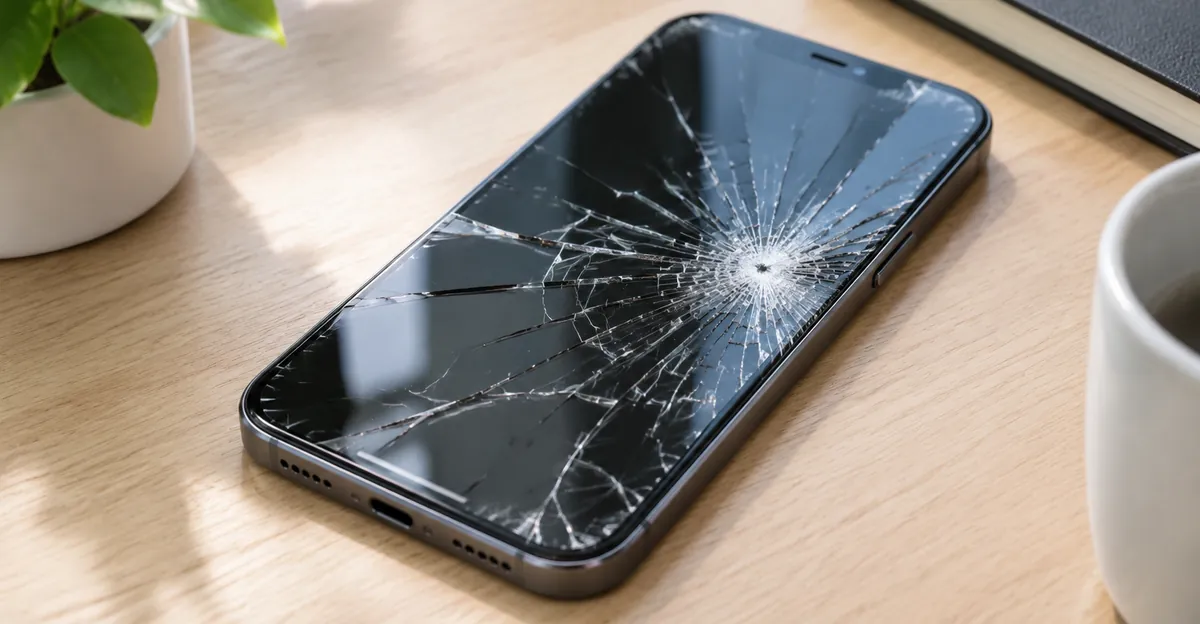
What “Screen Protector Cracked Screen” Usually Means
The phrase screen protector cracked screen is ambiguous on purpose. People type it when any crack sits somewhere near the display. Sorting the layer first prevents the expensive mistake of treating a $10 film failure like a $300 OLED failure—or the opposite mistake of ignoring real panel damage because “it’s just the protector.”
| What you see | Likely layer | Screenshot test | First move |
|---|---|---|---|
| Spiderweb lines that vanish in a screenshot | Protector only | Clean file | Replace the protector soon |
| Crack lines also visible inside the screenshot | Phone glass / panel | Broken file | Plan repair; optional temporary film only if glass is flush |
| Soft dark bruise, no sharp crack | Pressure / LCD stack | Spot may show | See pressure damage |
| Black blotch or ink bloom under intact glass | Panel damage | Spot in screenshot | See black spot screen |
| Crack + dead touch zone + black smear | Cover glass and/or digitizer | Often shows defects | Repair, not another hard glass press |
Short screenshot protocol (once). Open a solid white or black full-screen image, capture a screenshot, and open that file on another device. Protector cracks sit above the pixels; they should not appear in the bitmap. Fractures that reach the display stack usually do. Touch-dead zones, green or black lines, and flicker are panel or digitizer signals—do not “fix” those with a thicker film.
A second check is mechanical. Run a clean fingernail lightly across the crack. Protector fractures often catch and feel raised. Deep cover-glass cracks can feel subtler or sit under an intact film. If a thick tempered sheet is still on the phone, remove it carefully before you declare the real glass healthy.
Three real-world patterns show up again and again in repair shops and consumer guides (BGR, RepairMyCrack, Asurion):
- Protector did its job. Drop → tempered glass spiderwebs → phone glass intact. Replace the film; celebrate the cheap failure.
- Both layers failed. Drop → protector cracked → phone glass also spidered or chipped under it. Temporary soft film may help safety; the phone still needs glass service.
- No protector, cracked phone. Hairline cover-glass crack; user asks whether a new tempered sheet or hydrogel can bridge the gap until payday. Answer: sometimes, with strict conditions below.
Do not confuse crack language with other display failures. A rainbow sheen around a soft bruise is usually pressure or polarizer damage, not a protector chip. Colored lines or blackouts after impact belong in hardware diagnosis, not accessory FAQs. Use the screen test and iPhone black screen test workflows when you need solid-color confirmation of panel health before buying another film.
Do Screen Protectors Crack—and How to Stop Them
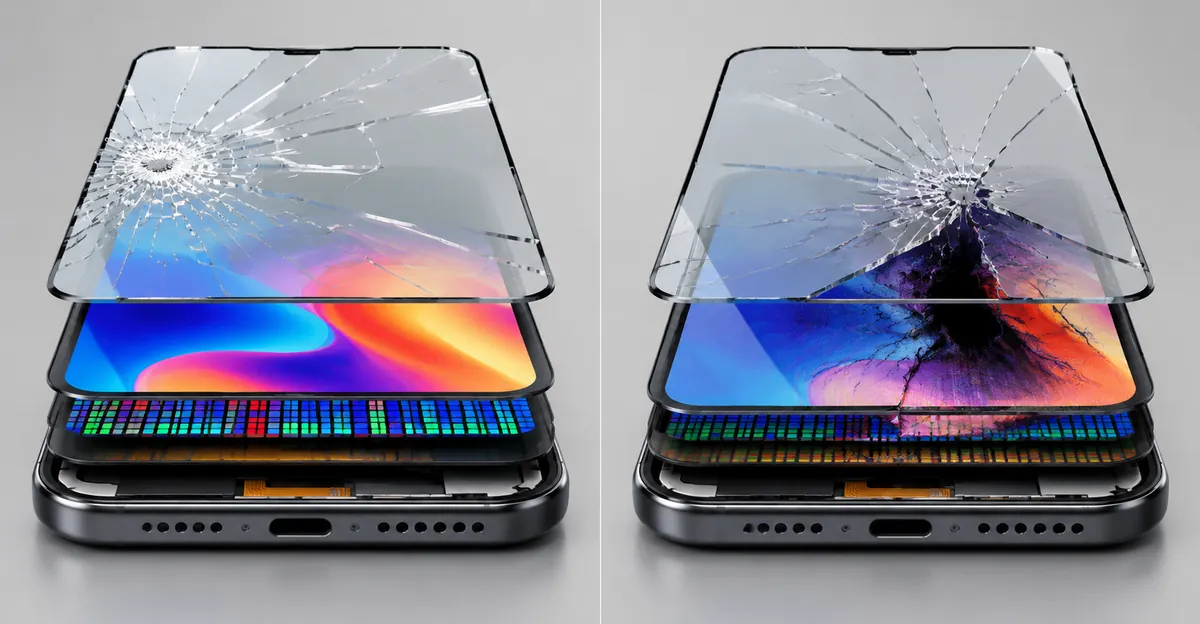
Do screen protectors crack? Tempered glass ones do—and that is often intentional. The sheet is a sacrificial layer. When impact energy exceeds the compressive stress in the tempered glass, the film fractures so the phone’s cover glass does not. Soft hydrogel and PET films usually dent, scratch, or peel rather than shatter; that does not mean they “never fail,” only that failure looks different.
OtterBox and edge-quality write-ups converge on the same crack drivers: hard drops and pocket impacts, case lips pressing the glass edge, wrong size or off-center install, bubbles left as stress risers, extreme heat/cold cycling, and low-quality edges that chip from microscopic manufacturing flaws. Edge cracking is the dominant early-failure mode: a tiny corner nick from a case rim becomes a full-length crack days later.
How to keep a screen protector from cracking (or from cracking early)
| Habit | Why it helps |
|---|---|
| Buy case-friendly cutouts | Leaves ~0.5 mm clearance so the case lip does not pry the edge |
| Install dust-free, once | Bubbles and grit concentrate stress; do not keep peeling and re-sticking |
| Seat adhesive, then snap case on gently | Dragging a thick case lip across a fresh edge chips glass |
| Prefer full-adhesive sheets over “center only” glue | Dry edges lift under case pressure and catch keys |
| Empty pockets of keys and coins | Point loads start edge chips |
| Avoid hot dashboards and freezing nights in the car | Thermal expansion stresses thin glass |
| Replace chips promptly | A chip is a crack waiting for temperature or flex |
Case and protector compatibility is not cosmetic. Listings that say “edge-to-edge” often fight raised-lip cases. Case-friendly protectors intentionally leave a slim border. If your current case keeps lifting a protector, check for physical contact at the rim before blaming adhesive. Torras- and MagicJohn-style fit guidance is consistent: install without the case, wait a few minutes for adhesive to settle, then reinstall the case from one side without scraping the glass.
Thickness trade-off. Thicker glass feels more “phone-like” and can absorb bigger hits, but a taller edge is easier for a case to catch. Many case-friendly kits sit around 0.2–0.3 mm. Hydrogel films avoid shatter but give up some drop hardness—useful on curved displays and as a temporary skin over uneven cracks, weaker as primary drop armor.
Scheduled replacement without drama. Brands such as Rokform and ZAGG recommend watching condition more than calendar, but adhesive and oleophobic coatings still age. If you abuse the phone daily, budgeting a new sheet every six to twelve months—even without a crack—keeps adhesive and clarity from degrading into a false sense of protection. A cheap multi-pack turns that into a habit instead of a crisis purchase.
Stopping a screen protector from cracking entirely is impossible if you drop phones onto concrete. The goal is fewer unnecessary cracks from fit, case conflict, and neglected chips—so when the glass finally breaks, it broke for a real impact, not because a case chewed the corner for a month.
Cracked Screen Protector: Replace Now or Wait
A cracked screen protector (or screen protector cracked in search shorthand) has already spent its structural budget. Guides from Rokform, ZAGG, Asurion, and BGR agree on the core rule: replace when cracked. The debate is only how many hours of grace you get.
Replace now
- Spiderweb or multi-branch cracks across the viewing area
- Sharp edges you can feel with a fingertip
- Loose chips or glass dust in a pocket or case
- Corner chunks missing (exposes real glass)
- Peeling edges collecting grit under the sheet
- Touch dead zones or lag that appeared with the crack
- Crack spreading hour by hour after a drop
Short wait OK (order the pack today)
- Single hairline near a bezel, not spreading, no sharp feel
- Tiny edge chip under 2 mm that is stable and case-clear
- Visual crack only, touch perfect, replacement arriving within 24–48 hours
Do not wait for weeks
Leaving a badly cracked tempered sheet on the phone does three bad things. First, impact absorption collapses—the next hit transfers more energy into the real glass. Second, fragments can scratch the cover glass as they shift. Third, removal gets harder as cracks multiply and adhesive picks up debris; Asurion notes cracked protectors become harder to remove cleanly over time.
| Severity | Risk if ignored | Action |
|---|---|---|
| Hairline, stable | Low–medium | Replace soon; avoid pressure on the line |
| Corner chip | Medium | Replace before case contact expands it |
| Spiderweb | High | Replace immediately |
| Loose shards | Injury + scratch | Tape-over for containment, then remove carefully |
| Crack + touch failure | High (possible digitizer) | Remove, inspect real glass, repair if needed |
Should you replace a cracked screen protector? Yes. The only nuance is whether “immediately” means tonight or tomorrow morning. It does not mean next month. Glue, tape, or “liquid glass” fillers do not restore tempered integrity; they trap dirt and can complicate later removal. Treat the cracked sheet as packaging that already opened.
When you remove and install the next one, follow the full clean-room style process in how to fix a broken screen protector—alcohol wipe, dust stickers, alignment frame, self-wetting adhesive—rather than rushing a crooked sheet that will crack again from trapped grit.
Can You Put a Screen Protector on a Cracked Screen
Can you put a screen protector on a cracked screen? / Can you put screen protector on cracked screen? Yes in many cases—as a temporary safety layer, not as a repair. BGR, RepairMyCrack, and tempered-glass product guides describe the same bargain: the film may hold shards, smooth the feel, and buy days or weeks before a glass replacement. It will not restore water resistance, structural strength, or a damaged OLED/LCD.
When a temporary protector is reasonable
All of these should be true:
- Cracks are mostly hairline; the surface is still roughly flush with the frame.
- No large loose pieces, no missing glass, no raised lip you can catch a fingernail under.
- Touch works across the whole display; no expanding black spots, colored lines, or flicker.
- Phone has not been soaking wet (moisture under cracked glass is a separate failure path—see water damage).
- You already have a repair appointment or a hard deadline to book one.
When you should not press on another hard glass
| Red flag | Why |
|---|---|
| Glass lifting or missing | Adhesive cannot seal; pressing worsens fracture |
| Sharp mobile shards | New tempered glass can trap and concentrate pressure |
| Black ink, lines, flicker | Panel/digitizer damage—film hides nothing important |
| Soft pressure bruise under “crack” language | Wrong failure mode; see pressure guides |
| DIY liquid / UV adhesive kits | Liquid can migrate into speakers, buttons, and modules |
Tempered glass vs hydrogel vs soft film on damaged glass
| Type | Best when | Weakness on cracked phone glass |
|---|---|---|
| Tempered glass | Hairline cracks, flat surface, you want drop padding | Bubbles over uneven cracks; hard press can propagate damage |
| Hydrogel / TPU film | Uneven shatter, curved displays, short-term containment | Weaker against hard drops; can puncture on sharp shards |
| Ultra-thin PET | Emergency pocket protection | Least impact help |
Hydrogel vendors correctly warn that an already cracked screen is not a “supported use case” for a perfect install—bubbles and adhesive failure are likely. That is acceptable if your goal is finger safety for a weekend, not a showroom finish.
How to apply gently (principles only)
- Clean with a dry or lightly damp microfiber—avoid flooding cracked glass with liquids.
- Do not scrape grit out of open cracks with metal tools.
- Align once; do not repeatedly peel a tempered sheet on fractured glass.
- Accept some bubbles over crack lines; do not mash them with heavy pressure.
- Skip liquid adhesive “fill the crack” kits for home use.
- Book the real repair; treat the film as a bandage.
A protector over cracked cover glass can make the phone safer to pocket and type on. It does not make the phone new. If the crack is growing, black areas are spreading, or touch is dying, stop DIY accessories and move to repair—another film only delays evidence gathering for warranty or insurance photos you should already have taken.
How to Remove a Cracked Screen Protector (If the Glass Underneath May Be Broken)
How to remove a cracked screen protector is usually straightforward when the phone glass is intact: lift a corner, peel low and slow, wipe residue. When the real glass might also be cracked, the same motions need more caution.
Safety principles (this page)
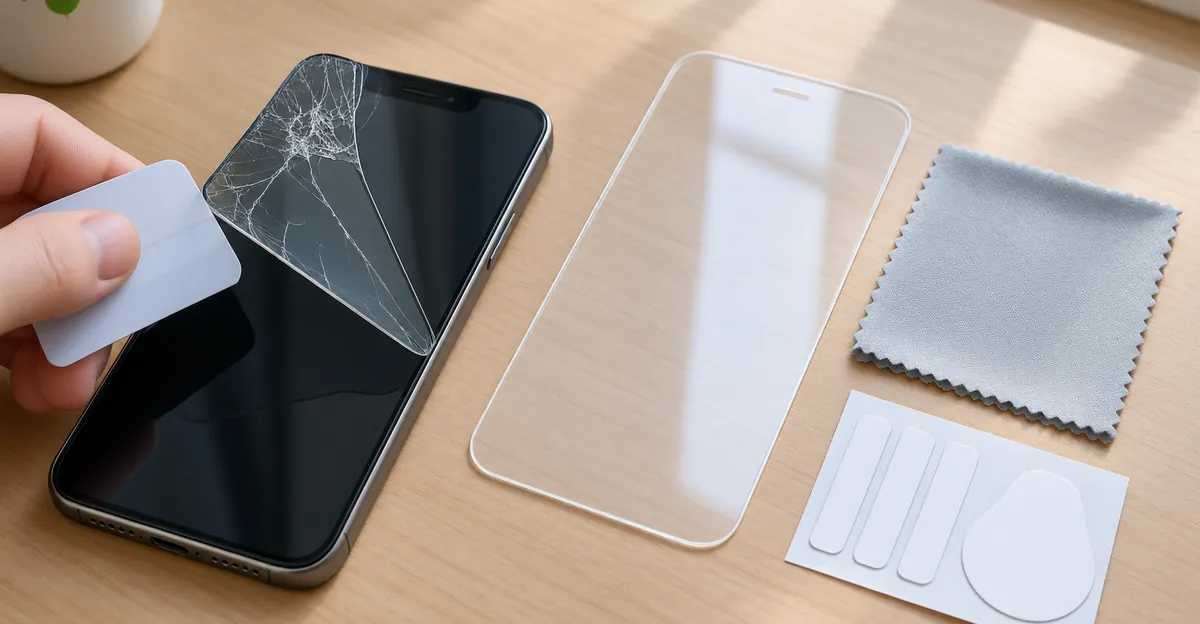
- Contain first if shards are loose. Clear packing tape over the entire tempered sheet can hold fragments while you lift—then peel tape + glass together from a corner.
- Plastic only. Fingernail, plastic card, or nylon pry tool. No knives, no metal SIM tools under the crack.
- Low angle, slow peel. Yanking can fling glass into the digitizer or your fingers.
- Optional gentle heat. Brief warm air softens stubborn adhesive; do not cook a phone that may already have moisture ingress.
- Stop if the phone glass moves. If the underlying cover glass flexes or lifts with the protector, stop and take it to a shop. Continuing DIY can turn a repairable glass job into a full display assembly.
Extra risks when the display underneath is cracked
- Fragments from the protector can grind into open phone-glass fractures.
- Adhesive may be bonded into crack valleys; peeling can pull small chips.
- Liquids used to “help” removal can seep under broken cover glass toward the OLED.
- Force near a raised crack lip can propagate the phone glass crack across the panel.
After removal
Inspect under bright light with the screen off and on. Re-run the screenshot test. If the real glass is intact, install a new protector using the detailed steps in the broken screen protector article. If the real glass is cracked, decide between temporary soft film (previous section) and immediate repair. Do not reinstall a rigid tempered sheet that requires hard edge pressure on a lifting crack.
Asurion’s guidance matches repair-shop practice: start at a corner, never force the middle, and remove a cracked protector sooner rather than later so edges do not get sharper and more fragmented.
When the Real Display Needs Repair, Not Another Film
Another screen protector is the wrong product when the failure is inside the display stack. Cover the symptom only when the panel still works and the glass is merely fractured for a short bridge.
Repair / replace the phone display when
- Screenshot shows the crack or black damage
- Touch dead zones, ghost touches, or unresponsive bands
- Black, green, or pink blotches after impact
- Flicker, dim zones, or lines that survive Safe Mode / reboot
- Glass is crushed, missing, or razor-sharp and lifting
- Crack after liquid exposure (corrosion risk under the panel)
- Device is high value and you need water resistance restored (a film never restores IP seals)
Cost framing (decision aid)
| Path | Typical role | Rough expectation |
|---|---|---|
| New tempered / hydrogel pack | Sacrificial / temporary | Low one-time cost; multi-packs amortize |
| Authorized glass / display repair | Restore structure + often seals | High; preserves resale and warranty path |
| Third-party glass-only | Cheaper cosmetic fix | Variable quality; may affect Face ID / True Tone |
| Keep cracked glass bare | Worst for fingers and pockets | Avoid |
If impact left a soft dark bruise without a sharp crack, you may be looking at pressure damage rather than a classic shattered cover glass—pressing a hard protector onto a bruised LCD can enlarge the bruise. Localized black marks need the black spot or LCD spot damage paths, not another accessory.
Exclusive decision matrix
| Situation | Protector OK? | Next step |
|---|---|---|
| Protector cracked, phone glass OK | Replace protector | Install new sheet (blog how-to) |
| Phone glass hairline, touch OK | Temporary film/glass | Soft install + book repair |
| Phone glass shattered / lifting | Soft film only or none | Shop repair ASAP |
| Panel artifacts in screenshot | No | Display service |
| Unsure which layer | Remove carefully | Retest; then choose row above |
Back up the phone before any repair drop-off. Photograph the damage in daylight for insurance or AppleCare / OEM claims. A temporary protector can keep the phone usable while parts arrive; it should never be the last step when the OLED is already failing.
FAQ
Should you replace a cracked screen protector?
Yes. A cracked tempered sheet has used its sacrificial strength. Replace on spiderwebs, sharp edges, chips, or peeling. A stable hairline can wait a day for shipping—not a month.
Can you put a screen protector on a cracked screen?
Yes as a temporary safety measure when the glass is flush, touch works, and the panel looks healthy. It is not a repair and will not restore waterproofing. Avoid liquid adhesive kits.
How to remove a cracked screen protector?
Lift a corner with plastic, peel slowly at a low angle, use gentle heat if needed. If the phone glass may also be cracked, contain loose shards with tape and stop if the underlying glass moves.
Do screen protectors crack?
Tempered glass ones are supposed to crack under serious impact so the phone does not. Soft films usually scratch instead. Edge chips from cases are the most common “early” cracks.
How do I tell a cracked protector from a cracked phone screen?
Screenshot solid color: cracks in the file mean display-side damage; cracks only on the live phone usually mean the protector. Remove the film carefully if you still cannot tell.