Screen discoloration is any unwanted color, tint, or brightness change that does not match the image the device is supposed to show. The phrase covers a full-screen Night Light cast, a yellow stain after heat, a pink laptop, and a purple AMOLED pressure mark. This guide splits those looks into software versus panel, then points you to the right test and the right existing repair page.
What Is Screen Discoloration: Types, Causes, and Fixes
HP's official "What Is Screen Discoloration" guide defines the problem as yellowing, shadows, or uneven colors on a display. Repair shops describe the same umbrella with extra colors: yellow or brown tints, blue or green patches, rainbow streaks, and uneven brightness. The useful split is not the brand of the device. It is whether the wrong color is a setting, a signal path, or a physical layer in the panel.
That split decides the money. A Night Light toggle costs nothing. A flagship phone panel, in 360TechGuide's 2026 repair table, runs about $200 to $450. A laptop or monitor panel that HP prices at $150 to $500-plus is only worth doing when the rest of the machine still has value. The rest of this page is a map, not a duplicate of the yellow, orange, pink, or red articles.
What Screen Discoloration Looks Like
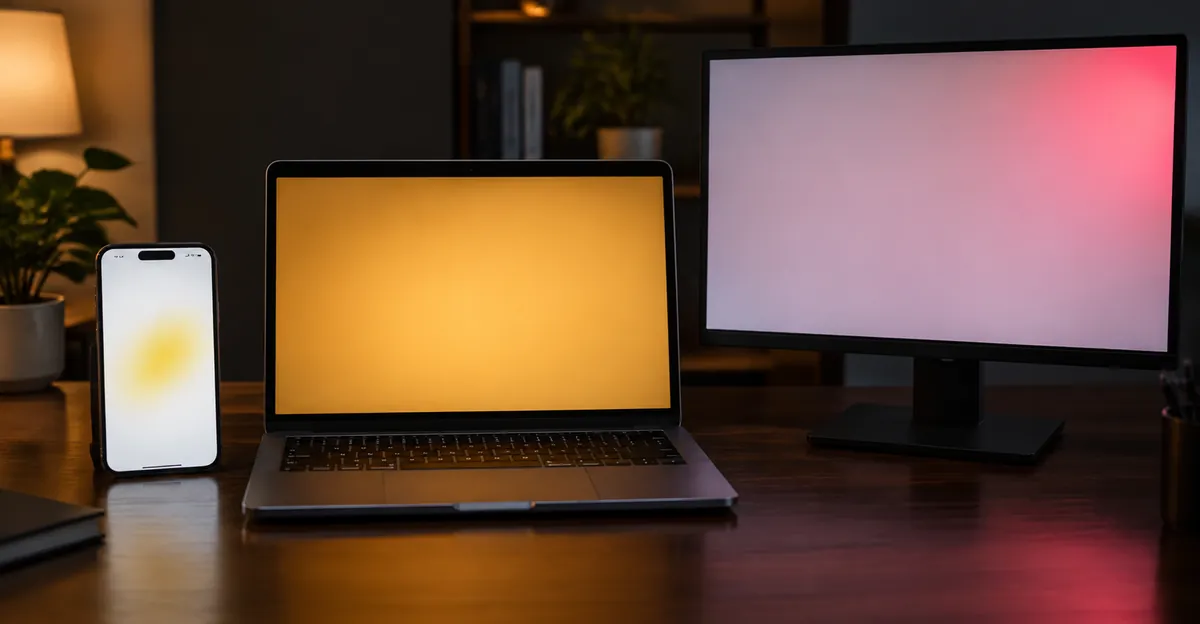
People search "what is screen discoloration" after they notice that white no longer looks white. The mark is not always yellow. It can be orange, pink, red, blue, green, purple, grey, or simply dimmer than the rest of the panel. Three shapes cover almost every report we see across phones, laptops, and external monitors.
Full-screen tint. Every white background looks cream, amber, pink, or green. The shift is even. Icons and text still look sharp. This is the signature of a color-temperature feature or a wrong ICC profile. HP lists Windows Night Light, f.lux, and similar apps as intentional warm tints. Apple Night Shift and True Tone, Android Eye Comfort, and monitor OSD modes labelled Reading or Low Blue Light do the same job. The tint usually appears at sunset, after an OS update, or the moment someone maxes the filter strength.
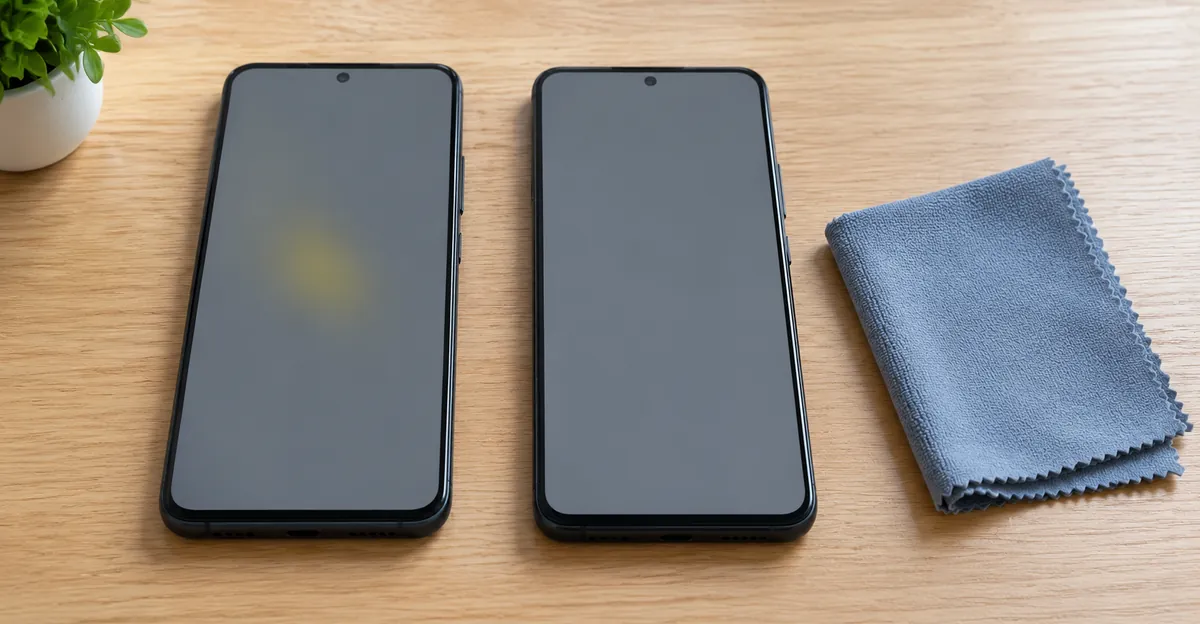
Localized patch. A stain, blob, or cloudy patch sits in one place. It may be yellow, purple, green, or grey. Edges can be soft (adhesive or backlight) or sharp (pressure or liquid). 360TechGuide describes phone yellow spots as stains that show up on white backgrounds. Sydney CBD Repair Centre treats purple smudges on Samsung AMOLED as internal pressure cracks, not a filter. A patch that stays in the same physical place when you rotate the UI is inside the glass stack. A mark that moves with an app window is software.
Edge fade, shadow, or leak. Corners look brighter or darker than the center. Dark scenes show a halo. HP files this as backlight bleeding or failing LEDs, most obvious in a dim room on black. Older CCFL monitors yellow at the edges as the tubes age. Laptop lids that close on a pen leave pressure shadows near the bezel. This family overlaps LCD backlight bleed and is not a color-filter problem.
A fourth look is often mislabelled discoloration: a single stuck or dead pixel, a bright pinprick, or a white pressure spot. Those are defects, but they are not a color cast. Send pixel dots to a dead-pixel test and glowing marks to the phone bright spot guide. Keep this page for tints and patches.
Viewing angle and room light lie. TN and some IPS panels shift hue when you look from the side. Dust on the coating looks like a stain until you wipe it. A lifted screen protector creates an air gap that reads as a white or rainbow patch; GadgetsNow's 2026 white-spot note is that the mark changes with angle and sits above the pixels. Turn the display off. If the "discoloration" is still a blob on the glass, clean or replace the protector before you order a panel.
Screen Discoloration vs Tint, Spots, and Burn-In
"Discoloration" is a search word, not a single failure mode. Mixing it with tint, spot, burn-in, and bleed is how people buy pixel-fix apps for a Night Light schedule. Use this table as the first exclusive diagnostic, then open the color page that owns that symptom.
| What you see | Family | Typical cause | First test | Dedicated guide |
|---|---|---|---|---|
| Whole screen warm or amber | Tint | Night Light, Night Shift, Eye Comfort, OSD Eye Care | Toggle the filter off | Yellow screen, orange screen |
| Whole screen pink or red | Channel loss | Weak or missing blue in cable, driver, or panel | Solid blue field; external display | Pink screen, red screen |
| One yellow, grey, or brown patch | Spot | Heat adhesive, pressure, moisture, battery swell | Screenshot on another device | Mobile color problem |
| Purple or green AMOLED blob | Pressure crack | Digitizer or OLED stack stress | Do not press; stop DIY | Phone discoloration section below |
| Faint ghost of a taskbar or keyboard | Burn-in / retention | OLED static UI, or LCD image retention | Solid grey after a pixel-refresh cycle | iPhone black-screen test / OLED guides |
| Glow at corners on black | Bleed | Backlight and diffuser, not RGB mix | Lower brightness in a dark room | LCD bleeding |
HP's type list matches the rows: yellowing or color tint, shadows and dark patches, backlight bleeding, dead or stuck pixels, and image retention. Dead pixels are listed because users call them discoloration. They fail a different test: they stay one color on every field and they are pin-sized.
Burn-in is discoloration in the OLED sense. Organic emitters age at different rates. A navigation bar that sits for months leaves a darker or yellower ghost. LCD image retention can look similar for minutes and then fade. If a grey field still shows the ghost after the panel cools, treat it as wear, not a filter.
Blue spots and white spots sit next to this hub. A blue patch that ignores the content is not a missing red channel. A white spot that glows on black is often backlight or pressure, not a tint. Link those pages when the mark is a dot or a blotch rather than a hue shift across the whole image.
The screenshot test, repeated by 360TechGuide and most phone-repair blogs, is the cheapest fork. Photograph is for warranty. Screenshot is for software. If the saved image viewed on another phone or PC still shows a yellow wash, a filter or overlay is painting the framebuffer. If the saved image is clean and the live panel is not, the fault is glass, adhesive, backlight, or the cable that never hits the screenshot.
What Causes Screen Discoloration
HP groups causes as hardware aging, physical damage, heat, factory or cable faults, and software. Phone shops add moisture, swelling batteries, and AMOLED stress. Three or more independent sources name the same short list, so that list is the core of this section.
Software and settings. Color profiles, Night Light, Night Shift, True Tone, Eye Comfort, f.lux, Iris, and accessibility color filters change the whole picture on purpose. Corrupted ICC profiles and GPU drivers do it by accident. HP calls driver conflicts after Windows or macOS updates especially common. Dell's monitor color article adds a washed HDR path: HDR on a display that cannot tone-map the signal makes colors look wrong without any panel damage. Safe Mode or the monitor OSD without a PC attached clears this family.
Panel aging. Liquid crystals drift. HP's lifespan band is 30,000 to 60,000 hours before yellowing or uneven color is typical, and LED backlights are quoted around 50,000 hours or more, with earlier failures possible. CCFL tubes in pre-LED monitors yellow and dim at the edges. OLED and AMOLED age by sub-pixel. Blue emitters often wear first, which is why some phones look warmer after years of high brightness rather than after a drop.
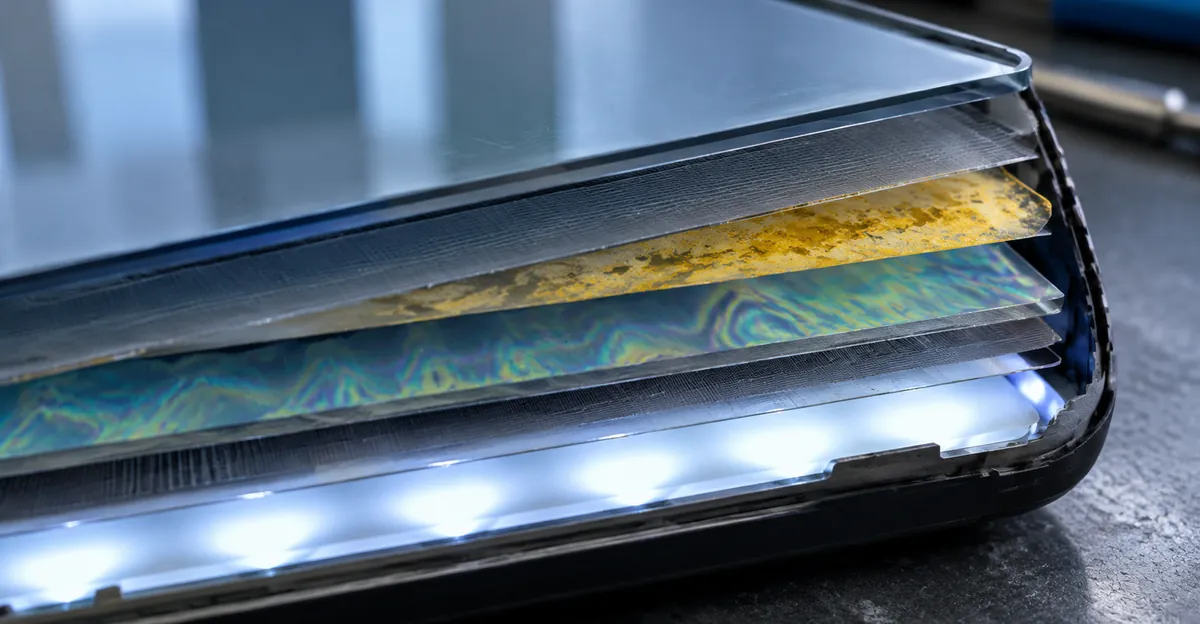
Heat and adhesive. HP flags sustained temperatures above 35°C (95°F) as an accelerator. Cars in summer, gaming sessions, and charging under a pillow all land there. 360TechGuide and Oreate-style repair notes describe adhesive outgassing: the glue between polarizer, glass, and backlight yellows in a patch. Sydney CBD Repair Centre lists overheating as a cause of both pixel burn and adhesive yellowing. A uniform tint that vanishes when the phone cools was thermal; a stain that stays after 20 minutes of rest is chemistry in the stack.
Pressure and impact. Tight pockets, a laptop closed on a pen, a bag strap, or a drop deform the liquid-crystal gap or crack AMOLED encapsulation. HP describes laptop lid pressure as a source of shadows. Sydney CBD Repair Centre says purple marks on AMOLED are internal pressure cracks and that DIY pressing makes them worse. Do not massage, heat, or freeze the glass.
Moisture and liquid. Even a small amount between layers creates yellow, green, or bleed patterns. 360TechGuide treats post-spill yellow patches as a power-off-and-inspect event, not a wipe-and-hope event. GadgetsNow's moisture note for white patches after steam or monsoon humidity is the same instruction: power off, dry in air, do not use rice.
Cables, connectors, and GPU. A loose eDP, LVDS, HDMI, or DisplayPort link can drop one color channel. That is how a "red screen" or "pink screen" is often a blue-channel cable, not a red-channel disease. A failing GPU tints every output. HP's external-display test is the cheap proof: if a second monitor is clean, the laptop panel or its internal cable owns the fault; if every output is wrong, look at drivers and the GPU.
Battery swell. Not every yellow patch is a battery, but a lifting screen, a rocking phone, extra heat, and a growing stain together are a fire-risk pattern. 360TechGuide's FAQ is explicit: switch the phone off. That is a safety path, not a color-calibration path.
Factory defects. HP places poorly seated internal cables and early panel faults in the first 30 to 90 days. Those are the cases most likely to be warranty replacements if you document them before you pry the bezel.
How to Diagnose Screen Discoloration
Work in this order. Each step is cheap. Skip ahead only when the pattern already proves hardware (a lifting battery, a crack, a blob that appeared at the impact site).
1. Name the shape. Full even tint, one patch, or edge leak. Write which one. The table in the previous section is the decision, not a decoration.
2. Kill the filters. Windows: Settings, System, Display, Night light off, strength 0, schedule off. macOS: Night Shift and True Tone off. iPhone: Display and Brightness, the same two toggles. Android: Eye Comfort, Reading mode, Extra Dim, and any third-party blue-light app. Monitor OSD: leave Eye Care or Reading mode, reset to factory, set color temperature near 6500 K. If the picture snaps back, you are done.
3. Screenshot versus live panel. Capture a white or grey screen. Open the file on another device. Clean file plus dirty live panel equals hardware. Dirty file equals software or GPU. 360TechGuide states the same rule for yellow spots. HP adds a phone photo of the live panel for warranty, because a screenshot cannot prove a physical stain.
4. Solid colors. Open the Screen Test tool and run white, grey, black, red, green, and blue full screen. A tint on every color is a filter or a weak channel. A patch that sits on white and grey but vanishes on black is often adhesive or polarizer. A glow only on black is bleed. A pin of one color on every field is a stuck sub-pixel.
5. Another output. Laptop: plug an external monitor. Clean external plus dirty lid is panel or eDP. Dirty both is GPU, driver, or OS color management. Desktop monitor: unplug the PC, open the OSD or built-in self-test. If the OSD itself is tinted, the panel or scaler is guilty. Swap a certified HDMI or DisplayPort cable before you RMA.
6. Safe Mode, BIOS, or recovery. HP: if the cast disappears in Safe Mode or at the firmware screen, treat it as software. If it is already wrong at the logo, skip app hunting.
7. Heat, pressure, and lift checks. Feel for a hot battery. Look at the side gap. Set a phone on a table; rocking plus a growing yellow patch is swell. On a laptop, look for a pen-shaped shadow that matches something left on the keyboard. Do not press to "confirm." Sydney CBD Repair Centre lists pressing the discolored area, hair dryers, and freezers as damage you must avoid.
8. Timing notes. HP's pattern questions are the right ones: right after boot, after warm-up, only in one app, or worse during a session. After-update points to drivers. After-extended-use points to heat. Always-present in BIOS points to panel or cable.
Stop when you have a family, not when you have a brand of glue. The next two sections apply that family on phones versus laptops and monitors.
Phone Screen Discoloration
On a phone, "screen discoloration" is more often a patch than a setting. Blue-light features still cause full-screen yellow, and they are the first toggle. After that, phone hardware dominates: adhesive, pressure, moisture, OLED wear, flex cables, and batteries.
Sydney CBD Repair Centre's cause list is the field list: pressure from sitting or tight pockets, overheating, water, aging OLED pixels, software calibration, flex or connector issues, and burn-in. Their type list maps to what users actually type: yellow tint from heat or filters, green or pink streaks from AMOLED or digitizer stress, purple smudges from Samsung-style pressure cracks, and uneven brightness from backlight or water.
Run the software half in two minutes. Restart. Disable Night Mode or Eye Comfort Shield. Switch screen mode from Vivid to Natural. Safe Mode on Android rules out a rogue overlay app. Pixel-refresh utilities are only for mild stuck sub-pixels or early retention. They do not un-yellow glue and they do not un-crack OLED.
Then run the hardware half. Screenshot test. Solid colors. Protector off, because a stained or lifted glass sheet imitates a panel stain. Cool the phone for 15 to 20 minutes if the mark appeared after gaming or wireless charging; 360TechGuide says some heat tints fade when the stack returns to room temperature. Moisture gets 24 to 48 hours of dry air, not rice and not a hair dryer.
Red flags that end DIY: expanding purple or green blobs, flicker plus color shift, visible dents, water indicators, a screen that is lifting, or a phone that no longer sits flat. Sydney CBD Repair Centre is blunt that purple AMOLED discoloration is serious. Authorized or independent shops then reseat connectors, replace the digitizer, or replace the AMOLED. There is no home chemical that redistributes a crushed organic layer.
Cost anchors from 360TechGuide: budget phones about $30 to $80, mid-range $80 to $200, flagship $200 to $450, varying by brand and whether the shop uses OEM glass. Warranty is plausible for a new-unit adhesive defect. It is unlikely after a pocket crush. For model-level color pages, start at the mobile color problem hub rather than repeating those repair trees here.
Laptop and Monitor Screen Discoloration
Laptops and desktop monitors share cables, drivers, and OS filters. They diverge on how you isolate the panel.
On a laptop, HP's sequence is the right one: solid colors, Safe Mode or firmware screen, then an external display. Night Light and f.lux still cause most sudden warm lids. True Tone and Night Shift do the same on Mac. A lid that is pink or red while an external monitor is neutral is a blue-channel path in the hinge cable or the internal panel. A lid and an external that are both orange is Windows color management or the GPU. Closing the lid on a charger brick or a pen is the classic pressure-shadow case; HP suggests leaving a fresh mark alone for 24 to 48 hours with the lid open, and they warn that heavy pressing makes it permanent. We do not recommend massaging the panel. If a shadow remains after two days, treat it as physical damage.
MacBook needs a named fork because two different faults share the word discoloration. Night Shift is a schedule. It warms the entire Retina panel and dies when the toggle is off, including at the login screen after a reboot with the feature disabled. Adhesive yellowing or a heat patch survives Night Shift off, True Tone off, a new user account, and a screenshot viewed on an iPhone. Flex-cable wear on older Pro models adds a third look: tint or stage-light patches that change with lid angle. That last one is hardware even when Night Shift is innocent. Use the yellow and orange MacBook pages for the repair tree. Use this paragraph only to stop mixing the three.
On a desktop monitor, start at the OSD. If the menu is already the wrong color with no computer attached, the panel or the internal board is the fault. If the OSD is clean, reseat HDMI or DisplayPort, try another cable, another port, and another PC. Dell's color checklist adds HDR mismatch and factory OSD presets. HP lists brightness and contrast as a way to make mild bleed less visible, not as a repair for a yellowed LCD. Factory reset beats random RGB sliders.
HP's professional cost bands for laptops and monitors: backlight work about $100 to $300, panel replacement $150 to $500-plus, cable reseat labor about $50 to $150. Their replace-versus-repair rule is the same one independent shops use: if repair exceeds about half the price of a comparable new unit, or the device is past five years with other faults, replacement wins. Warranty still comes first. Manufacturing defects are the free path. Accidental lid crush is not.
Do not run pixel-fix videos on a cloudy pressure mark. Do not "reflow" a laptop display with a heat gun. Those tricks belong to stuck-pixel folklore and to damaged diffusers, which this hub refuses to merge.
Can Screen Discoloration Be Fixed
Yes for the software family. No for most physical patches, except by replacing the part that holds the stain.
Fix without a shop. Filters off. Default color profile. Calibrate only after the filter is off, or you will calibrate the tint into the profile. Update or roll back the GPU driver if the cast started after an update. New user account, as HP suggests, isolates a corrupted per-user color setting. Cable swap. OSD reset. Cool-down. Remove a stained protector. Those steps are the entire honest DIY list.
Do not do. Press, massage, or "knead" the blob. Heat the glass. Freeze the phone. Open a sealed phone to "reseating" unless you already accept that you voided warranty. Pixel-cycling apps on adhesive yellow. Household glass cleaner on oleophobic coatings.
Shop or maker. Connector reseat, digitizer, OLED or LCD assembly, laptop hinge cable, monitor T-con or panel. Sydney CBD Repair Centre's professional list for phones is digitizer, AMOLED, and connector cleaning. HP's list for computers is backlight, panel, and cable. Ask for OEM or equivalent glass on phones; a cheap aftermarket stack can arrive pre-yellowed.
Live with it. Mild corner bleed that vanishes at office brightness is within many panel tolerances. A two-pixel stuck sub-pixel on a monitor may fall under ISO-style pixel policies. A growing purple AMOLED smear is not something to live with if you can still claim warranty.
Safety exception. Swelling battery signs override color curiosity. Power down. Do not charge. Do not press the lifted glass. That is the only discoloration path that is a hazard rather than an annoyance.
When the family is a named color, leave this hub. Yellow, orange, pink, and red each have a full repair article. This page's job was to stop you treating a Night Light schedule like a dead panel, and to stop you treating a pressure crack like a missing color profile.
Conclusion
Screen discoloration means the display is showing a color or brightness it should not: a full tint, a fixed patch, or an edge leak. Software filters and profiles reverse in minutes. Heat, pressure, moisture, aging crystals, weak cables, and swelling batteries do not. HP's lifespan and heat numbers, 360TechGuide's screenshot test and phone repair bands, and shop guidance on AMOLED purple cracks all point to the same sequence: name the shape, kill the filter, screenshot, solid colors, second output, then repair or replace.
Use the Screen Test tool to run white, grey, black, and RGB full screen, photograph the panel for warranty, and compare a screenshot on another device. That single loop is enough to choose a settings toggle, a cable, or a quote.