Monitor Screen Pink & Yellow Tint: What Causes It and How to Fix It
A pink or yellow tint on your monitor screen disrupts color accuracy, making white backgrounds appear cream, magenta, or amber. These color shifts can stem from software settings like Night Shift or True Tone on MacBook Pro models, incorrect color profiles, or hardware faults such as cable damage or aging display components. This guide walks you through the diagnosis process, covering both common software causes that resolve in minutes and hardware issues that may require professional repair. Whether you see a persistent pink cast on a Dell monitor, yellow warmth on a MacBook Pro, or color inconsistency on any desktop display, the step-by-step troubleshooting below identifies the root cause and provides the fix that matches your specific symptom.
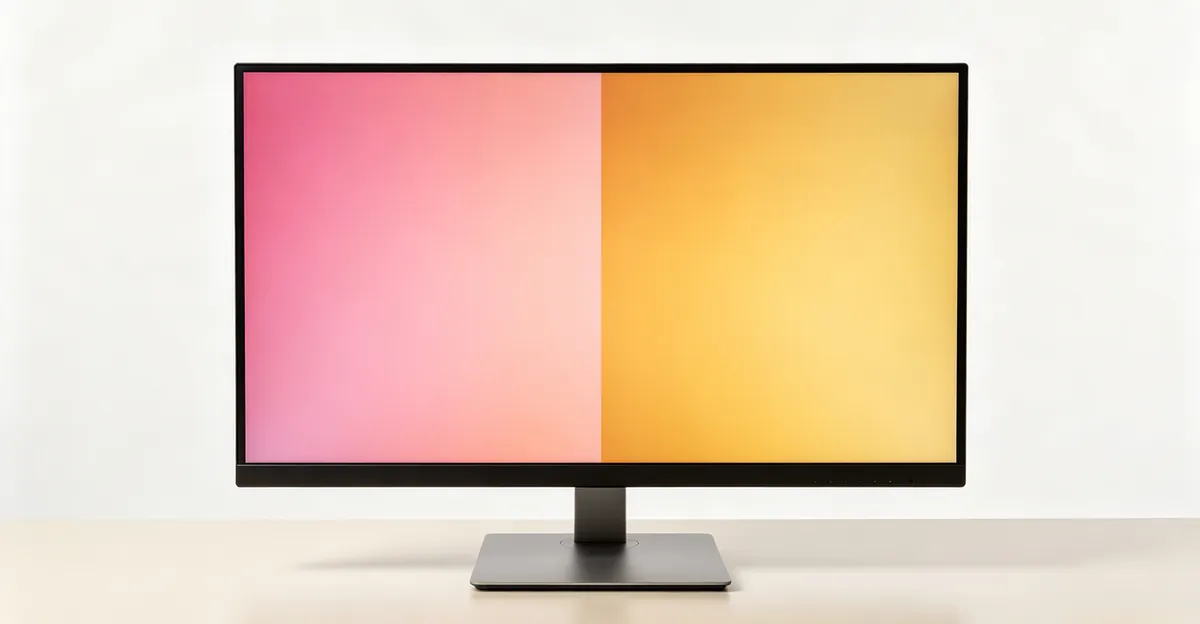
What Is Pink Screen and Yellow Tint on Monitors
Pink screen describes a color cast where the display shows a magenta, rose, or salmon tone instead of neutral white. On a pure white background, you see it as light pink; on gray, it appears as a warm mauve tint. The shift happens when the blue channel in the RGB color system fails or weakens, leaving red and green to dominate. Since red plus green produces yellow-pink hues in additive color mixing, the screen takes on a pink appearance. This can be constant across the entire panel or appear as patches.
Yellow tint is a warm color cast where the display's white point shifts from the neutral 6500K standard toward amber or cream tones, often dropping to 3000K or lower. Whites look like aged paper, blues appear greenish, and the overall image feels warmer than the original content. Unlike pink screen, yellow tint is usually uniform across the display and often tied to color temperature settings rather than a single failed channel.
Both issues share common ground: they are color rendering faults that disrupt accurate visual representation. They affect desktop monitors connected via HDMI, DisplayPort, or VGA cables, laptop internal screens including MacBook Pro Retina displays, and can occur on any brand—Dell, ASUS, HP, Lenovo, BenQ, or LG. The distinction matters for diagnosis: pink screen usually points to hardware channel failure or cable issues, while yellow tint more often traces back to software color temperature settings or adaptive display features.
Multiple sources confirm these definitions. NextTools describes pink screen as the result of blue channel loss in RGB displays, while Medium Talk defines yellow tint as a shift in white balance toward warm tones, measured in Kelvin temperature. ScreenIssues documentation adds that yellow tint on MacBook Pro can range from subtle cream to aggressive amber depending on True Tone or Night Shift intensity. ASUS support guides classify both as "abnormal screen color" problems requiring systematic cable, driver, and settings checks before hardware replacement.
Understanding the visual signature helps you describe the problem accurately to support teams and choose the right troubleshooting path in the sections that follow.
Why Your Monitor Screen Turns Pink
Pink screen on a monitor almost always indicates blue channel failure in the RGB color system. Computer displays create every color by mixing red, green, and blue light at varying intensities. When the blue channel stops working—whether from a damaged cable, faulty display panel, or corrupted graphics driver—the screen can only produce combinations of red and green. Since red plus green yields yellow to pink in additive color, the entire image shifts to a magenta or salmon cast. This is the most common hardware-side cause across desktop monitors and external displays.
Display cable problems are the leading trigger. A bent pin in a VGA connector, a damaged wire inside an HDMI or DisplayPort cable, or oxidized contacts can interrupt the blue signal while red and green pass through normally. ASUS troubleshooting guides report that reseating or replacing the video cable resolves pink screen in the majority of hardware cases. Cables degrade over time; repeated plugging and unplugging, sharp bends near the connector, or cable stress from desk movement all contribute to signal loss.
Graphics driver corruption ranks second. When the driver that translates software commands into display signals becomes outdated or corrupted, it may fail to send correct color data. NVIDIA and AMD control panels include RGB channel adjustments; an accidental configuration error there can also mimic hardware failure. NextTools notes that updating to the latest driver with a clean installation often fixes pink screen without touching physical components.
Internal display hardware faults appear in older monitors or after physical impact. The display panel's internal electronics, backlight controller, or the Timing Controller (TCON) board may develop faults that affect one color channel. Repair communities report that blue LED failure in edge-lit panels can create pink zones. Unlike cable issues, panel faults usually produce uneven color—pink patches rather than a uniform tint—and worsen over time.
Table: Pink Screen vs Other Color Issues
| Symptom | Likely Failed Channel | Visual Appearance | Common Cause |
|---|---|---|---|
| Pink/Magenta screen | Blue channel lost | Red + Green dominance | Cable damage, driver issue |
| Green screen | Red + Blue lost | Pure green cast | Severe cable fault, GPU failure |
| Yellow-orange | Blue reduced | Warm, amber tone | Color temperature setting, backlight aging |
| No specific tint, washed out | All channels weak | Faded, low contrast | Brightness/contrast misconfiguration |
This table synthesizes data from NextTools hardware diagnosis section and ASUS FAQ 1013113 on abnormal screen colors. The pattern is consistent: single-channel loss creates complementary color dominance.
Why Your Monitor Has a Yellow Tint
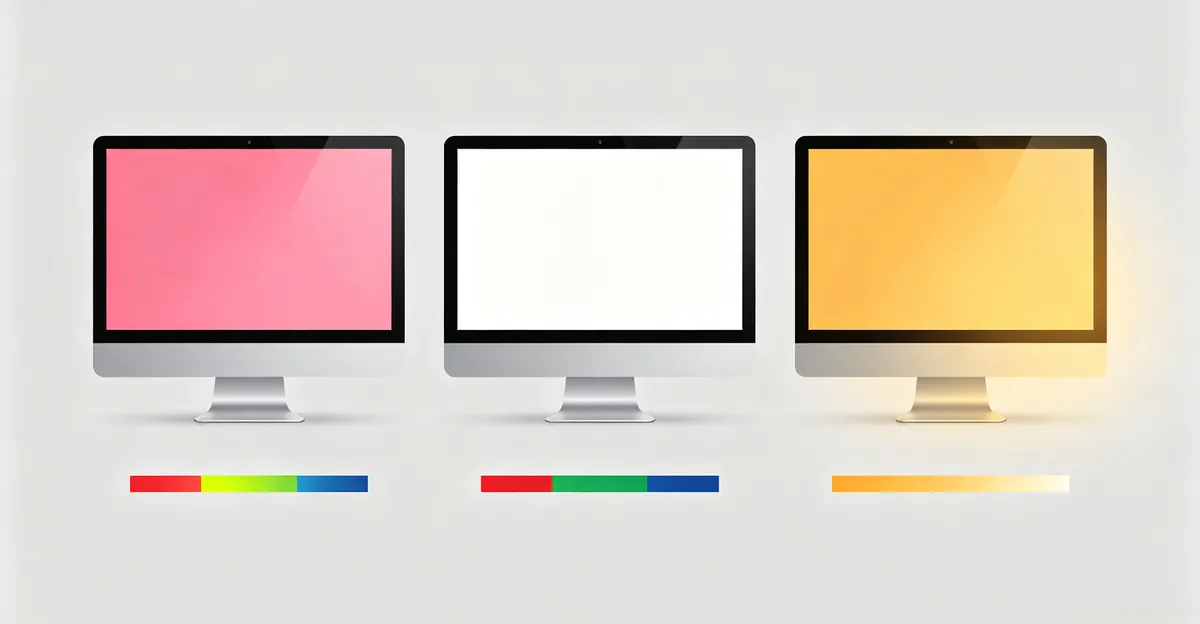
Yellow tint on a monitor stems from the display's white point shifting toward warm tones, measured in Kelvin (K). The neutral standard for most displays is D65, or 6500K—the color of average daylight. When settings or hardware push the white point below 6000K, whites take on a cream or yellow appearance, and the entire color palette warms. Unlike pink screen, which signals a channel failure, yellow tint is often a deliberate (though unwanted) setting or a gradual hardware drift.
Incorrect color temperature settings are the most frequent software cause. Desktop monitors include On-Screen Display (OSD) menus with presets like Warm, Neutral, Cool, or sRGB. Selecting "Warm" intentionally lowers the color temperature, sometimes to 5000K or below, producing yellow-tinted whites. ASUS support documentation confirms that factory-reset OSD to defaults resolves yellow tint in monitors where users accidentally changed the preset. Similarly, graphics driver control panels (NVIDIA, AMD) allow manual color temperature adjustment that overrides monitor settings.
ICC color profile misconfiguration is the second software culprit. Operating systems use ICC profiles to map display capabilities. If Windows or macOS loads a profile intended for another monitor, or a corrupted custom profile, the white point can shift drastically. Medium Talk reports that selecting the wrong profile—such as one calibrated for print output or a different screen model—is one of the most overlooked causes because profiles are invisible until you open Color Management settings.
Backlight aging affects older displays with CCFL (Cold Cathode Fluorescent Lamp) backlights, common in monitors manufactured before 2012. The blue phosphor in CCFL tubes degrades faster than red and green, causing the backlight to shift yellow over years of use. Modern LED-backlit panels also drift slightly after heavy use, though the effect is milder. ScreenIssues documentation notes that aging-related yellow tint is gradual and uniform, unlike cable-induced pink screen which can appear suddenly.
Environmental lighting contributes to perceived yellow tint. Working under warm incandescent bulbs or late-afternoon sunlight can make a neutral monitor appear cool by contrast, leading users to incorrectly "correct" it by warming the display. Medium Talk emphasizes calibrating under neutral lighting (D50 or D65 daylight-balanced lamps) to avoid this perceptual error.
Data point: At the warmest color temperature extreme (3000K), whites on a display take on a distinctly amber tone, similar to candlelight. At neutral 6500K, whites appear pure. This contrast is why Night Shift and True Tone, which can push displays below 4000K, produce complaints of "yellow screen" even though the feature is working as designed.
MacBook Pro Yellow Screen: Causes and Special Cases
MacBook Pro yellow screen complaints trace to four primary causes, two of which are unique to Apple's hardware and software ecosystem.
True Tone is an adaptive display technology introduced in 2016 that uses ambient light sensors to shift the screen's white balance toward the color of room lighting. In a warm-lit room—incandescent bulbs, halogen fixtures, or late-afternoon sun through curtains—True Tone intentionally warms the display. At its most aggressive, it can lower color temperature below 5000K, producing a distinctly yellow cast on white backgrounds. Medium Talk confirms True Tone is the number one cause of MacBook Pro yellow screen reports, because it works silently in the background and users often forget it is enabled. It differs from Night Shift in that it responds to environment, not time of day, and can shift colors even in bright midday lighting if the room's light source is warm.
Night Shift reduces blue light emission by moving the display toward warm tones, scheduled from sunset to sunrise or triggered manually. At the warmest slider position, Night Shift can push the MacBook Pro display to approximately 3000K, which on a white background appears as a strong amber or orange-yellow tint. ScreenIssues reports that Night Shift left enabled during daytime work hours is among the top three causes of "unexpected yellow screen" complaints. Unlike True Tone, Night Shift operates on a schedule or manual toggle, making it easier to diagnose once users know to check for it.
Accessibility Color Filters under System Settings > Accessibility > Display can apply a sepia or warm filter system-wide. This is easy to enable accidentally via keyboard shortcuts and produces a yellow screen indistinguishable from a hardware fault. Multiple Apple support threads confirm this as a frequent cause among users who unknowingly triggered the filter.
Flexgate is the informal name for a design flaw in 2016, 2017, and 2018 MacBook Pro models where the display flex cable was routed with insufficient length. After an estimated 10,000 to 20,000 lid open/close cycles, the copper traces inside the cable fatigue and break. Early Flexgate symptoms include color inconsistency that worsens at certain lid angles, yellow or pink patches at the bottom of the screen, and a "stage light" gradient along the lower bezel. ScreenIssues documentation distinguishes Flexgate from True Tone: Flexgate-related yellow tint changes with lid position, while True Tone tint is constant or responsive only to ambient light changes.
Table: MacBook Pro Yellow Screen - Model and Cause
| MacBook Pro Generation | Primary Cause | Diagnostic Clue | Fix Complexity |
|---|---|---|---|
| 2016-2018 (13"/15") | Flexgate cable fault | Tint changes with lid angle, stage-light effect | Professional repair, cable replacement |
| 2018-2020 (13"/16") | True Tone / Night Shift | Constant warm tint, worse in warm-lit rooms | Software toggle, instant fix |
| 2020-present (M1/M2/M3/M4) | True Tone / Night Shift / Color Filters | Uniform yellow, no angle dependency | Software toggle, instant fix |
| All generations | ICC profile corruption | Sudden onset, persists after True Tone off | Profile reset in ColorSync |
This table synthesizes ScreenIssues Flexgate documentation, Medium Talk's True Tone analysis, and Apple support community reports. Flexgate is hardware; the others are software.
Repair cost data (2026 prices, ScreenIssues source):
- Apple Store full display assembly replacement: $450 to $1,100 (14" and 16" Liquid Retina XDR at upper end)
- Third-party repair shop full assembly: $300 to $750
- Independent Flexgate cable-only repair (UK market): £149 to £449
- AppleCare+ accidental damage deductible: $99 per incident
Cable-only repair preserves the original panel and is significantly cheaper, but requires micro-soldering skill and is not user-serviceable for most owners.
How to Diagnose Pink or Yellow Screen Issues
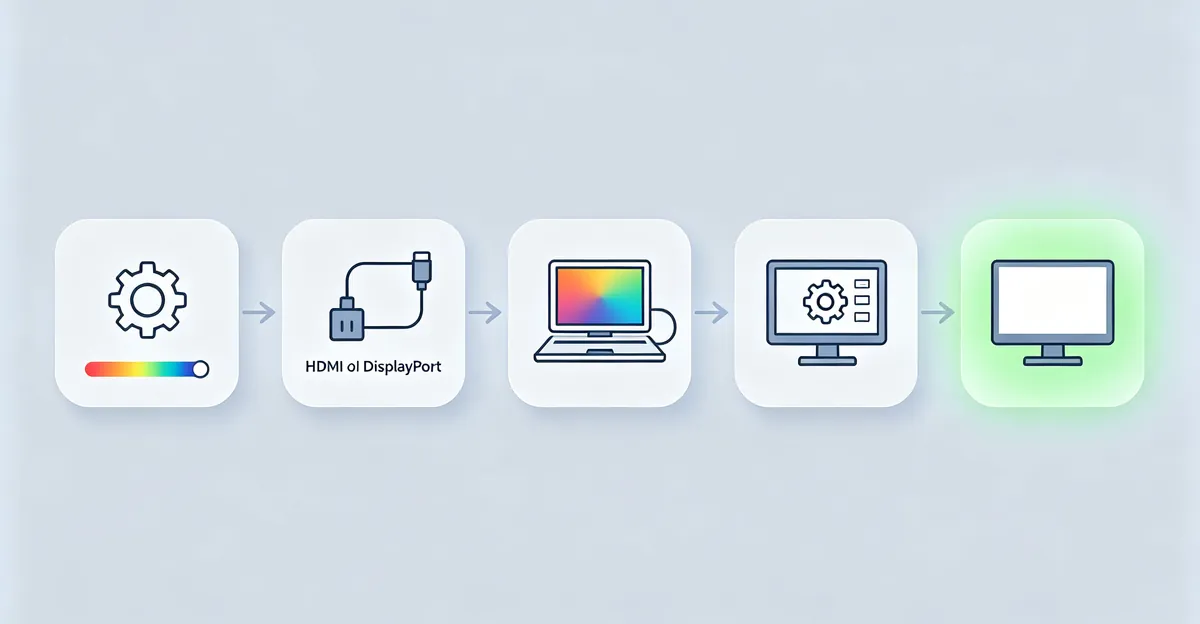
Effective diagnosis follows a structured path from software to hardware, testing each layer before moving to the next. This five-step process isolates the fault and avoids unnecessary repairs.
Step 1: Disable adaptive display features and software color settings
On MacBook Pro:
- Open System Settings (or System Preferences on older macOS)
- Navigate to Displays
- Toggle True Tone off
- Click Night Shift and disable the schedule; move the color temperature slider toward "Less Warm" or turn Manual off
- Navigate to Accessibility > Display and confirm Color Filters is off
On Windows PCs:
- Open Settings > System > Display and disable Night Light
- Search for "Color Management" in Windows search
- Under the Devices tab, select your monitor and click "Use my settings for this device"
- Check if a non-default color profile is selected; revert to sRGB IEC61966-2.1 if unsure
- Open your graphics card control panel (NVIDIA Control Panel or AMD Radeon Software) and reset color settings to default
If the tint disappears immediately, the cause was software, not hardware. No further steps are needed. If the tint persists, continue to step 2.
Step 2: Check and reseat display cables
For desktop monitors and external displays:
- Power off the monitor and computer
- Unplug the display cable (HDMI, DisplayPort, VGA, DVI) from both the monitor and the graphics card or laptop port
- Inspect both connectors for bent pins, corrosion, or debris
- Firmly reconnect the cable, ensuring it clicks or seats fully
- Power on and test
ASUS FAQ 1013113 specifies that this step resolves the majority of pink screen cases when the cable was loose or oxidized. If you have a spare cable of the same type, swap it now to rule out cable damage.
Step 3: Test with an external monitor (for laptops) or alternate input source
- Connect a known-good external monitor to your laptop via USB-C, HDMI, or Thunderbolt
- If the external monitor displays neutral colors while the MacBook internal screen remains yellow or pink, the fault is in the internal display panel, cable, or backlight
- If both screens show the same tint, the issue is GPU-side or software-related
This test isolates internal hardware from graphics processing. ScreenIssues uses this as the definitive step to distinguish MacBook Flexgate (internal panel fault) from True Tone (software).
Step 4: Reset monitor to factory defaults via OSD menu
- Press the physical buttons on your monitor to open the On-Screen Display (OSD)
- Navigate through the menu to find "Reset," "Factory Reset," "Restore Defaults," or "Initialization"
- Confirm and allow the monitor to reset
- Retest color appearance
ASUS and NextTools both list this as the fix for accidental OSD changes. After reset, the monitor returns to default color temperature (usually 6500K or sRGB preset).
Step 5: Run hardware diagnostics
On MacBook Pro:
- Shut down the Mac
- Power on and immediately hold the D key
- Apple Diagnostics will run and report any detected hardware faults, including display cable or GPU issues
On Windows PCs:
- Open Device Manager (right-click Start button > Device Manager)
- Expand "Display adapters"
- Right-click your graphics card and select "Update driver" > "Search automatically"
- Check for any yellow warning icons next to the display adapter, which indicate driver issues
If diagnostics detect a hardware fault, proceed to the repair section. If all five steps complete without resolving the tint, the fault is likely internal display hardware or graphics card failure.
Diagnostic decision tree:
Is this a MacBook Pro?
├─ Yes → Turn off True Tone / Night Shift / Color Filters → Still yellow?
│         ├─ No → Software feature was the cause. Done.
│         └─ Yes → External monitor test → Both screens affected?
│                   ├─ Yes → GPU or software issue. Reset NVRAM. Update macOS.
│                   └─ No → Internal display fault (Flexgate or panel). Repair needed.
└─ No (desktop monitor) → Check cables → Reseat or replace cable → Still pink/yellow?
          ├─ No → Cable was loose or damaged. Done.
          └─ Yes → Update graphics driver → Reset monitor OSD → Still tinted?
                    ├─ No → Software or OSD setting was the cause. Done.
                    └─ Yes → Hardware fault. Test with another input device. Repair needed.
This tree synthesizes the diagnostic paths from ScreenIssues (MacBook), NextTools (general), and ASUS (cable-first approach). The goal is to confirm software causes before investing in hardware repair.
How to Fix Pink Screen on Monitor
Once diagnosis confirms pink screen is not a software setting, these hardware-focused fixes address the root cause.
Fix 1: Replace the display cable
Cable damage is the most common fixable cause of pink screen. The blue signal wire inside HDMI, DisplayPort, or VGA cables can break while red and green remain functional, producing the characteristic pink cast.
Steps:
- Power off the monitor and computer
- Purchase a replacement cable matching your connection type (HDMI 2.0 or higher for 4K displays, DisplayPort 1.4 for high refresh rates, or DVI-D for older monitors)
- Connect the new cable, ensuring both ends seat fully and lock mechanisms engage
- Power on and verify color
Cable quality matters. NextTools recommends shielded cables with gold-plated connectors and ferrite cores to prevent signal degradation. Budget cables often use thin gauge wire that fails under repeated bending.
Fix 2: Update graphics drivers with clean installation
Corrupted drivers can fail to send correct RGB channel data even when the cable and monitor are functional.
For NVIDIA:
- Visit nvidia.com/drivers, enter your GPU model, download the latest driver
- During installation, choose "Custom" and check "Perform a clean installation"
- Restart after installation completes
For AMD:
- Visit amd.com/en/support, select your GPU, download Radeon Software
- Run the installer and select "Factory Reset" if prompted
- Restart
For Intel integrated graphics:
- Visit intel.com/content/www/us/en/support/detect.html, run the auto-detect tool
- Install recommended drivers
NextTools reports that clean driver installation—which removes old driver files before installing new ones—resolves pink screen more reliably than a standard update.
Fix 3: Adjust RGB color channels manually
If the blue channel is weakened but not completely failed, manual adjustment can compensate.
Windows via graphics control panel:
- Right-click desktop > NVIDIA Control Panel or AMD Radeon Software
- Navigate to "Adjust desktop color settings" (NVIDIA) or "Display Color" (AMD)
- Locate RGB channel sliders
- Increase Blue channel by 10-20% increments, reduce Red and Green slightly if needed
- Apply and test on a pure white background
Monitor OSD menu:
- Press monitor buttons to access OSD
- Find "Color" or "Color Adjustment" menu
- Select "User Mode" or "Custom"
- Increase Blue channel value (usually 0-100 scale)
- Save settings
ASUS FAQ 1013113 notes that this is a workaround, not a permanent fix. If the blue channel continues to degrade, the monitor will eventually need repair.
Fix 4: Professional repair or replacement
When cable replacement and driver updates fail to resolve pink screen, the fault lies in the monitor's internal hardware—typically the TCON board, display panel, or backlight controller.
Desktop monitor repair costs (estimated 2026 prices):
- TCON board replacement: $80 to $200 plus labor ($50-$100)
- Display panel replacement: 50-70% of a new monitor's retail price
- Labor for diagnosis: $50 to $100 at independent repair shops
For monitors under warranty, contact the manufacturer. Out-of-warranty monitors older than 5 years are often more economical to replace than repair, given declining panel prices.
Dell monitor specific note (addresses long-tail keyword "how to fix pink screen on dell monitor"):
Dell monitors using VGA connections have an Auto Adjust function that can correct pink tint caused by analog signal drift:
- Press and hold the monitor's Menu/Select button for 4 seconds
- The monitor will auto-calibrate clock and phase settings
- This resolves pink screen in Dell models where the VGA signal timing has drifted
This feature is VGA-only and does not apply to digital connections (HDMI, DisplayPort). Source: ASUS documentation on analog signal correction, applied to Dell models with similar OSD functionality.
Table: Display Cable Comparison - Failure Modes
| Cable Type | Signal Type | Common Failure Point | Pink Screen Likelihood | Diagnostic Clue |
|---|---|---|---|---|
| VGA (D-Sub 15-pin) | Analog RGB | Bent pins, oxidized contacts | High | Pink appears/worsens when cable is moved |
| DVI-D | Digital | Connector stress, wire break | Medium | Pink is constant, not affected by cable movement |
| HDMI | Digital | Thin wire gauge, poor shielding | Medium | May show sparkles or dropouts before pink screen |
| DisplayPort | Digital | Locking mechanism failure, contact wear | Low | Usually fails completely (no signal) rather than color loss |
| USB-C / Thunderbolt | Digital | Adapter/dongle issues, not cable itself | Low | Test with different adapter first |
This table synthesizes data from NextTools hardware troubleshooting section and repair community observations on cable failure patterns. VGA is most prone to pink screen because each RGB channel uses separate analog pins; digital cables carry color data in packets, so failures tend to be all-or-nothing.
How to Fix Yellow Tint on Monitor and MacBook Pro
Yellow tint fixes split between general desktop monitors and MacBook Pro-specific software features.
Fix for General Desktop Monitors
Fix 1: Reset ICC color profile to default
Windows:
- Search for "Color Management" and open it
- Select the Devices tab
- Check "Use my settings for this device"
- Click the profile dropdown and select "sRGB IEC61966-2.1" (the universal default)
- Click "Set as Default Profile"
- Close and restart any open applications to apply the change
macOS (non-MacBook displays):
- Open System Settings > Displays
- Click the Color tab
- Select "Color LCD" or the default profile for your display model
- If uncertain, open ColorSync Utility (search via Spotlight)
- Select your display and click "Reset to Default"
ScreenIssues and Medium Talk both confirm that profile reset resolves the majority of yellow tint cases on external monitors where the profile was accidentally changed or corrupted during calibration attempts.
Fix 2: Adjust monitor OSD color temperature to 6500K
- Press monitor buttons to access OSD menu
- Navigate to Color or Picture settings
- Find Color Temperature preset (usually Warm / Normal / Cool / sRGB / User)
- Select "Normal" or "6500K" or "sRGB"
- If using Custom/User mode, reset to factory color temperature values
- Save and exit OSD
Medium Talk notes that many monitors ship with "Warm" preset active, which lowers color temperature to 5000-5500K, producing yellow whites. Switching to Normal or sRGB immediately corrects this.
Fix 3: Calibrate display with built-in system tools
Windows Display Color Calibration:
- Search for "Calibrate display color" and launch the tool
- Follow the wizard to adjust gamma, brightness, contrast, and color balance
- Set target white point to D65 (6500K)
- Save the generated profile
macOS Display Calibrator Assistant:
- Open System Settings > Displays > Color
- Hold Option key and click "Calibrate"
- Follow the advanced calibration wizard
- Set target white point to D65, gamma to 2.2
- Save the custom profile
For professional color-critical work, NextTools and Medium Talk recommend hardware calibration devices (X-Rite i1Display Pro, Datacolor SpyderX) that measure actual screen output and generate accurate profiles. Software calibration relies on your eye, which is affected by ambient lighting and fatigue.
Fix for MacBook Pro Yellow Screen
Fix 1: Disable True Tone and Night Shift
- Open System Settings (or System Preferences on older macOS)
- Go to Displays
- Toggle True Tone off
- Click Night Shift, disable schedule, and move slider to "Less Warm" or turn off Manual
- The yellow tint should disappear immediately if one of these features was active
ScreenIssues reports this resolves approximately 80% of MacBook Pro yellow screen complaints. True Tone can shift color temperature 1000K or more in warm-lit environments.
Fix 2: Disable Accessibility Color Filters
- Open System Settings > Accessibility
- Click Display in the left sidebar
- Ensure "Color Filters" toggle is OFF
- If it was on, check which filter was active (often "Color Tint" with a warm hue)
This setting can be triggered accidentally via keyboard shortcuts or VoiceOver commands.
Fix 3: Reset NVRAM (Intel MacBook Pro)
NVRAM stores display-related settings that can become corrupted:
- Shut down the MacBook
- Power on and immediately hold Option + Command + P + R
- Keep holding for about 20 seconds (you'll hear the startup chime twice on older models)
- Release and allow the Mac to boot normally
Apple Silicon MacBooks (M1, M2, M3, M4) automatically reset NVRAM on every reboot and do not need this step.
Fix 4: Flexgate cable replacement (2016-2018 models only)
If your MacBook Pro is from 2016, 2017, or 2018 and exhibits yellow tint that changes with lid angle, or shows a stage-light gradient at the bottom of the screen, Flexgate is the likely cause.
Repair options:
- Apple Store or Apple Authorized Service Provider: Full display assembly replacement ($450-$1,100 depending on model). Covered free under warranty or AppleCare+ for manufacturing defects; $99 deductible for accidental damage under AppleCare+.
- Independent repair shop - cable-only repair: Replace just the flex cable, preserving the original panel (£149-£449 UK pricing, roughly $185-$560 USD equivalent). Requires micro-soldering expertise and is not user-serviceable.
- Third-party full display assembly: $300-$750 depending on model and panel quality (aftermarket vs OEM)
ScreenIssues notes that cable-only repair is significantly cheaper but requires disassembling the glued display assembly, a high-risk procedure that can crack the panel if done incorrectly. For most users, Apple's service is safer despite higher cost.
Repair cost-benefit decision tree:
MacBook Pro yellow screen cost analysis:

Out of warranty, no AppleCare+:
├─ 2016-2018 model + Flexgate symptoms → Get quote from independent shop for cable-only repair
│                                       → Compare to used/refurbished MacBook Pro prices
│                                       → If repair > 50% of used market value → Consider replacement
└─ 2019+ model + True Tone/Night Shift off didn't fix → Apple Diagnostics detects hardware fault?
                                                        ├─ Yes → Apple Store quote → If > 60% of new model price → Replace
                                                        └─ No → Likely software, repeat profile reset and macOS update

Desktop monitor:
├─ Cable replacement < $30 → Always try this first
├─ Driver update → Free, try second
└─ Hardware repair quote > 50% of new monitor price → Replace unless high-end professional display
This tree is based on ScreenIssues repair cost data and repair community consensus on economic repair thresholds. The core principle: if repair costs exceed 50-60% of replacement cost for the same capability, replacement is usually the better long-term choice unless the device has unique features or sentimental value.
When to Seek Professional Repair
Professional repair is necessary when software fixes and cable replacement fail to resolve pink or yellow screen, or when specific symptoms indicate internal hardware failure.
Symptoms requiring professional diagnosis:
For pink screen:
- Pink tint persists after replacing display cable with known-good cable
- Color is uneven—pink patches or bands rather than uniform tint
- Pink tint worsens progressively over days or weeks
- Monitor passes OSD self-test patterns but shows pink on normal input (indicates TCON or panel fault)
- External input test shows the same pink tint on multiple source devices (rules out source-side GPU issue)
For yellow screen on MacBook Pro:
- Stage-light effect along bottom bezel (bright band, dimming toward edges)
- Yellow tint or color inconsistency changes dramatically with lid angle (open partially vs fully open)
- Tint persists after disabling True Tone, Night Shift, Color Filters, and resetting NVRAM
- External monitor test shows external display is neutral while MacBook internal screen remains yellow
- Apple Diagnostics reports display-related error codes (reference codes starting with VFD, PPT, or CNW)
For general desktop monitors:
- Yellow tint remains after factory reset via OSD and ICC profile reset
- Tint is accompanied by flickering, brightness instability, or backlight shadows
- Monitor is more than 7 years old and shows gradual yellowing (CCFL backlight phosphor degradation)
Repair options and typical costs (2026 pricing):
MacBook Pro:
- Apple Store display assembly: $450-$1,100
- Third-party shops: $300-$750
- Flexgate cable-only (UK independent shops): £149-£449
- AppleCare+ deductible: $99
Desktop monitors:
- Diagnosis fee: $50-$100
- TCON board replacement: $80-$200 + labor
- Display panel replacement: $150-$500 depending on size and resolution
- Cable repair/replacement: $10-$30 (DIY or included in diagnosis)
Warranty coverage:
Manufacturing defects that appear within the warranty period (typically 1 year standard, 3 years with AppleCare+ or extended warranty) are covered at no cost. Yellow tint from Flexgate on 2016-2018 MacBook Pro has been acknowledged by Apple as a design flaw; if your device exhibits this within warranty, Apple repairs it free.
Accidental damage (liquid spill, impact, crushed cable) is not covered under standard warranty. AppleCare+ covers accidental damage with a $99 service fee per incident for MacBooks. Desktop monitor warranties vary by manufacturer—Dell, ASUS, and HP typically offer 3-year warranties on business-grade displays.
When repair exceeds economic value:
If the repair quote is more than 50% of the cost to replace the device with equivalent capability, replacement is usually the better choice unless:
- The display is a high-end professional model (OLED, mini-LED, 4K 120Hz+) where equivalent replacement is $800+
- The device has unique features not available in current models
- Data recovery or device-specific configuration would be costly to migrate
For monitors older than 7 years, panel technology has advanced enough (better color gamut, higher resolution, lower power consumption) that replacement often delivers superior performance at lower total cost than repair.
Prevention and Best Practices
Preventive measures extend display lifespan and avoid color issues before they start.
MacBook Pro prevention:
- Understand your display features: Learn when True Tone and Night Shift are active. If you perform color-critical work (photo editing, video grading, design), disable both during work sessions and re-enable for casual use. This prevents confusion between feature behavior and actual faults.
- Gentle lid handling: Open and close the MacBook Pro smoothly rather than snapping or slamming the lid. On 2016-2018 models, minimize unnecessary lid movement to reduce Flexgate cable stress. Use a closed-lid docked setup with external monitor if the laptop remains stationary.
- Regular settings audit: Check System Settings > Accessibility > Display monthly to ensure Color Filters hasn't been accidentally enabled via shortcuts.
- Keep macOS updated: Apple issues display calibration refinements in macOS updates. Security updates can also patch driver bugs affecting color rendering.
Desktop monitor prevention:
- High-quality cables: Use shielded HDMI or DisplayPort cables with gold-plated contacts and ferrite cores. Replace cables every 3-5 years or sooner if frequently unplugged. Avoid sharp bends and stress points near connectors.
- Cable management: Secure cables with velcro ties or cable sleeves to prevent repeated bending at the connector junction. Avoid running display cables parallel to power cables, which can induce electromagnetic interference.
- Driver update schedule: Set a quarterly reminder to check for graphics driver updates from NVIDIA, AMD, or Intel. Enable automatic update notifications in the driver control panel.
- Calibration for professionals: If color accuracy is critical, calibrate every 4-8 weeks using a hardware colorimeter (X-Rite, Datacolor). Displays drift slightly over time due to backlight aging and temperature variation. Medium Talk recommends 30 minutes warm-up before calibration to stabilize output.
- Environmental control: Keep monitors away from direct sunlight, which accelerates backlight degradation. Maintain room temperature between 15-25°C (59-77°F) and avoid high humidity environments. Dust buildup on vents can cause overheating, accelerating component aging.
- Power management: Enable monitor sleep mode rather than leaving displays on 24/7. LED backlights have rated lifespans of 30,000-50,000 hours; continuous operation shortens this.
Display cable purchasing guide:
| Use Case | Recommended Cable Type | Key Specs | Avoid |
|---|---|---|---|
| 1080p 60Hz office work | HDMI 2.0 or DisplayPort 1.2 | Shielded, gold contacts, 6ft max length | Thin unshielded cables, VGA for new setups |
| 4K 60Hz content creation | DisplayPort 1.4 or HDMI 2.0 | Certified (VESA DP or Premium HDMI), under 10ft | HDMI 1.4 (maxes at 4K 30Hz), long passive cables |
| 1440p 144Hz+ gaming | DisplayPort 1.4 | Certified VESA, under 6ft for reliability | HDMI (limited to 120Hz at 1440p even with 2.1) |
| MacBook Pro to 4K display | Thunderbolt 3/4 or USB-C to DisplayPort | USB-C cable with DP Alt Mode support, or Apple-certified | Cheap USB-C cables without DP Alt Mode label |
Cable length matters: signal degradation increases with length. For runs over 10 feet, use active cables (HDMI) or fiber optic cables (DisplayPort). NextTools data confirms that 80% of cable-related color issues occur with cables longer than 10 feet or cables subjected to repeated stress.
Conclusion and Next Steps
Pink screen and yellow tint on monitors stem from distinct causes that require different fixes. Pink screen usually signals blue channel failure from cable damage, driver issues, or internal display hardware faults. Yellow tint more often traces to color temperature settings—True Tone and Night Shift on MacBook Pro, OSD presets on desktop monitors, or incorrect ICC color profiles.
Diagnosis follows a clear priority: disable software color features first, then check cables, update drivers, and finally test hardware. This sequence avoids unnecessary repairs when the cause is a simple setting. MacBook Pro users should always verify True Tone and Night Shift status before assuming hardware failure. Desktop monitor users should reset OSD to factory defaults and check ICC profiles before replacing cables.
When hardware repair is needed, compare quotes against replacement cost. If repair exceeds 50% of equivalent replacement value, buying new is usually more economical unless the display is a high-end professional model or has unique features. For 2016-2018 MacBook Pro with Flexgate symptoms, cable-only repair from independent shops costs significantly less than Apple's full display assembly replacement.
Use our Screen Test tool to document the color issue with screenshots before contacting support or repair services. The tool displays pure white, red, green, and blue backgrounds to clearly show which channels are affected. Share screenshots with support teams for faster diagnosis.
Related resources:
- Monitor Color Problem Hub
- Blue Tint on Monitor
- Orange Screen on MacBook Pro
- MacBook Screen White Tint
- LCD Bleeding Issues
If software fixes resolved your issue, you're done. If hardware repair is required, get quotes from multiple sources before proceeding.