Half Black Screen: What It Means on Monitors, Laptops, and PCs
When exactly half your display goes black, white, or blank while the other half works normally, you are looking at a split-screen failure that demands a specific diagnosis path. Unlike a fully black screen that might trace to power or sleep settings, a half black screen means the signal chain for one section of the pixel grid has broken — or your system is sending a cropped image to the panel. This guide covers desktop monitors, laptops, and the edge cases users often confuse with hardware faults, including Mac Split View and app-specific display glitches. You will learn how to tell hardware from software in under five minutes, which fixes to try in order, and when repair costs exceed replacement value.
What Is a Half Black Screen
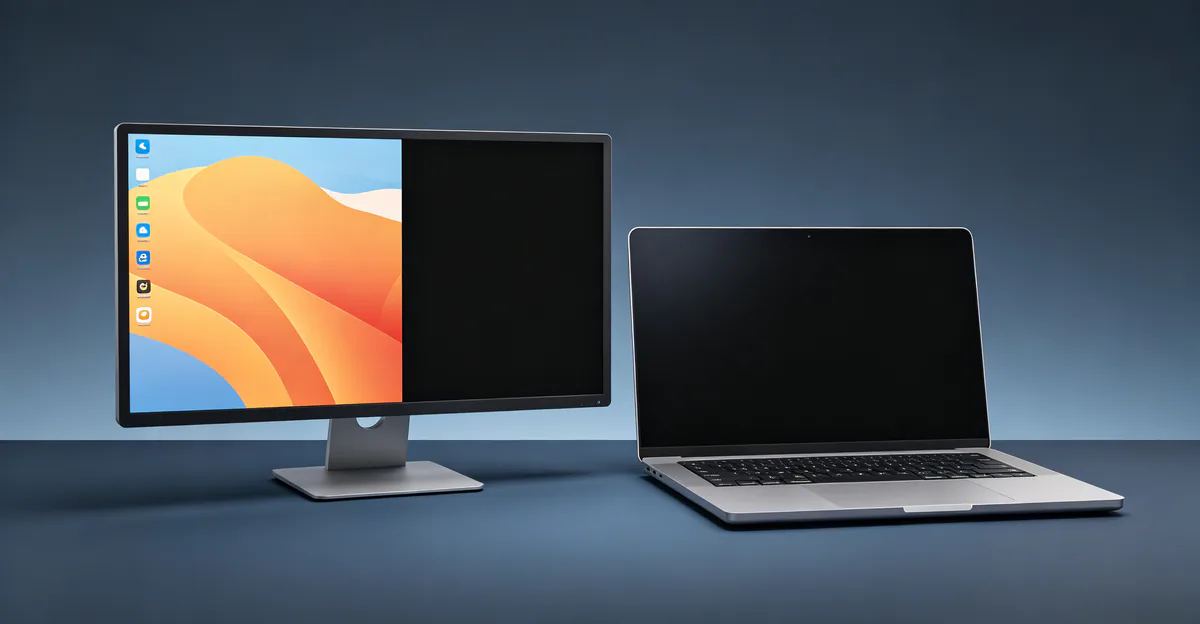
A half black screen means precisely half of your display shows no image — not dimmed, but completely dead with no backlight glow in that section. The working half continues to render normally. The split can run vertically (left/right) or horizontally (top/bottom), and the orientation often hints at the failed component.
Half black vs half white: Both symptoms indicate signal loss to one section of the panel. A black half means no pixels are activated in that region. A white half — common on laptops — means the same signal failure, but the inactive area defaults to the panel's unlit state appearing as bright white rather than dark black. The underlying cause is often identical: a broken connection in the display signal path.
Half display vs resolution cutoff: Resolution or scaling errors can make content appear cut off, but the desktop background and taskbar still extend across the full physical panel. In a true half black screen, the dead section shows nothing at all — no cursor, no windows, no OS elements. Press Win + P on Windows or check Display Settings to confirm you are not in a duplicated or extended mode that crops the image.
Hardware vs software quick check:
- Take a screenshot (Win + Print Screen or Cmd + Shift + 3). View it on another device.
- If the screenshot shows the full image with no dead half, the GPU and drivers are fine — the fault is in the display panel or internal cable.
- If the dead half appears in the screenshot, suspect graphics drivers, resolution settings, or GPU failure.
Multiple repair sources confirm this screenshot test as the fastest way to separate display hardware faults from GPU output problems (screenproblems.com, 2026; soulinconn.com LVDS troubleshooting guide, 2026).
Table: Half Black vs Half White vs Resolution Cutoff
| Symptom | Dead Half Appearance | Screenshot Test | Likely Cause |
|---|---|---|---|
| Half black screen | One half completely dark, no image | Dead half absent in screenshot | T-con, ribbon cable, panel driver |
| Half white screen (laptop) | One half bright white, no content | White half absent in screenshot | Hinge flex cable, panel connector |
| Resolution cutoff | Content cropped, OS UI still spans full panel | Full image in screenshot | Wrong resolution, scaling, multi-monitor |
| Backlight partial failure | Dark area but faint image visible when angled | Image present but dim in screenshot | Backlight LED strip, inverter |
Understanding which row matches your symptom determines whether you start with display settings or open the device for cable inspection.
Monitor Half Screen Black — Causes
Monitor half screen black failures on external displays almost always trace to hardware inside the monitor chassis. Software issues typically affect the entire screen uniformly, not one clean half.
T-Con Board Failure
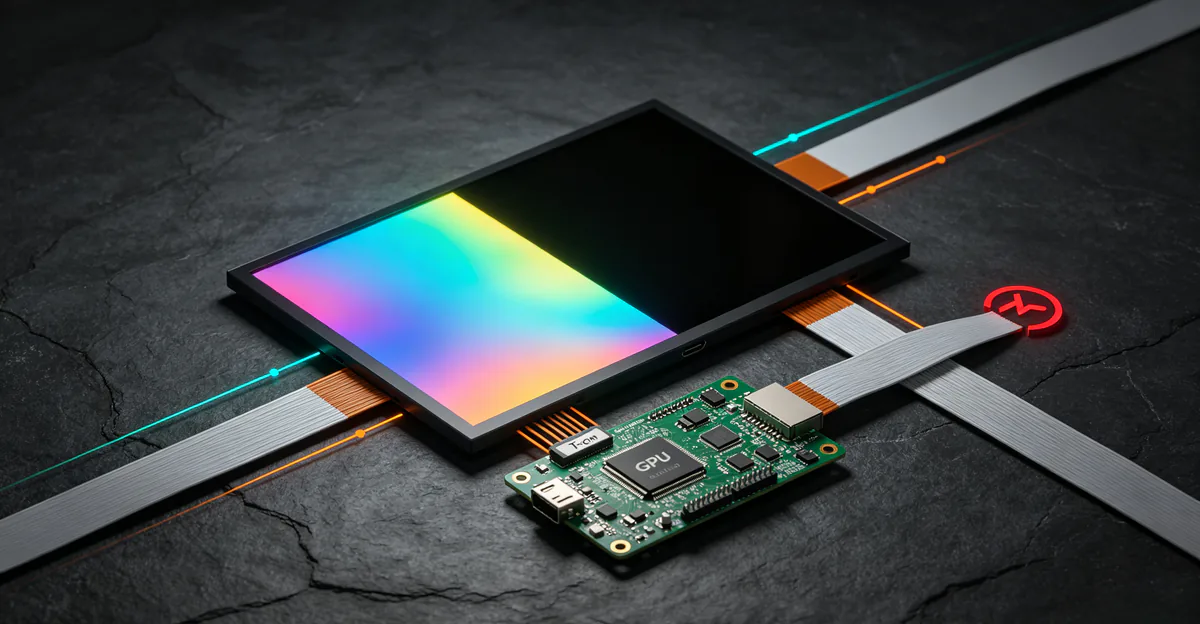
The T-con (timing controller) board receives the full image signal from the main board and splits it into two output channels — one for each half of the panel. When one channel fails, that half goes completely black while the other half continues normally. This is the most common cause of sudden vertical or horizontal half-screen blackout on desktop monitors (globaltill.com, 2026; lcdonsale.com, 2026).
Signs: Half the screen went black instantly. The dark half has zero image. The working half is perfectly normal. No change when you wiggle external cables.
Ribbon Cable Disconnection or Damage
Flat ribbon cables carry signals from the T-con board to the top/bottom or left/right halves of the LCD panel. A loose, corroded, or physically damaged cable cuts signal to one section.
Signs: Half-screen blackout after moving or transporting the monitor. Intermittent behavior — tapping the bezel may cause the half to flicker on or off. Top/bottom splits often indicate horizontal ribbon issues; left/right splits point to vertical driver connections.
Panel Half Driver Failure
The driver circuits embedded in the panel itself can fail for one half of the matrix. Unlike cable or T-con issues, panel driver failure is usually permanent and worsens over time rather than flickering intermittently.
Signs: Half has been dark for weeks with no improvement. No response to cable swaps or T-con replacement. May accompany black lines or white lines along the split boundary.
Less Common Monitor Causes
Graphics driver or adaptive sync glitches can mimic half-screen symptoms after sleep or wake, particularly on AMD systems with FreeSync enabled (globaltill.com, 2026). Loose HDMI or DisplayPort cables occasionally produce partial image loss, though this more often causes flickering or color artifacts than a clean half-black split. Windows Fast Startup has been reported to corrupt display output on wake; disabling it in Power Options resolves some post-sleep half-screen cases.
External Monitor Diagnostic Flow
- Swap the video cable (HDMI, DisplayPort, USB-C).
- Try a different port on the GPU and monitor.
- Connect the monitor to a different computer.
- If half-black persists on another PC, the fault is inside the monitor.
- Run the monitor's built-in test pattern (hold Input or Menu while powering on on many models). If the test pattern also shows half dark, confirm internal hardware failure.
Laptop Half Screen White and Black Problems
When your computer screen is half black or half white on a laptop, the diagnosis path differs from desktop monitors because the display flex cable routes through the hinge and flexes thousands of times over the laptop's life.
Hinge Flex Cable Fatigue
The eDP or LVDS ribbon cable runs from the motherboard through the hinge assembly to the LCD panel. Every lid open and close cycle stresses the cable. Micro-fractures develop in the conductors, and ZIF connectors at either end can loosen from thermal expansion (laptoprepairworld.com, 2026).
The angle test: Slowly open and close the lid while watching the dead half. If the black or white area shifts, shrinks, or temporarily shows the display at certain angles, the flex cable is the confirmed cause. This is the single most reliable indicator for laptop half-screen failures (screenproblems.com, 2026; screenissues.com white-line guide).
Panel Connector and Physical Damage
A loose connector at the back of the LCD panel, corrosion from liquid exposure, or pressure damage from a drop can cut signal to half the display. Unlike cable fatigue, physical damage often produces a sudden, permanent half-screen failure that does not change with lid angle.
GPU and Driver Issues on Laptops
If the half-screen symptom appears in screenshots and on an external monitor connected to the same laptop, the GPU or its driver is producing faulty output. Update graphics drivers with a clean install from NVIDIA, AMD, or Intel. Roll back if the problem started immediately after a driver update. On Mac, macOS bundles GPU drivers with system updates — check Software Update before assuming hardware failure.
Laptop Diagnostic Steps
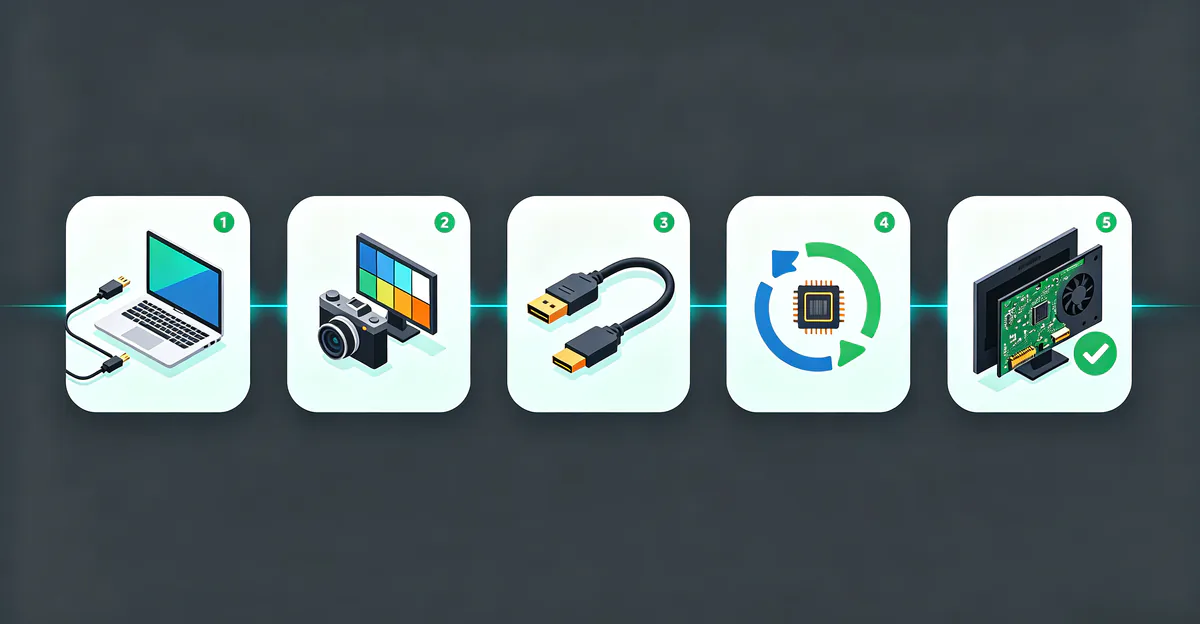
Step 1 — Screenshot test: Capture the screen. If the dead half is absent from the screenshot, the internal display or cable is at fault.
Step 2 — External monitor test: Connect via HDMI or USB-C. Clean external image confirms the logic board and GPU work; the problem is in the lid assembly (panel, backlight, or flex cable). SalvageData and MacBook repair guides identify this as the most important single diagnostic step for laptop display failures (salvagedata.com, 2026).
Step 3 — Lid angle test: Flex the lid slowly. Angle-dependent changes confirm cable failure.
Step 4 — Driver refresh: Update or roll back GPU drivers before opening the chassis.
Step 5 — Cable reseat: For experienced users, reseat the ZIF connector at the motherboard end. Lift the retention latch, remove the cable without force, blow dust from contacts, reinsert fully, and lock the latch (laptoprepairworld.com, 2026). Never pull a cable with the latch locked — the gold contacts tear easily.
If half-screen issues accompany laptop screen lines or screen flickering, inspect the cable before assuming panel replacement is needed.
Half Black and Half White Screen Explained
A half black and half white screen — or a display showing one dark half and one bright half — can stem from two distinct failure modes that look similar but require different repairs.
Signal Chain Failure (Most Common)
When the T-con board, ribbon cable, or panel driver loses connection to one half, that section receives no pixel data. On some panels the inactive half appears black; on others, especially laptop LCDs with certain backlight configurations, the dead section appears as solid white. Both indicate the same root problem: broken signal delivery, not backlight failure.
Partial Backlight Failure
Backlight LED strips sit behind the LCD layer. If half the LEDs fail, the affected area appears dark even though the pixel layer still receives signal. You can sometimes see a faint ghost image when shining a flashlight at the dark half at an angle. This differs from signal failure, where no image exists at any angle.
Table: Signal Failure vs Backlight Failure
| Feature | Signal Chain Failure | Partial Backlight Failure |
|---|---|---|
| Ghost image with flashlight | No image visible | Faint image visible |
| Screenshot test | Dead half absent | Full image in screenshot |
| Affected half | Clean split at exact midpoint | May be uneven dark patch |
| Common on | Monitors and laptops | Laptops, older monitors |
| Typical fix | Cable, T-con, or panel | Backlight strip or panel |
| Related guide | This article | LCD bleeding guide |
Mixed symptoms — half black with visible horizontal lines along the boundary — often indicate T-con timing errors rather than simple cable disconnection. Check our LCD white lines guide for T-con-specific diagnosis when lines accompany the half-screen split.
How to Fix Monitor Half Screen Problems
Fix monitor half screen problem cases by working from free software checks toward hardware repair, never skipping steps that cost nothing.
Software Fixes First (10 Minutes)
Check display settings: Right-click the desktop, open Display Settings, and confirm resolution matches the monitor's native spec. Set scaling to 100% temporarily to rule out crop artifacts. On Windows, press Win + P and select PC screen only or Extend — not Duplicate on mismatched resolutions.
Reset the graphics driver: Press Win + Ctrl + Shift + B. The screen may flash black briefly as Windows reloads the driver. This resolves some post-sleep half-screen glitches.
Update or roll back drivers: Download the latest driver from NVIDIA, AMD, or Intel. Use Display Driver Uninstaller (DDU) for a clean install if standard updates fail. Roll back if the half-screen issue started immediately after a recent update.
Disable Fast Startup: Search Power Options, click Choose what the power buttons do, click Change settings that are currently unavailable, and uncheck Turn on fast startup. Power-cycle the monitor by unplugging it for 60 seconds.
Toggle adaptive sync: Disable FreeSync or G-Sync temporarily, especially after wake from sleep on AMD systems (globaltill.com, 2026).
External Connection Fixes (5 Minutes)
Swap the video cable. Try a different port. Connect to another computer. If the half-black follows the monitor, proceed to internal hardware steps. If it stays with the PC, return to driver troubleshooting.
Monitor Hardware Fixes
Reseat ribbon cables: Open the monitor back panel. Locate ribbon cables between the main board, T-con board, and panel. Disconnect and reconnect each firmly. Look for burn marks, bulging capacitors, or corroded connectors on the T-con board.
Replace the T-con board: Find the model number printed on the board. Replacement boards cost $25 to $80 on parts marketplaces. Match the exact model — T-con boards are not interchangeable across monitor sizes or brands.
Replace ribbon cables: Damaged flex cables between T-con and panel cost $15 to $40. Match cable length and pin count to your panel model.
Panel replacement: When half the panel matrix is permanently dead and T-con plus cable replacement do not help, panel replacement costs $100 to $400 depending on size. Compare against a new monitor before proceeding.
Laptop Hardware Fixes
Cable reseat or replacement: $30 to $80 at a repair shop. The most cost-effective fix for angle-dependent half-screen failures.
Panel replacement: $80 to $250 for parts on common laptop sizes. Required when the LCD layer itself is cracked or the panel connector is damaged beyond reseating.
External monitor workaround: If repair is delayed, connect an external display and set the laptop to external-only mode in display settings.
Repair Costs and When to Replace
Table: Monitor vs Laptop Half Screen Repair Costs
| Repair | Monitor Cost | Laptop Cost | Success Rate |
|---|---|---|---|
| Reseat ribbon cable | Free (DIY) | Free (DIY) | High for loose connections |
| Replace ribbon cable | $15–$40 parts | $30–$80 installed | High for cable fatigue |
| Replace T-con board | $25–$80 parts + labor | $30–$80 (laptop T-con) | High for T-con channel failure |
| Replace LCD panel | $100–$400 | $80–$250 | Last resort only |
| New monitor/laptop screen | $150–$500+ | Varies by model | Guaranteed fix |
Replace the monitor if: repair cost exceeds 50% of a new equivalent, the monitor is over five years old, replacement parts are unavailable, or other defects like bright spots or color problems are present.
Repair if: the monitor is relatively new, repair cost is under half of replacement, and the half-screen issue is the only defect.
For laptops under warranty, contact the manufacturer before opening the chassis — DIY repair may void coverage. Document the angle test and external monitor test results when filing a warranty claim.
Special Cases — Mac Split View and App Display Glitches
Some searches for "half screen" refer to intentional features or app bugs rather than hardware failure. Routing these users correctly prevents unnecessary monitor repairs.
How to Half Screen on Mac (Split View)
Mac Split View is a built-in feature, not a fault. Hover over the green button in any window's title bar and choose Tile Window to Left of Screen or Tile Window to Right of Screen. Pick a second app from the thumbnails. You can also drag a window to the screen edge until a translucent outline appears, then release. Press Escape or drag the divider to exit. Split View requires macOS 10.11 or later and works on all MacBooks and iMacs.
Why Is My Spotify Half Screen
Spotify showing a blank, black, or transparent window on Mac is a known application bug, not a display hardware problem. The Spotify Community documents this across multiple macOS versions (community.spotify.com, 2024–2026).
Fix steps:
- Force-quit Spotify (Apple menu > Force Quit).
- Open Finder > Go > Library (hold Option if Library is hidden).
- Navigate to Application Support > Spotify.
- Delete the prefs file and clear the Users folder contents.
- Go to Library > Caches and delete com.spotify.client and com.spotify.client.helper.
- Disable Hardware Acceleration via Help > Troubleshooting > Disable Hardware Acceleration and Restart.
- Reinstall Spotify from spotify.com/download if the issue persists.
You will be logged out and offline downloads must be re-synced. Your library is unaffected. If only Spotify shows the symptom while all other apps display normally, your monitor and GPU are fine.
Conclusion
A half black screen on a monitor or laptop is a split failure that demands structured diagnosis before spending on parts. Start with the screenshot test and external monitor test to separate display hardware from GPU and driver issues. For monitors, swap cables and ports, then inspect T-con boards and ribbon cables inside the chassis. For laptops, the lid angle test confirms hinge cable fatigue — the most common and cheapest fix at $30 to $80. Software causes from resolution mismatch, Fast Startup, and adaptive sync conflicts resolve in minutes without opening any hardware.
Use our free screen test tool to display solid black and white patterns that make half-screen failures easy to identify and document. For related display problems, see our guides on black lines, white lines, laptop screen lines, and LCD backlight bleeding.
Sources
- globaltill.com — Half black monitor troubleshooting (2026)
- lcdonsale.com — Display partially black causes (2026)
- screenproblems.com — Laptop half screen white diagnosis (2026)
- laptoprepairworld.com — Ribbon cable reseating guide (2026)
- soulinconn.com — LVDS cable troubleshooting (2026)
- salvagedata.com — MacBook black screen external monitor test (2026)
- community.spotify.com — Spotify blank window Mac fixes (2024–2026)