Samsung Note 8 Black Spot on Screen: What It Means
A Samsung Note 8 black spot on screen is a dark mark that stays on the same glass coordinates while the picture underneath changes. The Note 8 and the Galaxy S8 use curved Super AMOLED panels, so that mark is not a backlight leak and it is not a setting you can slide away. Search volume sits on the Note 8 name, then on the S8, then on a generic how-to that treats every Galaxy the same.
This page is the phone decision. It splits a dead speck from an ink-like pressure blotch, shows the panel-off look and the dialer color test, and answers the question repair blogs leave hanging once they have said replace the screen. A spot that lives only in saved photos is a camera problem and is handled in the FAQ. A Samsung television is a different product and gets a short exit, not a second repair guide. Color marks that are blue, white, or pink, rather than black, belong on the spots on a phone screen sort.
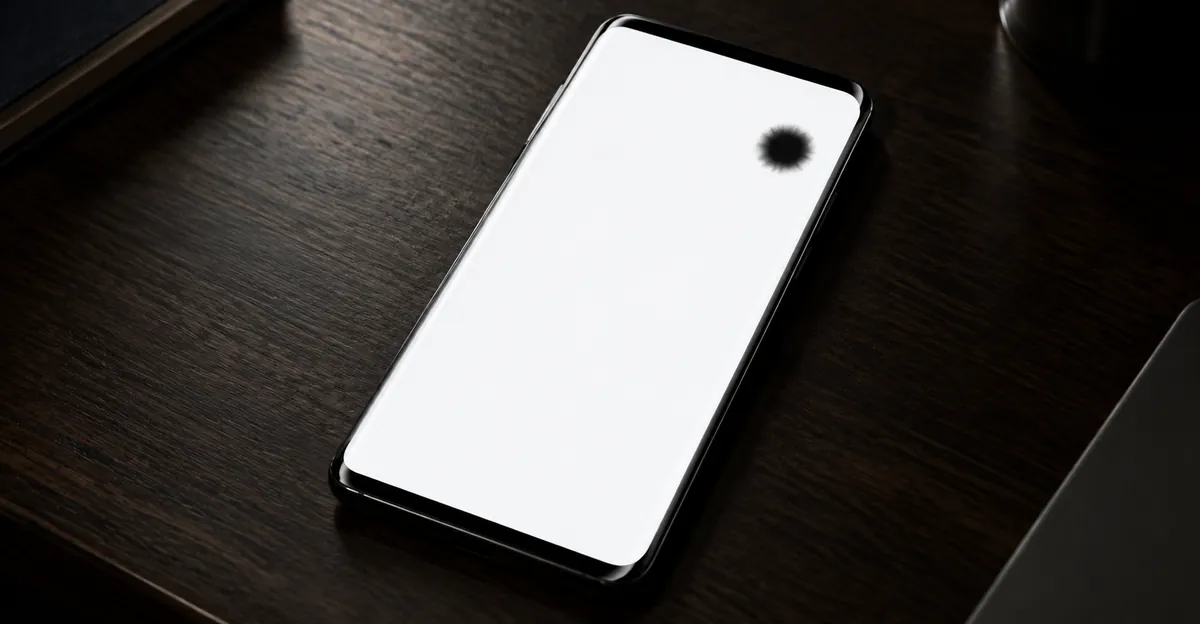
What a Samsung Note 8 Black Spot on Screen Actually Is
Samsung's launch specification for the Galaxy Note 8 is a 6.3-inch Quad HD+ Super AMOLED Infinity Display at 2960 by 1440, about 521 pixels per inch. The default resolution is Full HD+, and you can switch it to Quad HD+ in Settings. That switch changes how many pixels the phone drives. It does not move a stain that is glued to one physical point on the glass. If you change resolution, restart, and the mark is still on the same corner, you have already ruled out the resolution menu.
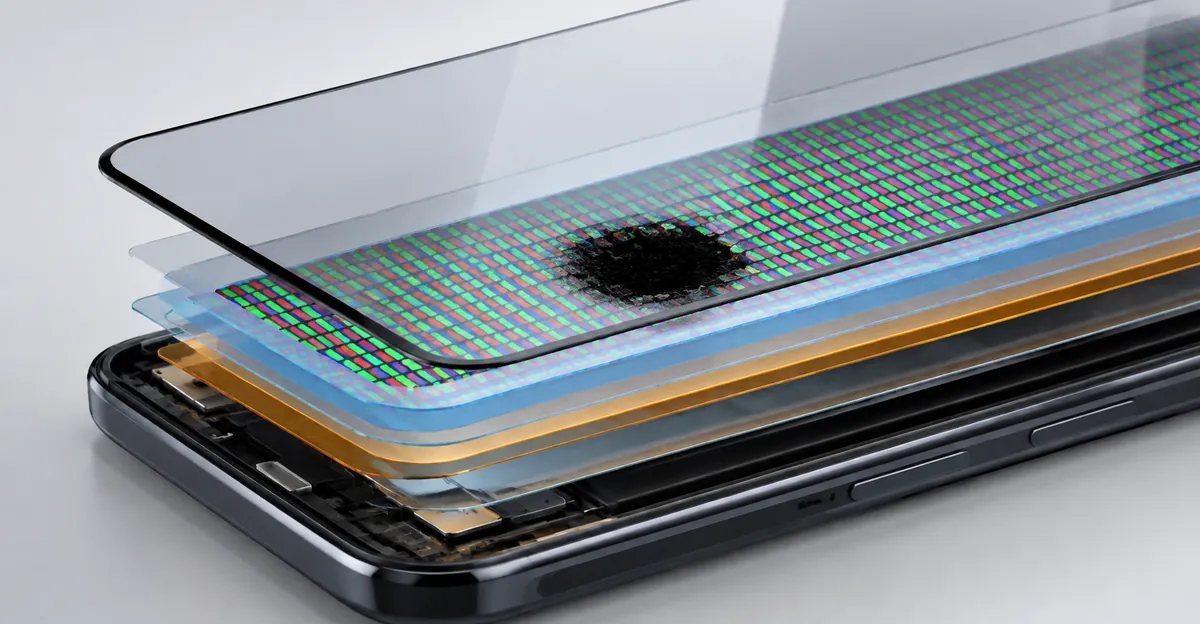
Super AMOLED means each pixel makes its own light. There is no diffuser sheet behind the image the way an LCD phone has. A dark mark on this panel means those pixels are off, crushed, or blocked. It is not light leaking from a backlight, and it is not liquid crystal running under the glass. Repair explainers that still say OLED liquid leakage are describing the look, not the physics. The organic layer is damaged. The pixels stop emitting. Software cannot regrow them.
Three shapes get called the same thing, and they do not share a repair.
A hard pinprick that stays black on white, red, green, and blue is a dead pixel. The cell emits nothing. A pinprick that holds one color, often red on a Note 8 report from the early ownership window, is stuck, not dead. A soft blotch the size of a fingertip, sometimes round, sometimes with a purple or pink rim, matches what Samsung's own support pages call an ink-like mark. Those pages say continuous pressure or an impact can damage the inner panel even when the outer glass is not cracked, and that this kind of damage may spread. Dust on the outer glass wipes off. A bubble in a protector can look dark at an angle and vanishes when the film comes off.
One Note 8 report is the check those pages skip. The owner saw a black dot under the first layer that was still visible with the screen off, and thought there was a little space between the OLED and the dot. A mark that remains in the dark is on the glass, in a film, or in debris you can sometimes see with a lamp. A fault inside the emitters glows or fails only when the panel is on. People pay for a display because nobody looked with the phone powered down.
The front camera creates a second false lead. One Note 8 owner described a half-circle of black at the top of the screen that sat neatly under the front camera in the bezel and assumed it was part of the design, until a friend's new Note 8 did not have it. The Note 8 camera sits in the bezel above the panel. It is not a hole cut into the glass. A black half-circle on the picture, missing from an identical phone, is a panel fault. Compare with the panel off and with a flat white image. A stain on the lit panel is not the camera.
Use this map before you pick a fix. Run it at high brightness in a dim room after the case is off.
| What you see | Clearest check | Working label | Honest next step |
|---|---|---|---|
| Hard black pinprick on white, red, green, and blue | Dialer color screens | Dead pixel | Count it, do not cycle for hours |
| Pinprick that holds one color on black | Black field | Stuck pixel | Short color cycle only |
| Soft round or ink-like blotch, glass intact | White field, then seven-day photos | Pressure or impact inside the panel | Stop pressing, quote a display |
| Mark still there with the panel off, shifts with angle | Lamp, panel powered down | Protector, film, or surface debris | Peel a third-party film and look again |
| Dark only in saved photos, not while you browse | Open the photo on a computer | Lens or camera sensor | Clean the lens, not the display menu |
| Glow on black instead of a dark mark on white | Black field | Bright fault, different page | Do not treat it as a black spot |
Ranking pages tend to stop after clean, restart, and replace the screen. That list is the floor. The row in the table is the decision.
A Samsung S8 Black Spot on Screen Is the Same Panel Family
A Samsung S8 black spot on screen is not a separate disease from the Note 8 case. Samsung's display writeup on the Galaxy S8 describes a curved, edge-to-edge OLED Infinity Display at 5.8 inches, with the S8+ at 6.2 inches, and an 18.5 to 9 ratio. The Note 8 that followed used the same curved Super AMOLED idea at 6.3 inches, and a later lab note from Samsung put the Note 8's peak brightness above the S8. Brand year does not change the rule. On both phones the pixels emit their own light. A dark mark means those pixels are dead or crushed. There is no backlight film to blame and no liquid crystal to massage back into place.
The curved edge is why these two models show up together in search. A tight case, a back pocket, or a squeeze in a bag loads the curve first. Samsung's damage pages describe prolonged pressure creating an ink stain while the glass still looks fine. That description fits a Note 8 and an S8 equally. It also fits later Galaxy phones that use the same stack. If your model is newer than 2017, the tests on this page still sort the mark. The money question at the end is harsher on an S8 or Note 8 because the phone is old. The physics are not harsher.
Aging on the S8's curved AMOLED is a different complaint that people paste onto a black dot. A pink or green cast across a large area, or a single vertical line, is panel wear or a failing bond, not a stuck speck. Service centers replace the display assembly for that line. They do not run a pixel app at it. If you have a black dot and also a tint or a line, photograph both. The quote is still one assembly. The line tells you the panel is failing in more than one way, which matters when you decide whether the phone is worth the part.
Deeper OLED mechanics, including why a growing dark patch is not a leak of fluid, sit on the black spots on an OLED screen page. Use that after this sort if you want the layer story. Stay here for the Galaxy test menu, the camera mix-up, and the old-phone quote.
A white or colored glow is the opposite fault. If the mark is bright on a black field and absent on white, you are not in the black-spot family. That path is a bright spot on a phone screen. Mixing the two sends people into pixel videos aimed at the wrong defect.
Screen Off, a Screenshot, Then the Dialer Test
Most Galaxy spot articles open a white image and stare, or they jump to a service-center map. White is the right field for a dark speck. It hides anything that glows. The steps they skip are the ones that stop a wasted reset.
Power the phone off and unplug it. Take the case off. If a third-party protector is on the glass, peel it. Do not peel a factory film on a foldable as a casual test. These 2017 phones are not foldables, so a shop film can come off. Look at the mark with a lamp at an angle while the panel is dark. A boundary, a rainbow, or a speck that sits above the pixels is the protector or the glass. A panel fault is invisible in that look and appears only when the display is on.
Then turn the phone on and take a screenshot while the spot is visible. Open that image on another phone or a computer. If the mark is inside the picture, the phone drew it. Check filters, accessibility cursors, screen recorders, and Safe mode. Samsung's own Safe mode note, written for camera and app faults, still states the useful rule. Safe mode loads the original software and disables downloaded apps. If the mark is gone there, uninstall recent apps. If the mark is missing from the screenshot and still on the glass, the framebuffer is clean and the physical display is not. A factory reset, which general Android guides offer as the last software step, erases the phone and does not heal a mark that was never in the screenshot. If the screenshot does not contain the dot, do not reset.
Only then fill the screen. On a Note 8 or S8, open the Phone app and type *#0*#. Do not tap the call button. On units where the menu is still enabled, the handset enters the hardware test and brightness jumps up. Red, green, and blue each fill the panel. Tap to leave a color. Samsung community staff, answering Note 8 owners who saw a small black dot, tell them to run that test. If the dot persists through the RGB screens, they call it a dead pixel that cannot be fixed without replacing the display, and they point people to a service center. If the code does nothing, it is disabled on that software build. A saved full-screen white, black, red, green, and blue image does the same observation. Hide the browser chrome. Discard gradients.
Write down what the fields did. A sharp black speck on every bright primary is dead. A speck that is red, green, or blue on a black field is stuck. A soft blotch that is obvious on white and fades into black is layer damage, the ink-like case Samsung describes. A mark that rotates with the picture is content. A hardware mark stays on the same glass point when you turn the phone. The touch grid inside the same menu is worth one pass. Trace the boxes. A dead zone next to the spot means the digitizer went with the panel, which is a stronger reason to stop waiting than a tiny speck at the edge.
Use a second camera for the record. The phone's own screenshot misses a hardware stain, which is the point of the first test. Shoot the panel off, then white and black, in a dim room. Put a coin in one frame for scale. Note the model, the date, and whether there was a drop, a hot car, a tight case, or a recent third-party screen. Repeat the same frames in seven days. That packet is what a desk uses, and it is how you catch a bloom that memory will underestimate.
- Case off. Third-party protector off.
- Panel off, lamp at an angle.
- Screenshot opened on another device.
*#0*#red, green, and blue, or saved full-screen images if the code is dead.- Touch grid, if the menu opened.
- Note size, edge, and whether the mark follows the glass.
- Second-camera photos today and in seven days.
How to Fix a Black Spot on a Samsung Phone
How to fix a black spot on a Samsung phone depends on the row you just sorted. The shared advice online is clean, restart, flash colors, reset, then replace the screen. Cleaning and a restart are worth ten minutes. The rest is conditional. Treating that list as a sequence is how people wipe a phone for a dent, or press a blotch that Samsung already says can spread.
Start with the glass. Phone off. Dry microfiber. If you need moisture, put a little distilled water on the cloth, not on the phone. Never spray the handset. Wipe once and dry with a clean face of the cloth. If the mark disappears, it was on the glass. If a third-party film was the cause, refit or replace the film and stop.
Restart next, before any app. On a Note 8 or S8, hold the Power button until the menu appears, then tap Restart. Holding Power and Volume Down together for several seconds forces a reboot and skips that menu. Install a pending system update only after you know the mark is not an expanding blotch. An update does not rebuild a crushed emitter. It can fix a drawn glitch. That is the only reason to install it during this hunt.
Color cycling is the step guides oversell. A site or app that flashes colors for about ten to thirty minutes is aimed at a stuck pixel, where the cell still responds and shows one color. Samsung's own Note 8 replies do not offer that trick for a dot that stays black through red, green, and blue. A dead pixel has nothing for the app to toggle. An ink-like pressure cloud has nothing either. Run one short cycle on a colored speck if you want the experiment. Stop if nothing changes. Do not leave a flashing page on an OLED panel for hours. Do not press the glass with a cloth, an eraser, or a thumbnail while it runs. Pressure is the action that enlarges the dent Samsung describes.
Heat, freezing, and rice belong in the same reject pile. A cold phone brought into a warm room can condense inside a sealed body. A hair dryer on the glass softens adhesive you cannot see. None of those steps are on Samsung's damage pages. The pages say visit a service center for inspection and repair.
When the mark is hardware, the job is a display, not a software flash. Samsung's Philippines support note distinguishes a complete screen replacement from a component repair that swaps the panel or the glass and reuses the front case. Component repair is limited to certain models and depends on how bad the damage is. A Note 8 or S8 has a curved, bonded assembly. A quote that promises to lift only the outer glass and leave your black emitters in place needs a written explanation before you pay. Ask whether the part is a full display assembly and whether touch, the front camera area, and the earpiece come with it. Dust under a third-party panel fitted last week is a fitting fault. Take that phone back to the shop that installed it before you buy a second assembly.
The general map of black marks across phones, laptops, and monitors, if you want the wider taxonomy after this Galaxy sort, is black spots on screen. It does not replace the dialer test above.
The Warranty Question the Repair Pages Leave Open
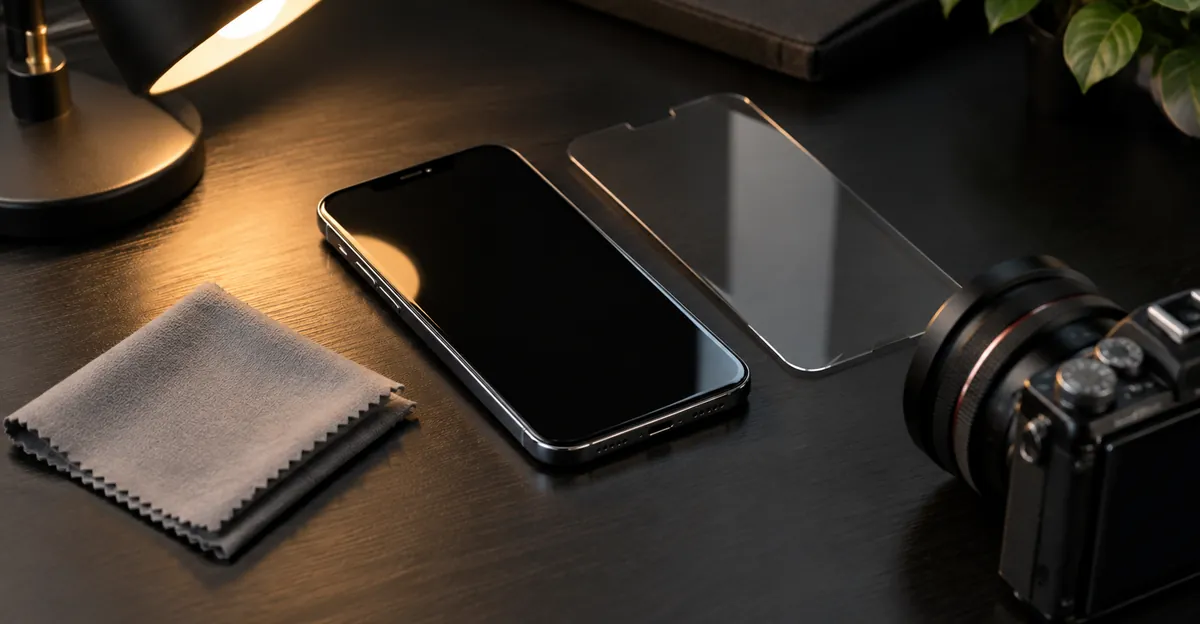
Samsung's public damage pages are blunt, and then they stop. A cracked, black spot, or bleeding screen is listed with liquid damage and a broken port as mishandling. The same note says physical damage is not covered under the standard warranty. Repair is available, and you are charged for parts and labor. Separately, the US support page says that if you have a Samsung Premium Care contract, accidental damage from handling can be covered with a deductible after the standard warranty, subject to that contract's terms. Neither page prints a pixel-count threshold for phones.
That silence is the follow-up. A repair blog will tell you to count dead pixels against the warranty policy, then quote a threshold that belongs to laptop panels, on the order of several bright or dark pixels, or a premium-laptop rule that replaces at one bright pixel. Those numbers are not a Galaxy phone policy. Forum threads on the Note 8 contradict each other. One owner was told a display with a single stuck red pixel would be replaced under warranty, with a turnaround measured in business days plus shipping. Another comment claimed Samsung only replaces screens with three or more dead or stuck pixels. Both cannot be your kitchen-table rule. The only count that matters is the one the service center applies to your serial number on the day you walk in.
The Note 8 and the S8 shipped in 2017. The standard one-year window is not a live question for almost any unit still in a drawer. Premium Care or a carrier protection plan is live only if you still pay for it or still hold an unused claim. Check the serial number on Samsung's coverage page, or in the Samsung Members app, before you book. Do not assume a spot qualifies because it is ugly, and do not assume it is refused because the phone is old, until that lookup is done.
What to carry is the part the replace-the-screen pages skip. Bring the model, a coverage screenshot, dated second-camera photos of the panel off plus white, black, and the color where the speck is worst, one frame with a coin for scale, and a one-line history. Say whether the glass is unmarked. Say if the phone was sat on, dropped, soaked, left in a hot car, or fitted with a third-party screen. A manufacturing argument, if any coverage remains, depends on that packet. Without it, the desk has your memory and a mark that looks like pressure, which Samsung already classifies as mishandling when the story is a squeeze or a drop.
Water resistance is the other hanging detail. Early Note 8 owners who sent phones in for pixel work worried that a repaired or refurbished unit would not keep the original water resistance. Ask the desk, in writing, whether the repair preserves the ingress rating and what they will not cover afterward. A verbal "it will be fine" is not a rating.
Keep the Note 8, Replace the Panel, or Stop
After the tests, generic articles say replace the screen. On a 2017 Galaxy the next decision is whether the phone is worth the part. There is no loose pixel on a board that a technician unsolders. The cell is part of a sheet. Trapped debris inside a bonded module is not a home cleaning. The remaining paths are live with a stable speck, pay for an assembly, or retire the phone.
Published shop ranges are not a Note 8 price list. One 2026 repair roundup put a typical independent Android display in the United States at roughly the low hundreds of dollars, and put flagship OLED work at a brand center much higher in other markets, with a note to get two quotes because city and model move the number. Use that only as a warning that the quote can exceed what an S8 or Note 8 is worth to you. Ask two shops for this exact model, genuine versus compatible, and a written warranty on the part. Then compare the number to a used phone you would actually buy. If the assembly costs more than the replacement handset, the honest fix is a different phone, not a heroic panel.
| Situation | Path | Why |
|---|---|---|
| Mark is inside the screenshot and gone in Safe mode | Remove the app | A new panel will not erase a drawing |
| Visible with the panel off, or gone after the film comes off | Refit the protector | The emitters were never the fault |
| One stable speck at the edge, touch normal, phone is years old | Live with it | The quote can exceed the handset |
| Colored speck only, one short color cycle changed nothing | Stop the apps | A dead or stuck cell is not a weekend project |
| Ink-like blotch that grew in the seven-day photos | Repair or retire soon | Samsung says this class can spread |
| Touch dead beside the mark, or a line to the bezel | Assembly or a new phone | Digitizer or bond, not a pixel video |
| Frame lifting, heat, or a rock on a flat table | Stop charging | Battery, not a cosmetic wait |
| Present from the first week, coverage somehow still active | Manufacturer inspection | The only path that can be free |
| Third-party screen fitted just before the spot | Return to that shop | Dust under a new panel is a fitting fault |
A swelling cell changes the safety rule for every row. A screen or back that lifts off the frame, a phone that rocks on a flat surface, a clicking seam, or unusual heat means stop charging and stop pressing the glass. Do not finish the color tests on a phone that is opening itself.
Keep using the phone when the spot is a small, stable, cool, dry speck, the chassis is flat, and touch around it still works. Stop when the patch grows week to week, lines run to the edge, the frame lifts, or the phone got wet. Samsung's liquid-damage steps, if the phone was soaked, start with powering off. Do not keep charging a wet Note 8 while you collect more photos. Do not open the phone. Do not freeze it.
A case with a raised lip, and a pocket that is not your back pocket, prevents more spots than any setting does. They do not heal a mark that is already in the stack. On a curved S8 or Note 8, a case that clamps the edge is a cause, not a cure. If you keep the phone, use a case that does not preload the curve.
A Samsung TV Black Spot Is a Different Product
How to remove a black spot on a Samsung TV is a television question that shares the words and not the hardware. The Note 8 dialer code does not exist on a TV. A TV self-diagnosis does not explain a phone. If you landed here from a television search, use the TV path and leave the Galaxy steps behind.
Samsung's US picture guide says that when part of the TV is black, you first check whether the on-screen menu itself is cut off. A menu that is sliced by the black region is a reason to request service. A menu that displays completely means you should test the cable and the external device before you blame the panel. Some sets have an HDMI cable test under Support, then Self Diagnosis. It is meant for short HDMI cables. Older sets may not have it.
The spot-specific path on Samsung's Philippines TV page is Settings, Support, Device Care, Self Diagnosis, Start Picture Test. You confirm whether lines, dots, or spots appear in the test patterns. If they do, Samsung treats the television as the source and still wants a service request when the screen is cracked or the pattern is wrong. If the test picture is clean, the fault is often the source device, the signal, or the cable. Changing the input is the check. A phone's *#0*# screen is irrelevant there.
Do not put a phone pixel-fixer video on a television, and do not run a TV picture test in your head while holding a Note 8. The products fail differently. A TV black region that cuts the menu is a panel or board fault for a technician who works on televisions. A phone ink blotch is a bonded mobile assembly. Mixing the quotes wastes the first visit.
Conclusion
A Samsung Note 8 black spot on screen is a local failure on a Super AMOLED panel, sorted by a panel-off look, a screenshot, and flat colors. The S8 uses the same family of curved OLED, so the same tests apply. Cleaning fixes glass and a bad protector. A short color cycle is only for a speck that still shows a color. An ink-like blotch after pressure, with intact glass, is the case Samsung says can spread, and it is a display job if you still want the phone.
On a handset from 2017, get the quote in writing and compare it with what the phone is worth. Document the mark before you walk in. When you need flat white, black, and primary colors without hunting for images, open the free Screen Test tool and save the photos before you talk to a shop.
Sources
- Note 8 display size, resolution, and the Full HD+ default: Samsung Mobile Press
- S8 curved OLED size and ratio: Samsung Newsroom
- Ink-like black spots, spread, and Premium Care: Samsung US
- Black spot listed as physical damage, and component repair limits: Samsung Philippines
- Dialer screen test for a Note 8 black dot: Samsung Members
- Mark still visible with the screen off: Android Stack Exchange
- Camera-shaped black area and conflicting pixel-count anecdotes: XDA
- White and black fields, stuck versus dead, generic shop ranges: screendefect.com
- Restart, color cycle limits, and why a dead pixel ignores apps: Beebom Gadgets
- OLED stains are damaged emitters, not liquid: MoPhoneParts
- Spots in photos, lens cleaning, Safe mode: Samsung US camera
- TV picture test versus an external source: Samsung US TV and Samsung Philippines TV