White spots on phone screen can be alarming, but they are a common display issue that many smartphone users encounter. These bright spots appear as areas that glow brighter than the surrounding pixels, creating an uneven viewing experience. This guide will help you understand what causes white spots, how to diagnose the problem, and what repair options are available.
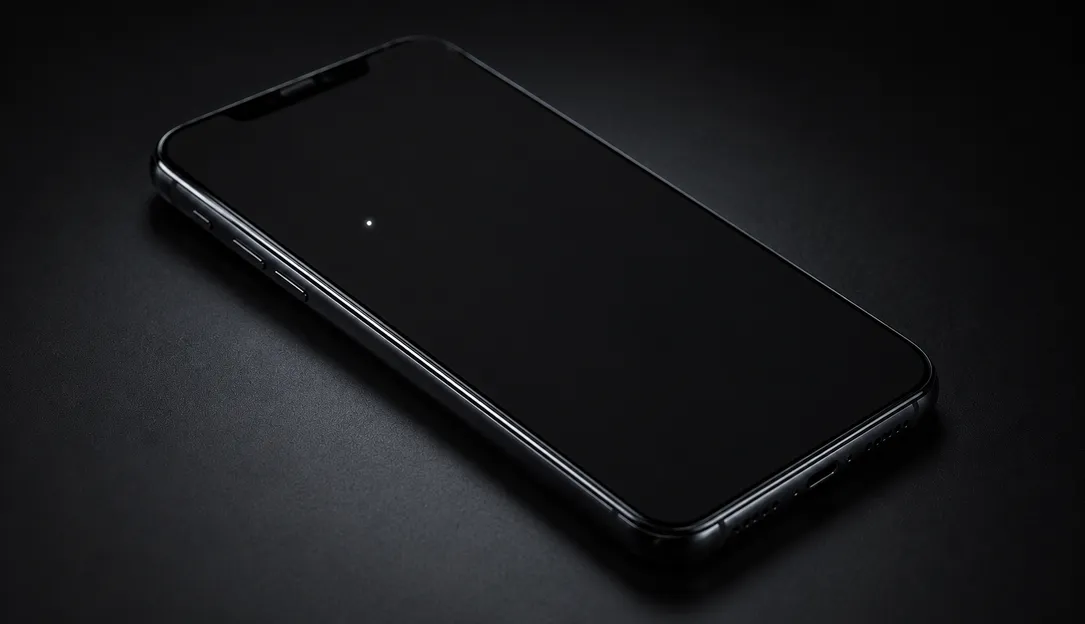
How to Fix White Spots on Phone Screen
Symptoms of White Spots on Phone Screen
White spots on your phone display can manifest in several ways:
- Localized bright spots: Small areas that appear significantly brighter than the rest of the screen
- Pressure marks: White spots that appear after dropping the phone or applying pressure
- Edge white spots: Bright spots concentrated near the edges or corners of the screen
- Progressive spots: White spots that gradually appear or grow over time
These symptoms often help identify the underlying cause of the issue. A spot that appears suddenly after physical damage suggests pressure damage, while spots that develop gradually may indicate backlight or manufacturing defects.
Most Common Causes
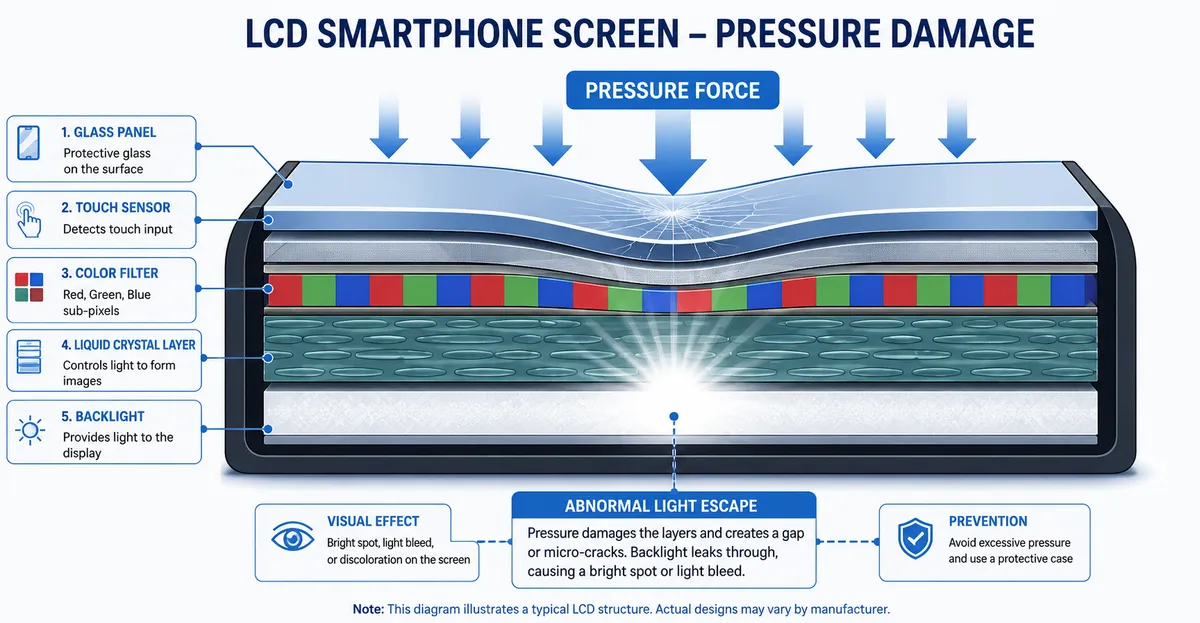
Physical Pressure Damage
The most frequent cause of white spots on phone screens is physical pressure applied to the display. This can happen when:
- The phone is dropped onto a hard surface
- The phone is sitting in a pocket with keys or coins
- The phone is placed under heavy objects
- The phone case applies excessive pressure to the screen
When pressure damages the LCD layer or light diffuser inside the display panel, it creates areas that appear brighter than surrounding pixels. According to iFixit repair guides, this type of damage is particularly common in phones with LCD screens rather than OLED displays.
Backlight Issues
In LCD displays, the backlight system consists of LED lights and light diffuser layers that distribute light evenly across the screen. When these components become damaged or misaligned, certain areas may receive more light than others, resulting in white spots. This issue is more common in older phones or devices that have been subjected to temperature extremes.
Manufacturing Defects
Some white spots appear due to inherent defects in the display panel from the factory. These may manifest shortly after purchasing a new phone or become apparent over the first few months of use. If you notice white spots on a new phone, contact the manufacturer or retailer immediately as this may be covered under warranty.
Heat Damage
Extended exposure to high temperatures can damage the adhesive holding the display layers together, causing delamination that appears as white spots. This is particularly common in phones left in hot cars or exposed to direct sunlight for extended periods.
How to Diagnose the Problem
Proper diagnosis helps determine whether you can fix the issue yourself or need professional help:
- Run the Screen Test Tool: Display full-screen colors to see if the white spot is visible on all backgrounds or only certain colors
- Check for recent damage: Consider whether the phone was dropped or subjected to pressure recently
- Observe the progression: Note whether the white spot is growing, staying the same, or occasionally disappearing
- Test in different apps: See if the white spot appears in all applications or only specific ones
- Restart the phone: A temporary white spot may disappear after a simple restart
- Check for software updates: Display driver issues may be resolved by updating your phone's software
If the white spot persists across all color backgrounds and all applications, the issue is almost certainly hardware-related. If it only appears in certain contexts, a software fix may be possible.
Step-by-Step Fixes
Software Solutions (Try These First)
1. Restart Your Phone
Simple but effective, a restart can clear temporary display glitches:
- Power off your phone completely
- Wait 30 seconds
- Power back on
- Check if the white spot persists
2. Update Your Software
Display driver issues are often fixed in software updates:
- Go to Settings > System > Software Update (Android) or Settings > General > Software Update (iPhone)
- Download and install any available updates
- Restart your phone after updating
3. Reset Display Settings
Calibration issues can sometimes cause white spots:
- Go to Settings > Display > Color Calibration (Android)
- Reset to default settings
- Alternatively, try a third-party color calibration app
4. Boot into Safe Mode
Safe mode disables third-party apps that might be causing display issues:
- Press and hold the power button
- Long-press the power off option
- Select "Safe Mode" when prompted
- Test your display in safe mode
5. Factory Reset (Last Resort)
If software issues persist, a factory reset may help:
- Back up your data first
- Go to Settings > System > Reset Options > Erase All Data (Android)
- Or Settings > General > Reset > Erase All Content and Settings (iPhone)
- This should only be done after other software solutions fail
Hardware Solutions
6. Apply Gentle Pressure
For minor pressure marks, sometimes applying counter-pressure can help:
- Power off your phone
- Use a soft, lint-free cloth
- Apply gentle, even pressure around the white spot area
- Do not press too hard as this can cause more damage
- Check if the spot has reduced
This method works best for very light pressure marks and is not guaranteed to fix the issue.
7. Warm the Area
For delamination-related white spots:
- Power off your phone
- Use a hair dryer on low heat from about 12 inches away
- Gently warm the affected area for 30-60 seconds
- Allow to cool and power on
Do not overheat the phone, as excessive heat can cause additional damage.
When Hardware Repair Is Needed
If software solutions don't work and the white spot persists, professional repair is likely necessary:
Screen Replacement
The most common repair for white spots is complete screen replacement. This involves:
- Purchasing a compatible replacement screen for your phone model
- Having a professional technician install the new screen
- Costs typically range from $50-$200 depending on phone model
- OEM screens are recommended for best quality
Backlight Repair
For white spots caused specifically by backlight issues, some repair shops can replace individual backlight components:
- This is more cost-effective than full screen replacement
- Not all repair shops offer this service
- Success depends on the specific nature of the backlight damage
Warranty Service
If your phone is still under warranty:
- Contact the manufacturer or carrier immediately
- Do not attempt self-repair as this may void the warranty
- Apple, Samsung, and other major manufacturers offer screen replacement services
Prevention Tips
Preventing white spots is easier than repairing them:
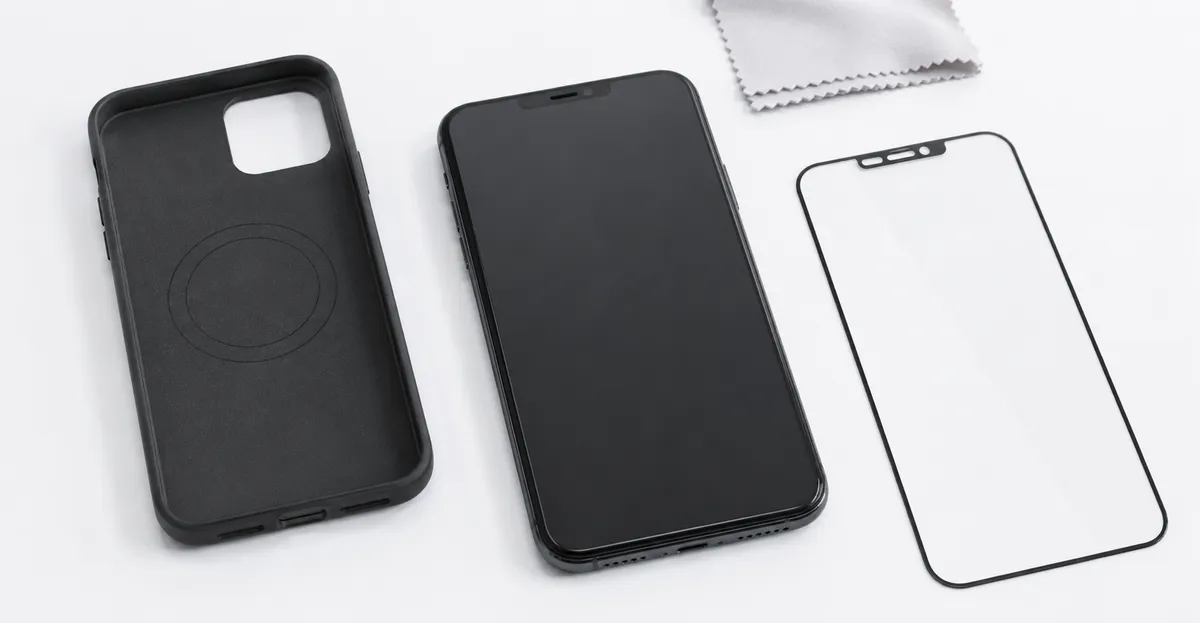
- Use a protective case: A quality phone case absorbs impact from drops
- Avoid placing heavy objects: Keep your phone separate from keys and coins
- Handle with care: Avoid dropping your phone whenever possible
- Temperature awareness: Don't leave your phone in hot cars or direct sunlight
- Screen protector: An additional layer of protection helps absorb minor impacts
Screen Test Tool
The Screen Test Tool is the fastest way to diagnose white spots and determine if they are caused by hardware or software issues:
- Displays full-screen solid colors that make white spots clearly visible
- Helps distinguish white spots from dead pixels (which appear black)
- Allows you to track whether the spot is growing over time
- Available for all devices including phones, tablets, and monitors
LCD vs OLED White Spots: Key Differences
White spots can appear on both LCD and OLED displays, but the underlying mechanism and visual characteristics differ significantly between these two technologies. Understanding which display type your phone uses helps you narrow down the cause and determine the best course of action.
How LCD Displays Develop White Spots
LCD (Liquid Crystal Display) panels use a backlight system to illuminate pixels from behind. The backlight passes through multiple layers including polarizers, glass substrates, and color filters before reaching your eyes. White spots on LCD screens typically form when the backlight diffuser layer becomes damaged or dented. The diffuser is responsible for distributing light evenly across the display, and localized pressure can create areas where light concentrates more than it should, resulting in bright spots.
According to repair communities such as iFixit, LCD white spots are among the most common display issues seen in repair shops. The soft-edged, cloudy appearance is a hallmark of diffuser damage, where the adhesive holding the layers together has been compromised. The spots often appear near the center or bottom of the screen where pressure is most likely to be applied when the phone is placed face-down or sat upon.
How OLED Displays Develop White Spots
OLED (Organic Light-Emitting Diode) panels are fundamentally different because each pixel generates its own light rather than relying on a backlight. This means traditional backlight diffuser damage does not occur on OLED screens. However, white spots on OLED displays can still appear due to different mechanisms. The most common cause is localized delamination between the display layers, where the protective glass or digitizer begins to separate from the OLED panel beneath. This separation creates an air gap that refracts light differently, appearing as a bright spot.
Manufacturing defects in OLED panels can also produce white spots, though these are relatively rare. Samsung and LG, two major OLED suppliers, have strict quality control standards, but some defective units do reach consumers. If a white spot appears on a new OLED phone, it is more likely to be a manufacturing defect than physical damage, and warranty replacement may be available.
Why White Spots Appear More Often on LCD
Repair technicians consistently report that white spots occur far more frequently on LCD phones than on OLED phones. The structural difference is the key factor: LCD panels have more layers that can be affected by pressure, heat, or moisture, while OLED panels have a simpler construction with fewer points of failure. Additionally, LCD screens are more common in budget and mid-range phones, which are also more likely to be used without protective cases, increasing the risk of pressure damage.
If you are unsure whether your phone has an LCD or OLED display, check the manufacturer's specifications on their website or look up your model in a tech review. Most flagship phones released after 2020 use OLED panels, while older models and budget devices typically use LCD.
How Manufacturers Define Acceptable Defect Thresholds
When you contact a manufacturer about a white spot on your phone screen, they will evaluate the issue against specific quality standards. These standards vary by manufacturer and are defined in their warranty and return policies. Understanding these thresholds can help you determine whether your phone qualifies for a free repair or replacement.
ISO 13406-2 Standard for Display Defects
The international standard ISO 13406-2 sets guidelines for acceptable pixel defects on flat panel displays. This standard defines four types of pixel defects: stuck pixels (always lit), dead pixels (always off), cluster defects (groups of defective pixels), and blemishes (subtle irregularities). White spots that are visible on solid color backgrounds typically fall under the blemish category, which has the most lenient thresholds.
Under ISO 13406-2, the acceptable number of blemishes depends on the display zone and size. For most smartphone-sized displays, a small number of faint blemishes may fall within acceptable limits, while prominent white spots that are easily visible in normal use typically exceed these thresholds. However, ISO 13406-2 is a voluntary standard, and manufacturers are not obligated to adhere to it in their warranty policies.
Apple Screen Replacement Policy
Apple evaluates white spots on iPhone screens based on their visibility and location. According to Apple's support documentation, display issues that are visible under normal viewing conditions may qualify for service under the Apple One-Year Limited Warranty or AppleCare+ coverage. If the white spot appeared due to a manufacturing defect within the warranty period, Apple will typically replace the display at no cost for covered devices.
For out-of-warranty repairs, Apple charges a flat fee for screen replacement that varies by iPhone model. As of 2026, screen replacement costs for newer iPhone models can exceed $200 through Apple. Third-party repair shops often charge less, but quality may vary depending on whether OEM or aftermarket parts are used.
Samsung and Android Manufacturer Policies
Samsung and other Android manufacturers generally follow similar warranty evaluation criteria. White spots caused by manufacturing defects are typically covered under the standard warranty period, which is usually 12 months from the original purchase date. Physical damage, including pressure marks and impact damage, is usually not covered unless you have purchased additional protection plans.
Samsung offers Samsung Care+ as an optional protection plan that covers accidental damage for a monthly fee. If you have this coverage, white spots caused by physical pressure may be eligible for repair or replacement with a reduced service fee. Contact your carrier or Samsung directly to check your coverage status and options.
Repair Cost Ranges by Device Type
When a white spot on your phone screen requires professional repair, the cost depends primarily on the device model, the repair provider you choose, and whether you use original equipment manufacturer (OEM) or aftermarket parts. Understanding the typical cost ranges helps you budget for the repair and compare quotes from different providers.
Apple iPhone Screen Replacement Costs
iPhone screen replacement costs vary significantly by model generation. For older models such as the iPhone 11 and iPhone 12, Apple charges between $150 and $180 for screen replacement through their official service program. Newer models with OLED displays, such as the iPhone 13, 14, and 15 series, cost $230 to $330 for screen replacement through Apple. Third-party repair shops typically charge 30 to 50 percent less, with prices ranging from $80 to $200 depending on the model and parts quality.
Independent repair shops may use aftermarket screens that are less expensive but may not match the brightness, color accuracy, or durability of the original display. If you use your phone for color-critical work such as photo editing or video production, OEM parts from the original manufacturer are worth the additional cost.
Samsung Galaxy Screen Replacement Costs
Samsung Galaxy phones use both LCD and OLED displays depending on the model line. The Galaxy S series and Galaxy Z foldables use OLED panels, while the Galaxy A series uses LCD. OLED screen replacements for Samsung flagships typically cost between $150 and $250 through Samsung's official repair service. LCD screen replacements for mid-range models are less expensive, usually ranging from $80 to $150.
Samsung also offers self-repair options through their Samsung Repairs program, where you can order genuine parts and access repair guides for common issues. However, screen replacement requires specialized tools and experience, so this option is best suited for experienced technicians rather than casual users.
Budget Android Phones Screen Replacement
Budget smartphones from manufacturers such as Motorola, Nokia, and various Chinese brands typically use LCD displays that are less expensive to replace. Screen replacement costs for these devices usually range from $40 to $100 through third-party repair shops. In some cases, the cost of screen replacement may approach or exceed the value of the phone itself, particularly for older or lower-end models.
Before paying for a screen replacement on a budget phone, compare the repair cost to the current market value of the device. If the repair cost is more than half the phone's worth, it may make more financial sense to upgrade to a new device rather than repair the existing one.
How to Document the Spot for a Warranty Claim
If you believe your white spot qualifies for warranty service, proper documentation is essential for a successful claim. Manufacturers and authorized service centers require clear evidence of the defect to process your request. Taking the right photos and gathering the necessary information before contacting support will speed up the process and increase your chances of approval.
Step 1: Photograph the White Spot
Take clear, well-lit photographs of the white spot from multiple angles and distances. Include at least one photo that shows the entire phone screen with the spot visible, and one close-up photo that clearly shows the spot's size, shape, and location. Use a plain, neutral background to ensure the spot stands out. Avoid using flash or direct light sources that create glare on the screen, as this can obscure the defect.
Photograph the white spot against different background colors if possible. Use a screen test tool to display solid white, black, red, green, and blue backgrounds, and capture the spot against each color. These photos help the manufacturer determine the exact nature of the defect and distinguish between different types of display issues.
Step 2: Document When and How It Appeared
Write down the date when you first noticed the white spot, and describe the circumstances. Did it appear suddenly after dropping the phone, or did it develop gradually over time? Was the phone exposed to heat, moisture, or physical pressure before the spot appeared? This information helps the manufacturer determine whether the issue is likely caused by a manufacturing defect or physical damage, which affects warranty coverage.
If you purchased the phone recently and the white spot appeared within the first few weeks of use, this strongly suggests a manufacturing defect rather than user-caused damage. Keep your original purchase receipt and any extended warranty documentation handy for the claim process.
Step 3: Check Your Warranty Status
Before contacting the manufacturer, verify that your phone is still within the standard warranty period. You can usually check this by entering your device's IMEI number on the manufacturer's support website or by checking the original purchase receipt. If you purchased an extended protection plan such as AppleCare+ or Samsung Care+, review the terms to confirm that display issues are covered.
Step 4: Contact the Manufacturer or Authorized Service Provider
Once you have gathered your documentation, contact the manufacturer's support line or visit an authorized service center to initiate the warranty claim. Provide clear descriptions and share your photographs directly if the support agent requests them. Be patient with the process, as warranty claims may take several days to evaluate and approve.
If the manufacturer denies your claim but you believe the white spot is a manufacturing defect, ask to escalate the case or request a second evaluation. Some issues require physical inspection by a technician before a final decision can be made.
Related Screen Issues
White spots on phones can be confused with other display problems:
- Dead Pixel: Dead pixels appear black, not white — learn the difference
- Mobile White Spots: General guide to white spots on mobile devices
- LCD Bright Spots: Bright spots that glow more than surrounding pixels
- Phone Bright Spots: Bright spot issues specific to phone displays
- Screen Pressure Damage: Physical damage to LCD displays
Conclusion
White spots on phone screen are typically caused by physical pressure damage, backlight issues, or manufacturing defects. Software solutions like restarting, updating, or resetting your phone may resolve temporary white spots. However, persistent white spots caused by hardware damage usually require professional repair or screen replacement.
Use the Screen Test Tool to confirm whether your white spot is a hardware issue and track its progression over time. If the spot appeared after physical damage, check your warranty coverage and consider professional repair options.