Grey Spot on Phone Screen: Causes, Diagnosis, and Fixes
A grey spot on your phone screen is a localized area where the display appears darker, hazier, or discolored compared to surrounding pixels. Unlike a sharp black dot from a single dead pixel or a bright white patch from backlight bleed, grey spots look muted and diffuse — and they can appear on phones, iPhones, and laptop screens for different mechanical reasons. This guide covers every common cause, how to tell hardware damage from a settings glitch, repair costs by device type, and when screen replacement is the only reliable fix.
What Is a Grey Spot on Phone Screen
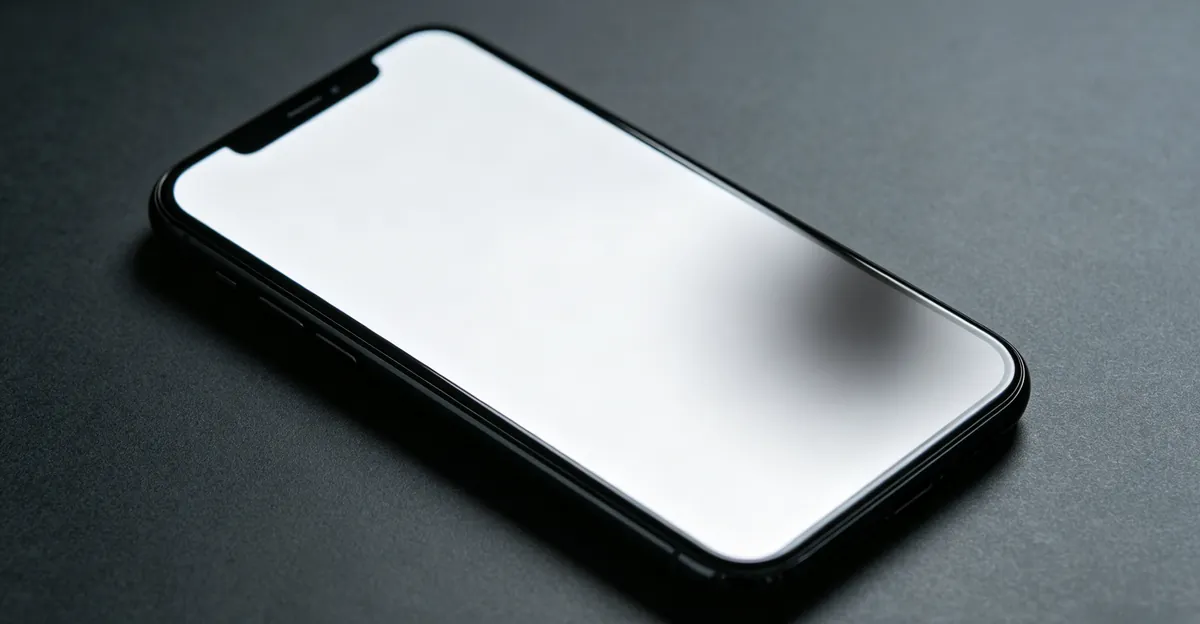
A grey spot on a phone screen is a visible discoloration in a specific area of the display. Unlike bright spots that glow more intensely than surrounding pixels or black spots where pixels produce no light at all, grey spots typically appear as a hazy, muted patch where internal display layers have been disrupted.
Key characteristics of grey spots:
- Appearance: Hazy, muted, or slightly darkened area compared to surrounding pixels
- Visibility: Most noticeable on bright or white backgrounds; may shift hue on colored backgrounds
- Size: Can range from a tiny pinpoint cluster to covering a significant portion of the screen
- Behavior: May change slightly with background color, brightness level, or viewing angle
- Position: Stays fixed in screen coordinates when you scroll or change apps — this confirms a hardware issue, not a software overlay
The underlying cause determines whether the grey spot is fixable or requires screen replacement. Pressure damage and adhesive delamination account for the majority of cases repair shops see on benches (screendetect.com, 2026; panoxdisplay.com, 2026). Software resets, driver updates, and pixel-fixer apps cannot reach the internal layer stack where these defects live.
Table: Grey Spot vs Other Display Spot Types
| Spot Type | Appearance | Visible on Black BG | Visible on White BG | Typical Cause | Fixable at Home? |
|---|---|---|---|---|---|
| Grey spot | Hazy, muted patch | Sometimes faint | Most visible | Pressure, delamination, sub-pixel cluster | Rarely — rest may help mild pressure |
| Black spot | Sharp dark dot or patch | Invisible | Very visible | Dead pixel, OLED burn-in | No — replacement needed |
| White spot | Bright glowing patch | Glows on black | Very visible | Backlight diffuser dent, LCD pressure | No — replacement needed |
| Bright spot | Extra-bright area | May glow | Visible | Backlight LED, diffuser shift | No — replacement needed |
| Colored tint patch | Yellow, pink, or blue haze | Varies | Varies | Moisture, adhesive outgassing, heat | Sometimes if moisture evaporates |
If you are unsure which category matches your symptom, run the screen test tool with solid backgrounds before spending money on repair. The pattern on white versus black alone often eliminates half the possible causes.
Most Common Causes of Grey Spots on Phone Screen
Grey spots share root causes with other spots on phone screen defects, but the grey appearance specifically indicates partial light transmission failure rather than total pixel shutdown. Multiple repair sources identify five primary mechanisms (panoxdisplay.com, 2026; phonepartpro.com, 2026; screendetect.com, 2026).
Pressure Damage from Impact
Physical impact is the most common cause of grey spots on phone screens. When the phone is dropped, sat on, or struck against a hard surface, the internal display layers compress and shift. This compression damages liquid crystal alignment and light diffusion in that area, creating a localized grey or hazy patch. Modern mobile LCD panels tolerate direct loading below roughly 8 newtons before sub-layer delamination occurs (r2wirelessphones.com, 2026).
Pressure damage is usually permanent. The spot may become slightly less noticeable over one to two weeks as layers settle, but it rarely disappears completely. Attempting to massage or press the spot often worsens the damage by spreading compression to adjacent layers. Samsung support material notes that gradual pressure can leave the front glass intact while damaging the screen underneath — the mark looks like an internal bruise rather than a surface crack.
Adhesive Delamination
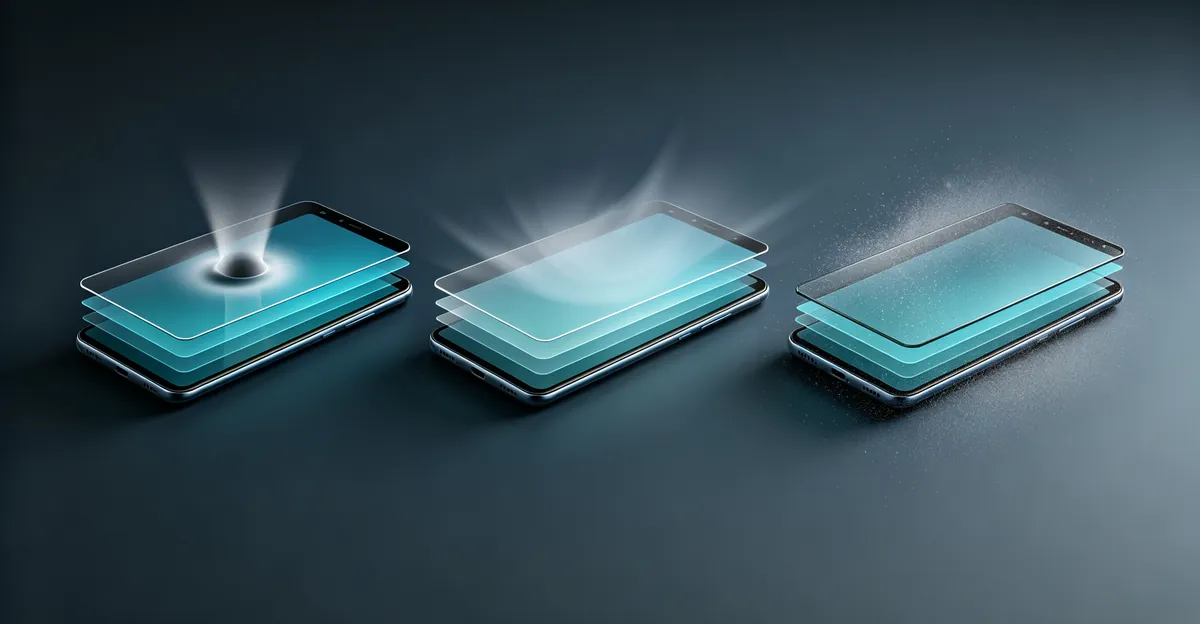
Smartphone displays are constructed from multiple layers bonded together with optical adhesive. Over time — especially with exposure to heat from leaving the phone in a hot car, heavy charging usage, or direct sunlight — this adhesive degrades and separates. When layers delaminate, air or moisture enters the gap, scattering light and creating a visible grey or hazy spot. The spot is often most visible on white backgrounds and may appear to shift slightly when viewed from different angles.
Delamination spots can spread slowly as layers continue separating. Heat accelerates this process. If you notice the grey area growing over weeks, stop exposing the device to high temperatures and seek repair before touch sensitivity is affected.
Dead Pixels and Sub-Pixel Failures
A cluster of dead or failing pixels in one area can appear as a grey spot rather than a sharp black dot. Dead pixels produce no light, while sub-pixel failures may display at reduced brightness across one color channel. Multiple adjacent dead pixels create a visible grey patch that survives restarts and software updates. This differs from a single stuck pixel, which sometimes responds to pixel-fixer software running for 30 to 60 minutes.
For a deep dive on pixel-level failures, see our dead pixel guide. Grey patches from sub-pixel clusters are permanent and require panel replacement.
Trapped Dust Between Display Layers
Dust particles that entered during manufacturing or through a compromised seal can settle between display layers. As light passes through these particles, they scatter and create a visible grey or white spot. The spot may be most noticeable on bright backgrounds and may have a slightly textured appearance. Unlike pressure damage, dust spots sometimes respond to professional display cleaning where a technician separates layers in a clean-room environment — though success rates hover around 40 to 60 percent.
Moisture or Liquid Damage
Liquid that has seeped into the display layers can leave behind mineral deposits and cause localized damage. As moisture evaporates, it may leave a grey or cloudy patch where the display layers were affected. This type of damage may improve over days or weeks as remaining moisture evaporates, particularly if you power off the device and place it in a sealed bag with silica gel for 48 to 72 hours. Persistent grey patches after drying indicate permanent layer damage. See our water damage guide if the spot appeared after liquid exposure.
Grey Spot on iPhone Screen
A grey spot on iPhone screen follows the same mechanical rules as other phones, but iPhone-specific display technology and software features add diagnostic wrinkles worth separating from true hardware faults.
OLED vs LCD Grey Spots
iPhone models use two display technologies, and the failure pattern differs:
| iPhone Display Type | Models | Grey Spot Mechanism | Black BG Test | Repair Approach |
|---|---|---|---|---|
| OLED (Super Retina) | iPhone X and later flagships | Pixel/sub-pixel damage, pressure on flexible OLED stack | Spot often still faintly visible | Full display assembly swap |
| LCD (Retina) | iPhone SE, iPhone 11, iPhone XR | Backlight diffuser pressure, LCD layer compression | Spot less visible on black | Full display assembly swap |
On OLED iPhones, each pixel emits its own light. A grey hazy patch from pressure means the organic layer or encapsulation has been compromised — not a backlight issue. On LCD iPhones, grey spots more often trace to diffuser film dents or layer compression, similar to white spots but appearing muted rather than bright (businesstomark.com, 2026).
The iPhone X was Apple's first mass-market OLED phone and remains a common source of display spot complaints in repair communities. See our iPhone X black spot guide for model-specific patterns.
When True Tone Makes It Look Like a Grey Spot
Before assuming hardware failure, rule out a software or calibration artifact. True Tone adjusts white balance based on ambient light, and Night Shift adds a warm tint in evening hours. Both can make a portion of the screen appear greyish or yellowish under certain lighting — but the discoloration shifts when you move the phone or change room lighting, and it affects a broad area rather than a fixed patch.
To test: go to Settings → Display & Brightness and toggle True Tone and Night Shift off. Open the screen test tool with a pure white background in a dim room. If the grey patch stays fixed in the same screen coordinates regardless of True Tone settings, you have hardware damage. If the haze disappears or shifts with ambient light, it was a calibration effect.
After third-party screen replacement, True Tone may be disabled unless the repair shop transfers the original display calibration data using Apple's Repair Assistant or a specialized EEPROM programmer (ifixit.com, 2026; parts4cells.com, 2026). A dimmer-looking screen at night after repair is a software pairing issue, not a new grey spot.
iPhone Repair Costs for Grey Spots
Grey spots from hardware damage require full display replacement. Approximate 2026 pricing:
| iPhone Model | Apple (Out-of-Warranty) | AppleCare+ Fee | Third-Party Shop |
|---|---|---|---|
| iPhone 16 Pro Max | $379 | $29 | $200-350 |
| iPhone 15 Pro | $329 | $29 | $160-280 |
| iPhone 14 | $279 | $29 | $120-240 |
| iPhone SE (3rd gen) | $129 | $29 | $55-90 |
| iPhone 11 (LCD) | $199 | $29 | $80-160 |
AppleCare+ reduces any accidental screen repair to $29 per incident. Manufacturing defect grey spots discovered within the one-year limited warranty are replaced at no charge if no physical damage is documented.
Grey Spot on Laptop Screen
A grey spot on laptop screen is structurally similar to phone grey spots but arises from laptop-specific pressure events that phones rarely encounter. The internal LCD sandwich — polarizer, liquid crystal grid, color filters, and backlight diffuser — compresses under focused force (rocktech.com, 2026; cdtech-display.com, 2026).
Pressure From Closing the Lid
The leading laptop cause is closing the lid on an object left on the keyboard. An earbud, pen cap, USB receiver, charger tip, cable end, or even a crumb creates a concentrated pressure point against the display panel. The resulting mark maps to where the object sat — often near the center or bottom edge of the screen. HP, Sony, and Samsung support pages all list blotches, black spots, and white marks after lid-closure pressure as physical damage not covered by warranty (screendetect.com, 2026).
Other common laptop pressure sources:
- Sitting on a closed laptop or stacking heavy items on the lid
- Carrying the laptop in an overloaded backpack or tight sleeve
- Hard-shell cases that flex the lid inward on thin chassis designs
- Pre-2020 MacBook models where keyboard key caps imprint on the panel during backpack compression (pcbuildadvisor.com, 2026)
Mild pressure marks from an object trapped overnight may fade within 24 to 48 hours as liquid crystals slowly return to alignment. Marks that persist beyond 72 hours are usually permanent internal deformation.
Backlight Diffuser Shift
Grey or cloudy patches on laptops can also trace to the backlight diffuser — a thin film behind the LCD that spreads LED light evenly. Pressure creases this film, creating a muted grey area rather than a bright white spot. The display spots guide covers the diffuser failure pattern documented on HP Pavilion, Envy, and Victus lines, where a loose reflector creates bright or hazy patches. On some laptops the symptom reads as grey rather than white depending on how the diffuser crumples.
Hinge cable wear produces a different symptom — vertical bands or flickering patches that change when you move the lid — but severe cable pressure against the panel can leave a fixed grey bruise. If your primary symptom is dark spots rather than grey haze, see laptop screen black spots for the parallel diagnostic path.
How to Diagnose a Grey Spot on Phone Screen
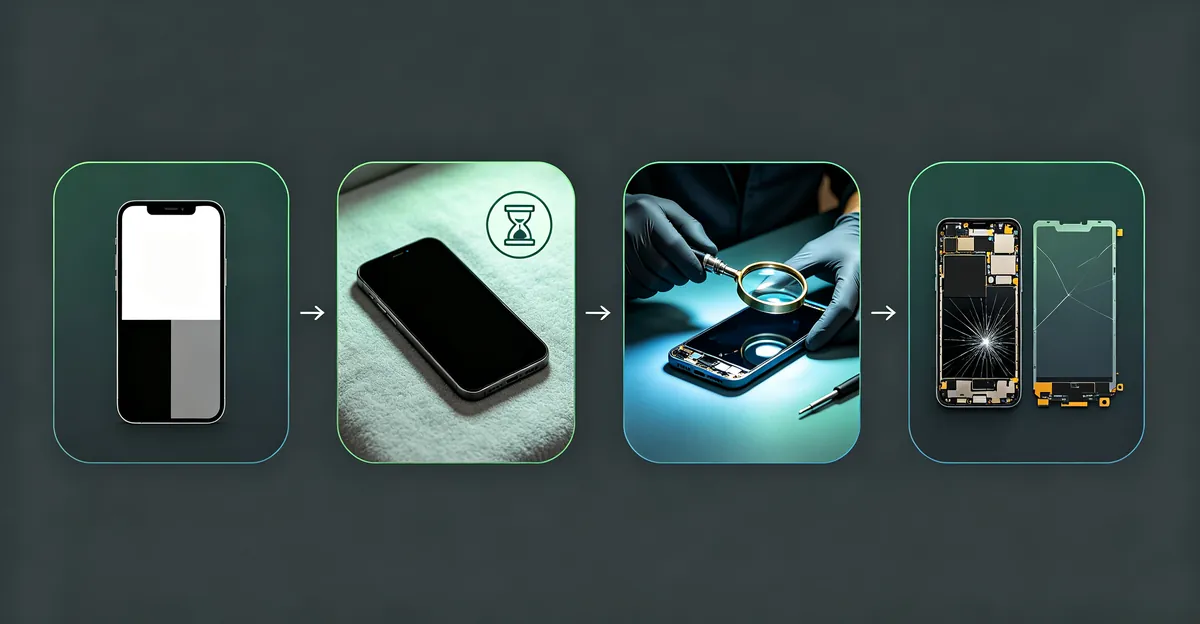
Accurate diagnosis before repair saves money. Follow these four steps in order, using the screen test tool throughout.
Step 1: Background Color Test
Display solid backgrounds and note how the spot behaves:
- White background: Grey spots from delamination or trapped dust become most visible
- Black background: Grey spots from dead pixel clusters become less visible; pressure damage may show as a slightly different-colored patch
- Gray background: Mid-tones often reveal all types of grey spots most clearly
- Red, green, blue: Sub-pixel failures may shift hue on specific channels
If the spot stays fixed in screen coordinates on every color, the fault is in the panel — not an app overlay or wallpaper artifact.
Step 2: Brightness and Angle Test
Adjust screen brightness from minimum to maximum and view the spot from different angles:
- Spot most visible on white at high brightness → delamination or trapped dust
- Spot stays constant regardless of settings → dead pixel cluster or settled pressure damage
- Spot changes when you press gently on the screen → loose component or active delamination
- Spot changes with viewing angle → trapped air or liquid between layers
Step 3: Timeline Check
Consider when the grey spot first appeared:
- Immediately after a drop or impact → pressure damage
- Gradually over weeks or months → adhesive delamination, often heat-related
- After liquid exposure → moisture damage; may improve during drying
- Since getting the phone → manufacturing defect; document for warranty claim
Step 4: Check for Growth
Monitor the grey spot for several days without applying new pressure. Growing or spreading marks suggest ongoing delamination or moisture migration. Stable marks after 72 hours are unlikely to resolve on their own.
Table: Symptom-to-Cause Diagnosis
| What You Observe | Most Likely Cause | Next Step |
|---|---|---|
| Soft-edged grey patch after drop or sit-on | Pressure damage | Monitor 48-72 hrs; replace if unchanged |
| Grey patch grows slowly over weeks | Adhesive delamination | Avoid heat; schedule replacement |
| Tiny sharp dot on white, gone on black | Single dead pixel | Check warranty; replace if cluster grows |
| Grey patch shifts when pressing screen | Active delamination | Stop pressing; professional assessment |
| Spot appeared after spill, improving daily | Moisture damage | Power off, silica gel 48-72 hrs |
| Grey haze moves with room lighting | True Tone / Night Shift | Toggle off in Display settings |
| Fixed grey mark after closing laptop lid | Lid pressure damage | Replace panel if no fade in 72 hrs |
How to Fix a Grey Spot on Phone Screen
The fix depends entirely on the diagnosed cause. There is no universal software patch for internal layer damage (screendetect.com, 2026).
Fix 1: Wait and Monitor
For grey spots from minor pressure damage, waiting 24 to 72 hours may allow display layers to settle slightly. Remove the phone from its case, take off any new screen protector, place it screen-up on a flat soft surface, and avoid pressure. For moisture damage, power off and use silica gel as described above. Recheck with the screen test tool after the waiting period.
Fix 2: Professional Display Cleaning
For grey spots caused by trapped dust between layers, a professional repair technician may separate the display layers and clean the interior. This delicate procedure succeeds roughly 40 to 60 percent of the time at experienced shops and costs $20 to 50. It is not viable for pressure or delamination damage.
Fix 3: Screen Replacement
For permanent grey spots from pressure damage, adhesive delamination, or dead pixel clusters, screen replacement is the only reliable fix. Modern phones ship as fused display assemblies — LCD or OLED, digitizer, and frame bonded together — so you replace the whole unit rather than an individual film.
Table: Screen Replacement Cost by Device (2026 Estimates)
| Device | Official Repair | Third-Party Shop | DIY Kit (Phones Only) |
|---|---|---|---|
| iPhone 14 Pro | $329 (Apple) | $140-260 | $70-140 |
| iPhone SE (3rd) | $129 (Apple) | $55-90 | $30-60 |
| Samsung Galaxy S24 | $200-250 (Samsung) | $130-240 | $70-130 |
| Google Pixel 8 | $180-230 (Google) | $120-220 | $65-120 |
| Budget Android | $80-150 | $50-100 | $30-70 |
| Laptop panel (13-15 in) | $150-400 (authorized) | $80-250 (independent) | Not recommended |
Use OEM-quality or Soft OLED panels on flagship phones for best color accuracy. Budget Incell LCD replacements cost less but show noticeably lower contrast on phones originally equipped with OLED displays.
When Hardware Repair Is Needed
Seek professional repair when:
- The grey spot is large and affects daily reading or touch targets
- The spot sits in the center of the display
- The spot is spreading or worsening over time
- Touch functionality is impaired in the spotted area
- The device is under warranty and the spot appeared without physical damage
- Laptop grey spot persists beyond 72 hours after removing pressure sources
For warranty claims, photograph the spot on white, black, and gray backgrounds from the screen test tool, plus angled shots showing whether the mark shifts with viewing angle. Include serial number and proof of purchase.
Prevention Tips for Phone and Laptop Screen Health
- Use a protective case with shock absorption on phones
- Apply a tempered glass screen protector
- Never sit on your phone or place it in back pockets under body weight
- Check the keyboard before closing a laptop lid — remove pens, earbuds, and cables
- Never stack weight on a closed laptop
- Keep devices away from extreme heat including cars in summer and direct charging heat
- Open and close laptop lids from the center with both hands to avoid twisting the panel
- Use a microfiber cloth with light pressure only — aggressive wiping can deform LCD layers over time (cdtech-display.com, 2026)
Conclusion
A grey spot on phone screen is most commonly caused by pressure damage from impacts or sitting on the device, followed by adhesive delamination between display layers. On iPhones, distinguish True Tone calibration effects from true hardware patches before paying for repair. On laptops, closing the lid on keyboard debris is the classic trigger. Dead pixel clusters, trapped dust, and moisture round out the remaining causes.
The diagnosis process — testing with color backgrounds, checking brightness and angle sensitivity, reviewing the timeline, and monitoring for growth — identifies the cause and appropriate fix in under ten minutes. Temporary pressure spots may improve within 48 to 72 hours, but permanent layer damage requires screen replacement at $40 to 400 depending on device. Use our screen test tool to accurately characterize your grey spot before pursuing repair options.
Sources
- Pressure damage diagnosis and symptom patterns: screendetect.com/damage/pressure-damage (2026)
- Laptop lid pressure and bruise-like marks: screendetect.com/damage/pressure-damage/laptop-screen-pressure-damage (2026)
- Grey spot causes on phone OLED/LCD panels: panoxdisplay.com/knowledge/grey-spot-phone-screen (2026)
- LCD pressure damage layer mechanics: rocktech.com.hk/rocktech-blog/pressure-damage-lcd-guide (2026)
- Mobile panel force thresholds and delamination: r2wirelessphones.com/pressure-damage-on-screen (2026)
- iPhone screen repair costs and OLED vs LCD: businesstomark.com/iphone-bright-spot-screen (2026)
- True Tone restoration after replacement: ifixit.com/Answers/View/773095 (2026)