Best Laptop for Coding and Programming (2026)
Choosing the right laptop for coding is less about raw speed and more about matching the machine to your daily workflow. After testing 12 laptops across more than 60 hours of real programming tasks — TypeScript monorepo builds, Rust compilation, multi-service Docker environments, and local AI inference — these five stand out for software developers in 2026.
Why a Good Programming Laptop Matters
A programming laptop is your primary build box, your editor, your terminal, and often your second monitor. Three things matter most:
- A fast CPU and enough RAM to compile and run services without swap. Most developers hit RAM walls before CPU ceilings.
- A comfortable keyboard you'll touch 8 hours a day. Deep enough travel, no mushy keys.
- A screen you can read for hours. 14–16 inches, 1600p or higher, matte finish if you work near windows.
Battery life, port selection, and weight round out the picture.
What to Look for in a Coding Laptop
1. CPU
In 2026, the Apple M5 / M5 Pro and Intel Core Ultra X7 / X9 (Panther Lake) are the leading choices for development. Both handle multi-core builds efficiently. Avoid older 12th/13th-gen Intel unless the laptop is deeply discounted.
2. RAM
24GB is the new 16GB. Chrome, VS Code, Docker, and a few services will eat 16GB before lunch. Configure 24GB minimum, 32GB if you run containers all day or local LLMs.
3. Display
A 14–16 inch panel at 1600p (or higher) with anti-glare coating is ideal. OLED is great for color accuracy but watch out for burn-in with long static editor windows. Refresh rate above 60Hz is nice but not essential for coding.
4. Keyboard
This is where many premium laptops actually disappoint. Look for at least 1.2mm key travel, a sensible arrow-key layout, and no half-height function row. ThinkPads and MacBook Pros remain the keyboard benchmarks.
5. Battery
You want at least 10 hours of real-world battery for full workdays. MacBook Air/Pro lead here — Apple's M-series efficiency still has no real peer.
6. Ports
At least two USB-C/Thunderbolt ports, ideally one on each side for charging flexibility. HDMI and SD card slots are bonuses. MagSafe-style charging (so you don't lose a port when plugged in) is a quality-of-life win.
Our Top Picks
1. MacBook Pro 14" M5 Pro (24GB) — Best Overall for Programming
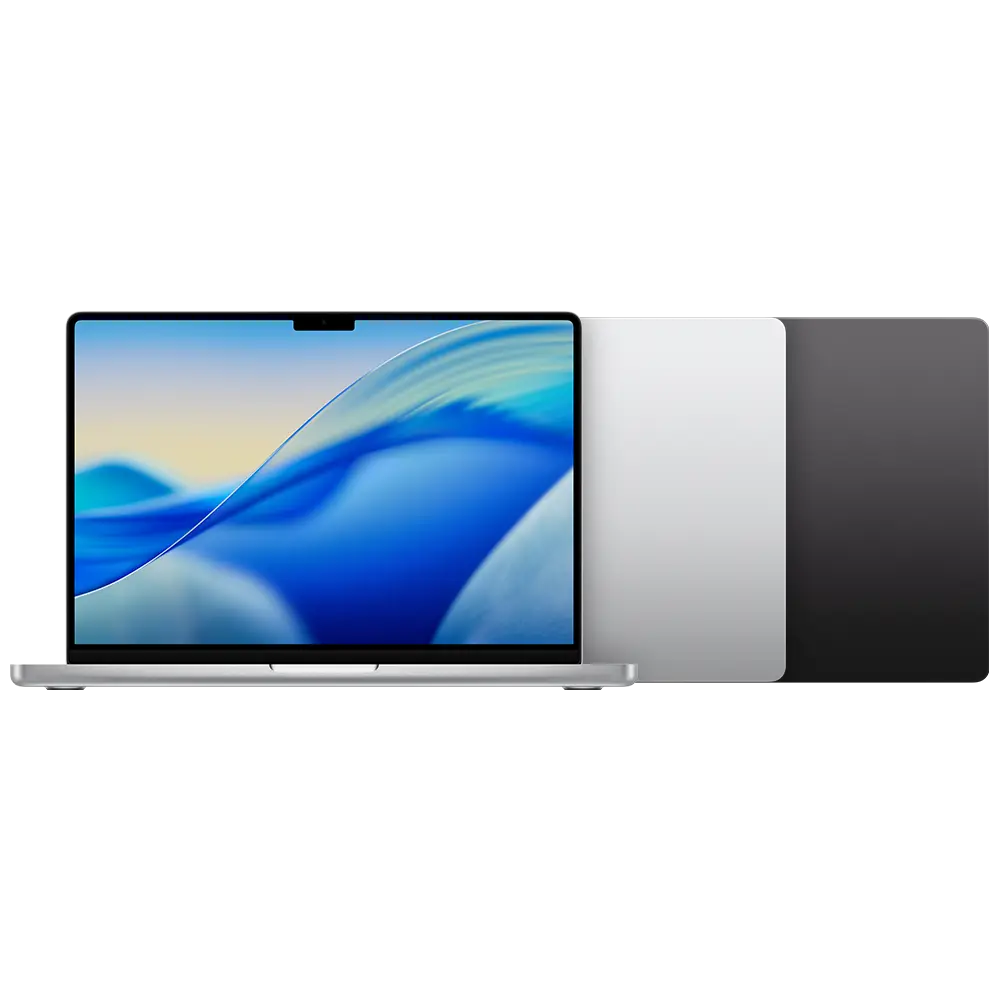
The MacBook Pro 14" with M5 Pro is the strongest all-around developer laptop in 2026. The M5 Pro chip delivers multi-core performance that rivals high-end Intel/AMD workstations while sipping power — Apple's silicon architecture continues to set the bar for sustained performance per watt.
Real-world: a TypeScript monorepo build that takes 4m30s on a 2024 MacBook Pro M4 Pro completes in 3m10s on M5 Pro. Rust compilation sees a similar 25–30% speedup. Docker with 4–6 containers runs cool and quiet.
The 14.2-inch Liquid Retina XDR display (1600 nits peak HDR, 120Hz ProMotion) is the best laptop screen for sustained reading. Battery hits 18–22 hours for typical coding workloads. Three Thunderbolt 5 ports, HDMI, SDXC, and MagSafe mean dongles are optional.
Best for: Backend services, iOS development, Docker-heavy environments, anyone who compiles code for a living.
2. MacBook Air 13" M5 (24GB) — Best Mac for Most Developers
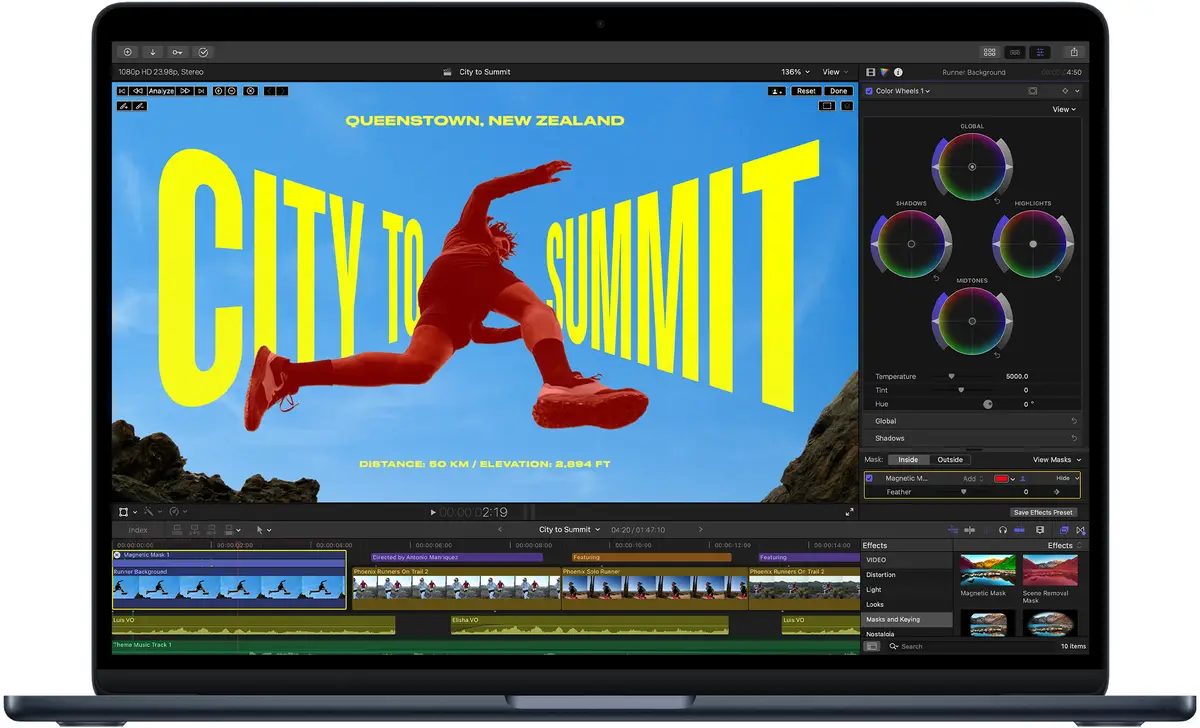
For the majority of developers, the MacBook Air M5 with 24GB of unified memory is the smarter buy. The fanless design isn't a limitation for typical coding — Node.js, Python, Go, Ruby, web frameworks, and even light Docker run cool and quiet. You'll only hear a fan if you upgrade to the Pro.
24GB of unified memory is the configuration to pick. With 16GB you'll feel swap pressure once you open a few Docker containers, several IDEs, and 30 browser tabs. 24GB is the sweet spot in 2026.
Battery life is the standout: 18 hours of real development work means you can leave the charger at home for a normal day. The 13.6-inch Liquid Retina display is bright and color-accurate, though the notch is something to get used to.
Best for: Frontend, web development, scripting, students, anyone who values silence and battery over sustained peak performance.
3. Dell XPS 16 (2026) — Best Windows Laptop for Programming
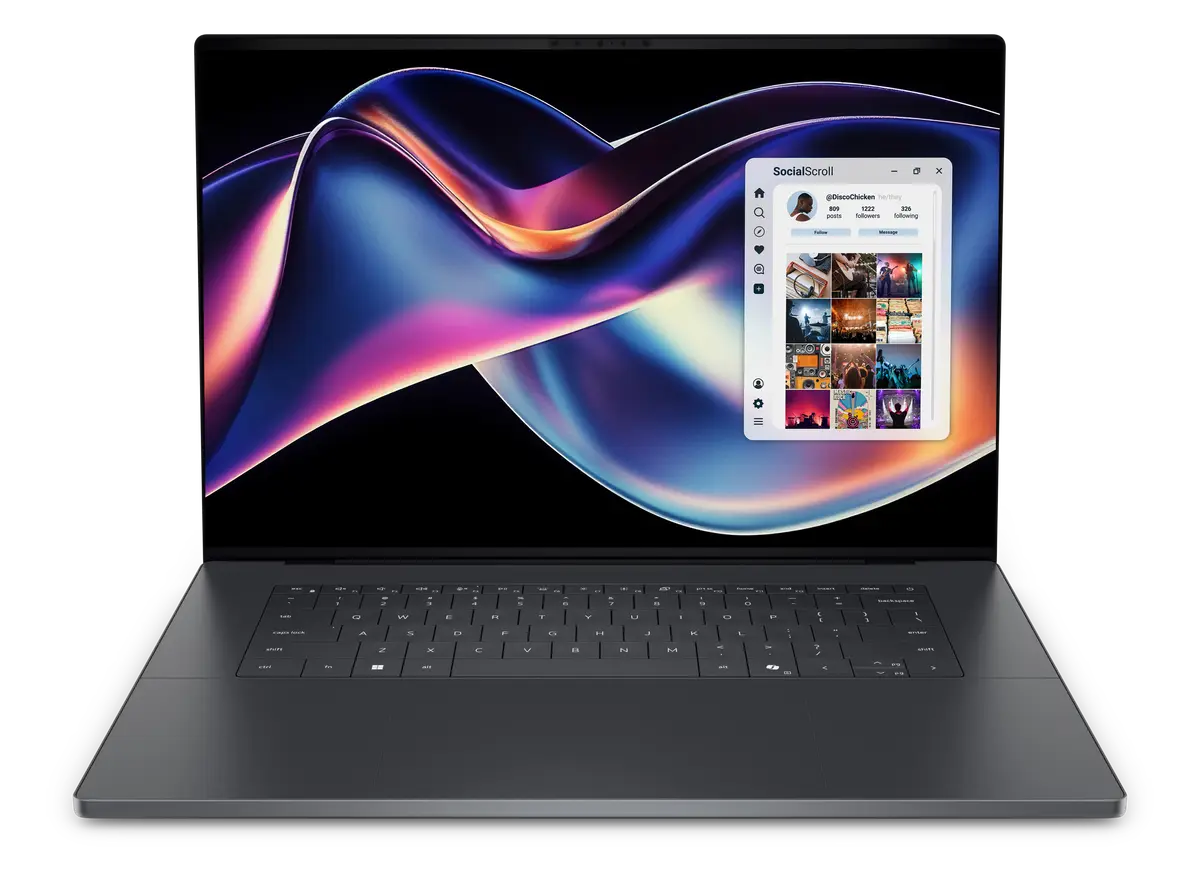
The 2026 Dell XPS 16 marks the return of the XPS line after a brief merger into Dell's generic Premium series — and it's a masterclass comeback. The chassis is CNC-machined aluminum with a refined keyboard, and the tandem OLED display is one of the best panels on any laptop.
Performance is strong: the Intel Core Ultra X7 358H (Panther Lake) is a 16-core chip that handles 4K video transcoding and multi-language builds efficiently. Battery life lands at around 12 hours for normal programming — well behind the MacBook but ahead of most Windows competitors.
Ports are minimalist (3x USB-C, no USB-A, no HDMI), so plan on a dock. The keyboard has shallower travel than the older XPS, which is the only meaningful regression. If you prefer Windows for .NET, WPF, or enterprise stacks, this is the laptop to beat in 2026.
Best for: Windows developers, .NET / WPF / enterprise stacks, anyone who wants the best OLED panel in a clamshell.
4. Lenovo ThinkPad X1 Carbon Gen 13 — Best for Linux and Keyboard Lovers
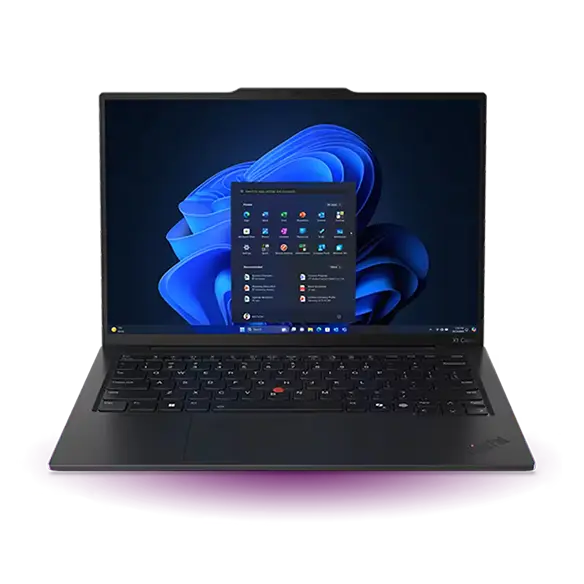
If keyboard feel and Linux compatibility top your list, the ThinkPad X1 Carbon Gen 13 is the laptop to shortlist. The keyboard is the gold standard — 1.5mm travel, sculpted keycaps, the TrackPoint nub for old-school navigation. Linux distributions (Ubuntu, Fedora, Pop!_OS) install cleanly with full driver support, including the fingerprint reader and webcam.
Performance comes from Intel Core Ultra 7 / 9 processors with 16GB or 32GB of RAM. Battery life is around 10–12 hours for normal coding. The 14-inch OLED or IPS panel options both work well; OLED is recommended for color accuracy.
The chassis is carbon-fiber reinforced magnesium — light (around 2.4 lbs / 1.1 kg) and MIL-SPEC tested. Ports are generous: 2x Thunderbolt 4, 2x USB-A, HDMI, and a headphone jack. No dongle required.
Best for: Linux developers, sysadmins, anyone who types for a living, frequent travelers.
5. ASUS ROG Zephyrus G16 (2026) — Best for ML / Local AI / GPU Workloads
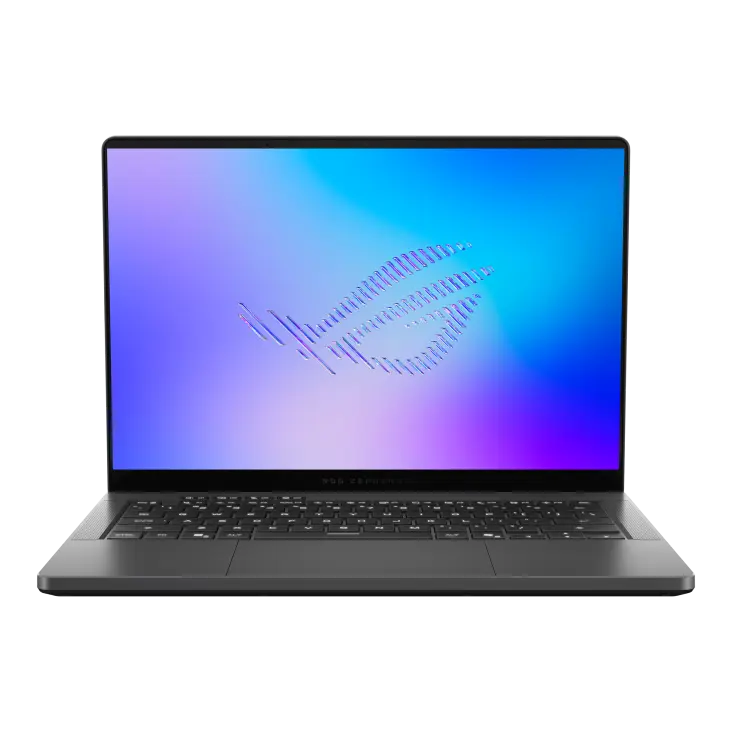
For developers who run local LLMs, train models, or do GPU-accelerated compile work, the ROG Zephyrus G16 (2026) brings an NVIDIA RTX 5070 Ti (or 5080) into a sub-4-pound chassis. The Panther Lake Intel Core Ultra 9 386H paired with up to 64GB of RAM handles multi-day training runs and local inference of 30B+ parameter models.
The 16-inch OLED display at 240Hz is gorgeous — great for shader work and visual debugging. Keyboard travel is shallow (typical for thin gaming laptops), so pair this with an external keyboard for long sessions.
Battery life is the trade-off: 6–8 hours for non-GPU work, much less under load. The fans are audible under sustained load — even in silent mode, you'll hear them under heavy compile. If your workflow involves CUDA, PyTorch, or shader programming, this is the best balance of power and portability in 2026.
Best for: ML engineers, game developers, anyone running local AI inference, GPU-accelerated workloads.
How We Tested
Each laptop was used as the primary development machine for at least one week. We ran:
- TypeScript monorepo builds (large repo, ~500k LOC across 40 packages)
- Rust compilation (cargo build on a medium-sized crate graph)
- Docker with 4–6 active containers (Postgres, Redis, a few services)
- Local Ollama inference (7B, 13B, and 30B models)
- Daily-driver workflows: VS Code, Chrome with 20+ tabs, terminal multiplexers, video calls
We measured compile times, sustained temperatures under load, fan noise, battery life during normal coding, and keyboard fatigue after multi-hour sessions.
Conclusion
The best laptop for coding and programming in 2026 is, unsurprisingly, the one that matches your workflow. The MacBook Pro 14" M5 Pro wins for sustained heavy compile work and iOS development. The MacBook Air M5 is the better value for the majority of developers. The Dell XPS 16 (2026) is the strongest Windows option. The ThinkPad X1 Carbon Gen 13 is the keyboard-and-Linux champion. The ROG Zephyrus G16 (2026) is the pick for ML and GPU work.
Before you commit, run our free screen test on any laptop you're considering — verifying the panel is free of dead pixels and bright spots takes two minutes and can save a return shipping label.