Pink Spots on Phone Screen: Why They Appear and How to Fix Them
Pink spots on a phone screen are localized areas displaying pink or reddish tints compared to surrounding pixels. This guide covers all causes of pink spots on phone screens, from physical damage to color channel failures, with diagnosis methods and repair options. Related display issues include white spots from backlight bleed and black spots from dead OLED pixels.
What Are Pink Spots on Phone Screen
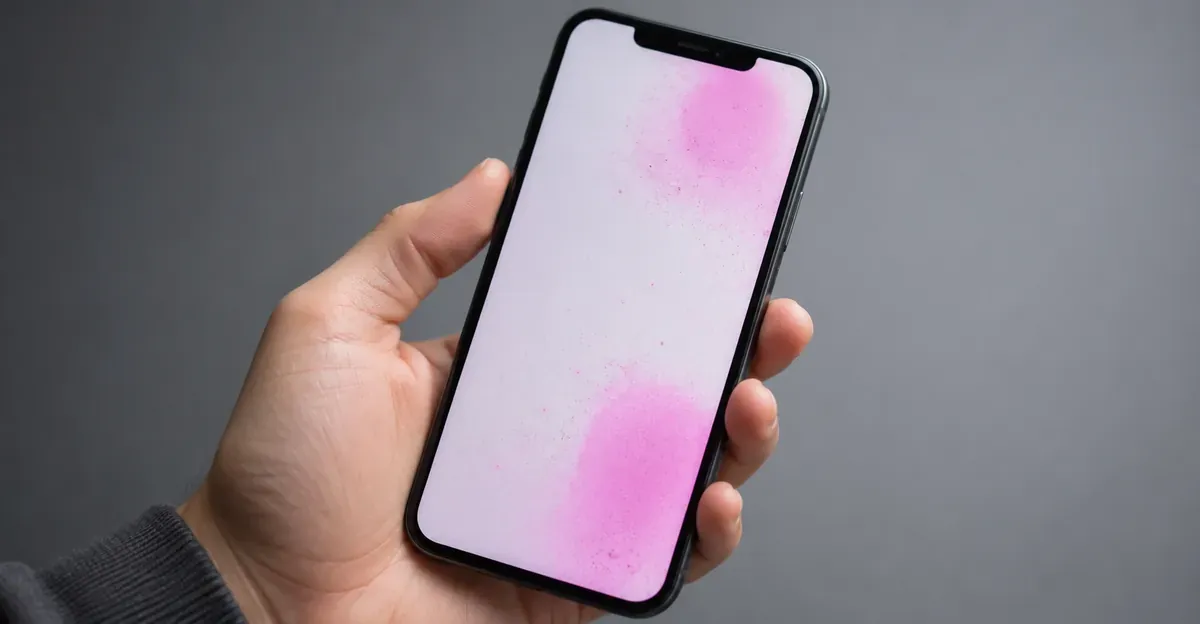
Pink spots on a phone screen are display defects where specific areas appear to have a pink or reddish tint. Unlike uniform color shifts that affect the entire screen, pink spots are localized to specific regions.
Key characteristics of pink spots:
- Color: Varies from light pink to deep magenta
- Location: Can appear in corners, edges, center, or scattered
- Visibility: Most visible against white, gray, or skin-tone backgrounds
- Behavior: May be constant or change with viewing angle
What Causes Pink Spots on Phone Screen
Physical Damage to Red Color Channel
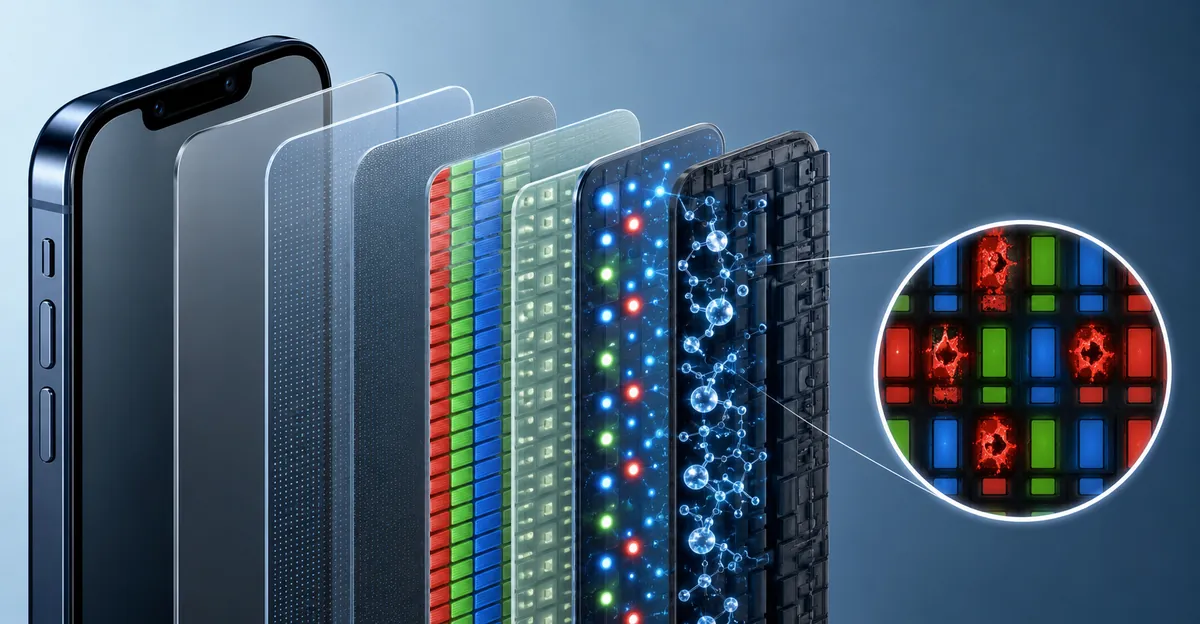
The most common cause of pink spots on phone screens is physical damage that specifically affects the red subpixel circuits. When impact or pressure damages the display panel, it may damage red subpixels more than green or blue subpixels, causing affected areas to display pink (which is red + minimal green/blue).
Physical damage is the most likely cause if:
- The pink spot appeared after dropping the phone
- The pink spot is accompanied by other display issues
- The spot is in a specific area rather than across the whole screen
LCD vs OLED: Different Causes for Pink Discoloration
The underlying technology of your phone screen determines how pink spots develop:
LCD Screens (iPhone 11, iPhone SE, budget Android phones):
- Use a backlight behind liquid crystal layers
- Pink spots typically result from backlight LED failures or pressure damage to the LCD layer
- The entire backlight array can shift color temperature, causing broader pink tinting
- Dead or stuck red subpixels appear as small pink dots similar to those on general phone screens
OLED/AMOLED Screens (iPhone 12 and newer, Samsung Galaxy flagships, premium Android phones):
- Each pixel generates its own light through organic compounds
- Pink spots usually indicate physical damage to individual OLED pixels or pixel clusters
- Organic red-light-emitting compounds degrade faster than blue or green under heat stress
- Pressure damage creates pink "ink blot" patterns that spread over time
- Samsung black spot issues on Galaxy phones share similar failure mechanisms
| Display Type | Common Pink Spot Cause | Progression Pattern |
|---|---|---|
| LCD | Backlight or TFT failure | Fixed location, stable size |
| OLED/AMOLED | Pixel layer damage | Often spreads outward from impact point |
| P-OLED | Flexible layer separation | May shift with screen flex |
LCD Subpixel Electrode Failures
On LCD screens, each subpixel (red, green, blue) is controlled by thin-film transistors. When red subpixel transistors fail while green and blue remain functional, the affected area displays pink.
This is similar to how red lines appear when green and blue channels fail — but localized to specific spots rather than full lines.
OLED Pixel Degradation
On OLED screens, organic compounds that emit red light can degrade over time or from damage, causing specific areas to appear pinker than surrounding pixels. The degradation mechanism differs from LCD failures:
Why OLED Red Pixels Fail First:
- Red OLED compounds require less voltage than blue, running hotter during operation
- Heat accelerates molecular breakdown in organic materials
- Blue light filtering in red OLED subpixels adds stress to the material structure
- Uneven wear across the RGB array creates color imbalance visible as pink tinting
OLED pink spots may:
- Appear after physical damage
- Develop gradually over time with heavy use
- Worsen with continued use at high brightness
- Be accompanied by overall color shift toward magenta
- Show as purple or pink depending on viewing angle
Backlight Color Temperature Issues
On LCD screens, the backlight normally produces white light. When the backlight shifts toward warmer color temperatures (more yellow/orange) or when specific backlight LEDs fail, color rendering can shift, causing pinkish tints in affected areas.
Manufacturing Defects
Some pink spots are factory defects:
- Uneven color-filter layer application
- Subpixel driver circuits with slight overdrive on red
- Dust or particles affecting color rendering during assembly
- Inconsistent backlight color temperature across the panel
- Adhesive bleeding between display layers (more common in budget phones)
Manufacturing defects are typically covered under warranty if discovered early. Document the issue with photos and contact the manufacturer or carrier within the warranty period.
Heat Damage
Excessive heat can damage OLED pixel compounds, causing color shifts including pink spots. Heat damage can occur from:
- Using the phone while charging for extended periods
- Exposure to direct sunlight (especially in cars)
- Intensive gaming or graphics-heavy applications
- Leaving the phone in hot vehicles
- Malfunctioning battery generating excess heat
Heat-related pink spots on OLED screens often start small and expand as the damaged organic compounds continue degrading. Once heat damage begins, the affected area rarely recovers even after the phone cools.
Phone Models Most Affected by Pink Spots
While pink spots can appear on any smartphone, certain models and brands show higher failure rates due to display technology choices and manufacturing tolerances.
iPhone Models with Pink Spot Issues
iPhone X (2017):
- First iPhone with OLED display
- Early OLED panels showed pink or green tinting issues
- Many units developed pink spots after 2-3 years of use
- Apple extended repair coverage for verified manufacturing defects
- iPhone X black spot issues often appeared alongside pink discoloration
iPhone 11 Series (2019):
- iPhone 11 uses LCD; pink spots less common but still occur from pressure damage
- iPhone 11 Pro and Pro Max use OLED; higher pink spot reports than newer models
- Heat-related OLED degradation more pronounced in early OLED iPhones
iPhone 12 and 13 Series (2020-2021):
- Improved OLED panels with better heat management
- Pink spots still occur from physical damage but less from heat alone
- Drop damage remains the primary cause
iPhone 14 and Newer (2022+):
- More durable OLED substrate reduces impact damage
- Pink spots now primarily from severe drops or manufacturing defects
- Dynamic Island models show slightly higher failure rates at the cutout edges
Samsung Galaxy Models
Samsung Galaxy S20/S21 Series:
- Early adopters of flexible OLED technology
- Pink or purple spots reported after drops due to thin display stack
- Pressure damage from tight cases created pink spots along edges
Samsung Galaxy S22/S23/S24 Series:
- Improved Gorilla Glass Victus reduces but doesn't eliminate pink spots
- AMOLED burn-in can manifest as pink tinting on white backgrounds
- Fold and Flip models show crease-related pink discoloration after extended use
Samsung Galaxy A-Series:
- Budget AMOLED panels more prone to pink spots than flagship models
- Lower-quality adhesive can create pressure points leading to pink patches
Other Android Brands
OnePlus, Oppo, Vivo, Xiaomi flagships using Samsung AMOLED panels show similar pink spot patterns to Samsung devices. Budget models with lower-grade OLED or LCD panels often have higher failure rates.
Which Display Type Is More Prone to Pink Spots?
Based on repair data from multiple sources:
- OLED/AMOLED: More susceptible to pink spots from both physical damage and heat
- LCD: More resistant to spreading pink spots; damage tends to stay localized
- Flexible OLED (foldable phones): Highest pink spot rate due to mechanical stress at fold points
If you're shopping for a phone and want to minimize pink spot risk, LCD models like iPhone SE or budget Android phones with IPS LCD panels offer better long-term color stability, though at the cost of contrast and viewing angles.
How to Diagnose Pink Spots on Phone Screen
Step 1: Color Channel Test
Use the Screen Test Tool to display pure colors:
- Pure red: Note whether pink spot is visible or disappears
- Pure green: Pink spot should appear darker if red subpixels are affected
- Pure blue: Pink spot should appear even darker
- Pure white: Pink spot most visible against white backgrounds
- Pure gray: Often best for seeing subtle color shifts
Step 2: Brightness Test
Adjust screen brightness:
- If the pink spot changes intensity with overall brightness: backlight issue
- If the pink spot stays constant regardless of brightness: panel-level damage
- If the pink spot appears more pink at high brightness: possible color calibration issue
Step 3: Restart and Software Check
Before assuming hardware damage:
- Restart the phone completely
- Update to latest operating system
- Check for color calibration settings
- Boot into safe mode to rule out app conflicts
- If pink spot persists after all software checks: hardware issue confirmed
Step 4: Heat Exposure Test
Note whether the pink spot worsens after heavy use:
- If the spot grows or shifts color after intensive use: heat damage
- If the spot remains constant regardless of use: physical damage
How to Fix Pink Spots on Phone Screen
Fix 1: Software Solutions
If the pink spot appears after a software update or app installation:
- Restart the phone to clear temporary glitches
- Update apps that might be causing color rendering issues
- Reset display calibration: Settings > Display > Color Calibration (or similar)
- Safe mode test: Boot to safe mode and check if spot persists
- Factory reset: Back up data and reset if no other solution works
Fix 2: Cool Down Heat Damage
If heat damage is suspected:
- Stop intensive phone use immediately
- Allow phone to cool completely
- Avoid using while charging
- Use in well-ventilated areas
- If spot persists after cooling: hardware damage confirmed
Fix 3: Professional Repair Assessment
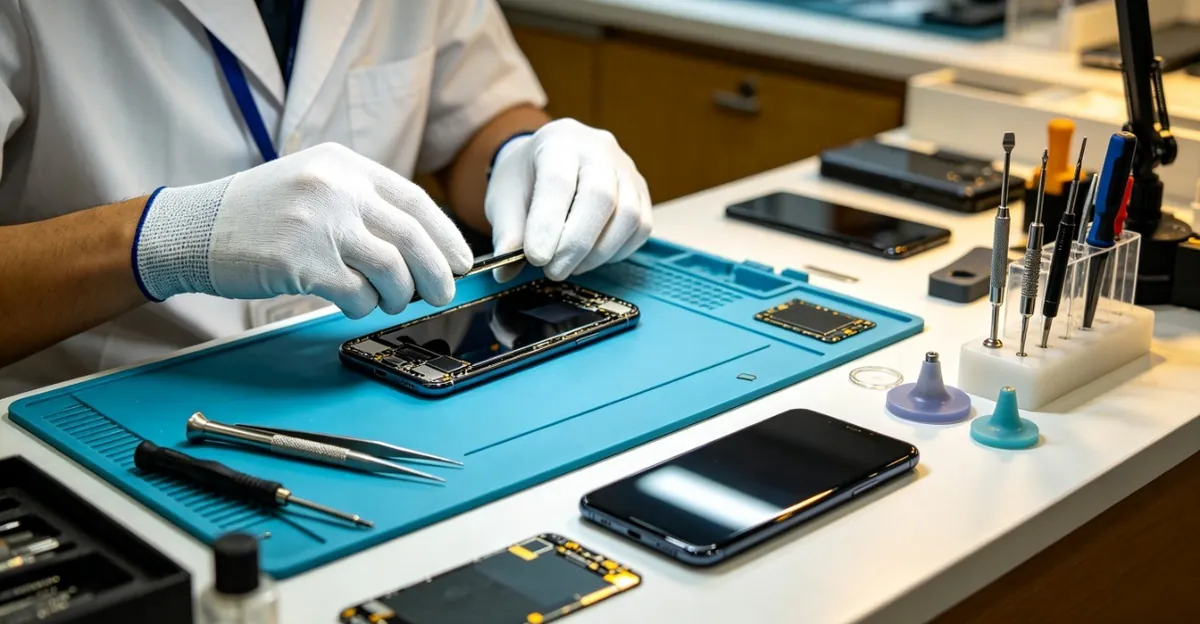
Visit a repair professional for diagnosis:
- Determines whether spot is fixable or requires replacement
- Identifies exact parts needed
- Provides cost estimate before proceeding
- Many shops offer free diagnostics
Fix 4: Screen Replacement
For permanent hardware damage:
- Obtain exact screen model/part number
- Compare prices between authorized and third-party services
- Consider phone value when deciding between repair and replacement
- Ensure replacement screen quality meets standards
Understanding replacement screen grades helps you make informed repair decisions:
For OLED iPhones and Samsung phones, third-party repair shops offer three screen grades:
- Hard OLED ($120-220): Good color accuracy, less durable than original
- Soft OLED ($180-320): Near-original quality with flexible substrate
- Incell LCD ($60-140): Budget option with noticeably lower contrast on OLED models
Higher-grade screens cost more but maintain better color accuracy and durability. If you plan to keep your phone for another 1-2 years, investing in Soft OLED or OEM refurbished screens provides better long-term value.
Screen Repair Cost Analysis: When Repair Makes Sense
Screen replacement is often the only permanent fix for pink spots caused by physical damage. Understanding repair costs helps you decide between repair, insurance claims, or device replacement.
iPhone Screen Replacement Costs
| iPhone Model | Apple (Out-of-Warranty) | Third-Party Shop | DIY Kit |
|---|---|---|---|
| iPhone 16 Pro Max | $379 | $200-350 | $100-190 |
| iPhone 16 Pro | $329 | $180-300 | $90-160 |
| iPhone 15 Pro Max | $379 | $180-320 | $90-160 |
| iPhone 15 Pro | $329 | $160-280 | $80-150 |
| iPhone 14 Pro Max | $379 | $160-300 | $80-150 |
| iPhone 14 Pro | $329 | $140-260 | $70-140 |
| iPhone 13 Pro Max | $329 | $130-260 | $70-140 |
| iPhone 13 Pro | $279 | $120-240 | $60-130 |
| iPhone 12 Pro | $279 | $100-200 | $50-120 |
| iPhone 11 | $199 | $80-160 | $40-80 |
| iPhone SE (3rd/2nd) | $129 | $55-90 | $30-60 |
With AppleCare+, all iPhone screen repairs cost $29 regardless of model. If you crack your screen even once, AppleCare+ ($149-199 for two years) pays for itself on iPhone 12 and newer models.
Samsung Galaxy Screen Replacement Costs
| Samsung Model | Samsung Official | Third-Party Shop | DIY Kit |
|---|---|---|---|
| Galaxy S24 Ultra | $250-300 | $150-280 | $80-150 |
| Galaxy S24/S24+ | $200-250 | $130-240 | $70-130 |
| Galaxy S23 Ultra | $250-300 | $140-260 | $75-140 |
| Galaxy S23/S23+ | $180-230 | $120-220 | $65-120 |
| Galaxy S22 Ultra | $220-280 | $130-240 | $70-130 |
| Galaxy Z Fold 5 | $500-600 | $350-500 | Not recommended |
| Galaxy Z Flip 5 | $300-400 | $200-350 | Not recommended |
| Galaxy A-Series | $100-180 | $80-150 | $40-90 |
Samsung's official repair prices vary by region and service center. Third-party shops typically charge 30-50% less than official channels.
Other Android Brands
- OnePlus, Oppo, Xiaomi flagships: $150-280 (official), $100-200 (third-party)
- Google Pixel: $180-320 (official), $120-240 (third-party)
- Budget Android phones: $80-150 (official), $50-100 (third-party)
Repair vs Replace Decision Framework
Repair makes sense when:
- Repair cost is less than 40% of current phone value
- Phone is less than 2 years old
- No other hardware issues exist
- Phone is under warranty or AppleCare+
Replacement makes sense when:
- Repair cost exceeds 50% of phone's current value
- Phone is 3+ years old with other issues (battery degradation, slow performance)
- Multiple repairs needed beyond just the screen
- Insurance deductible is lower than repair cost
Example calculation for iPhone 14 Pro:
- Current resale value: ~$600
- Third-party Soft OLED repair: $260
- Repair is 43% of phone value → borderline; consider phone age and condition
- If phone is under 18 months old → repair
- If phone is over 24 months old → consider upgrade
Insurance and Warranty Coverage
Manufacturer Warranty: Pink spots from manufacturing defects are usually covered for 1 year from purchase. Physical damage and heat damage are not covered.
AppleCare+: $29 screen repair for any iPhone model (two incidents per 12 months).
Carrier Insurance (AT&T, Verizon, T-Mobile): Deductibles typically $99-149 for screen damage, but monthly premiums add up.
Third-Party Insurance (SquareTrade, Asurion): Screen-only plans cost $5-10/month with $50-100 deductibles.
Before paying for repair, check your phone's warranty status and any insurance coverage you may have forgotten about. Many credit cards also offer phone insurance as a benefit if you pay your monthly phone bill with that card.
When to Seek Professional Repair
Seek professional help when:
- Pink spot appeared after physical impact or drop
- The pink spot is large and in primary viewing area
- The pink spot is spreading or worsening over time
- Touch functionality is affected in the spotted area
- The phone is under warranty and spot appeared without physical damage
Prevention Tips for Phone Screens
- Use a protective case with shock absorption
- Apply a tempered glass screen protector
- Avoid dropping the phone on hard surfaces
- Never place heavy objects on top of the phone
- Avoid using the phone extensively while charging
- Keep phones away from extreme heat and direct sunlight
- Handle with care during use and transport
Related Guides
- White Spots on Mobile Screen: LCD backlight bleed and OLED pixel issues
- Spots on Phone Screen: Comprehensive guide to all spot types
- OLED Black Spots: Dead pixel clusters on OLED displays
- Samsung Black Spot: Samsung-specific screen defects
- iPhone X Black Spot: Common iPhone X display issues
- Screen Test Tool: Free diagnostic tool for pixel testing
Conclusion
Pink spots on phone screens are most commonly caused by physical damage to red color subpixel circuits or color-filter layers, followed by OLED pixel degradation and heat-induced organic compound breakdown. The type of display technology—LCD versus OLED/AMOLED—determines both the failure mechanism and repair approach. OLED screens are more susceptible to spreading pink spots from pressure damage, while LCD screens typically show localized pink areas from backlight or transistor failures.
Certain phone models show higher pink spot rates: iPhone X was Apple's first OLED model and exhibits more degradation issues than newer iPhones; Samsung Galaxy S20/S21 series flexible OLED panels are prone to pressure damage; and foldable phones experience pink discoloration along crease lines. Budget Android phones with lower-grade OLED panels generally have higher failure rates than flagship models.
Diagnosis involves color channel testing through the screen test tool, brightness adjustment to distinguish backlight from pixel issues, and software troubleshooting to rule out app conflicts or calibration errors. Software-related pink spots may resolve through restarts or updates, but most cases involve permanent hardware damage requiring screen replacement.
Repair cost analysis shows that third-party screen replacement ($80-320 depending on model and screen grade) offers better value than official repairs ($199-379) for out-of-warranty phones. AppleCare+ reduces all iPhone screen repairs to $29, making it cost-effective for iPhone 12 and newer models. The repair-versus-replace decision depends on whether repair costs exceed 40-50% of the phone's current value.
Prevention focuses on protective cases with shock absorption, tempered glass screen protectors, avoiding heat exposure during charging or in direct sunlight, and careful handling to prevent the drop damage that causes most pink spot issues. For phones already showing pink spots, document the defect with photos and check warranty coverage before paying for repairs, as manufacturing defects may qualify for free replacement within the warranty period.