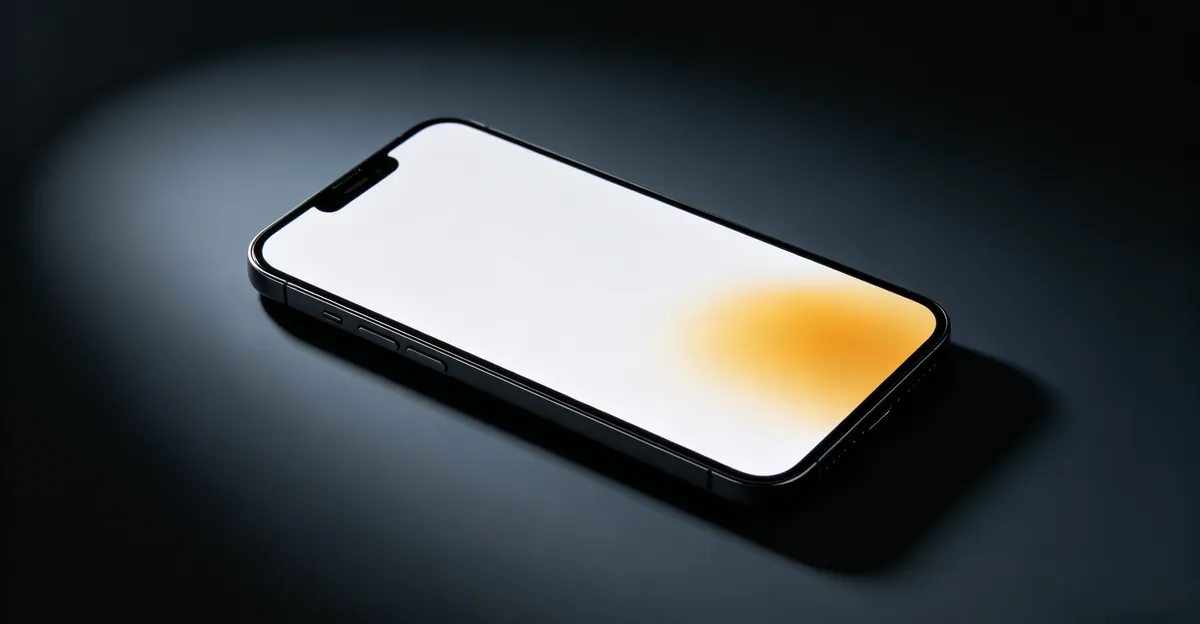
Yellow spots on mobile screens are distinct from general color tints — they are localized damage to the display layers, most commonly caused by liquid exposure, adhesive breakdown, heat, or battery swelling. The cause determines whether repair is possible and how urgent the situation is.
Yellow Spot on Mobile Screen: What It Means and How to Fix It
What a Yellow Spot Is
A yellow spot on a mobile screen is a localized area of warm-toned discoloration — yellow, orange, or brownish — where the display shows incorrect colors instead of neutral tones. Unlike a full-screen color tint (which is usually a settings issue), a spot is contained to a specific area with defined edges.
Key distinction: Yellow tint (entire screen) vs. yellow spot (localized area):
- Full yellow tint: usually color temperature, Night Light, True Tone, or software settings
- Localized yellow spot: physical damage to display layers (this guide)
Yellow spots form when one or more layers inside the display assembly change color, shift alignment, or lose transparency. The most affected layers are the polarizer film, the optical clear adhesive (OCA) that bonds layers together, and the color filter. Each of these can yellow for different reasons — moisture intrusion, oxidation, prolonged heat, or pressure from a swollen battery. Because the layer damage is physical rather than digital, no software setting, app, or reset will restore the correct color.
A yellow spot can be permanent or progressive depending on the cause. Liquid damage and battery swelling tend to grow over time as moisture or pressure continues to affect more of the assembly. Adhesive degradation is typically stable once the chemical reaction has finished. Heat damage is usually static after the affected organic compounds have already degraded. Knowing which category your spot falls into shapes both the urgency and the repair path.
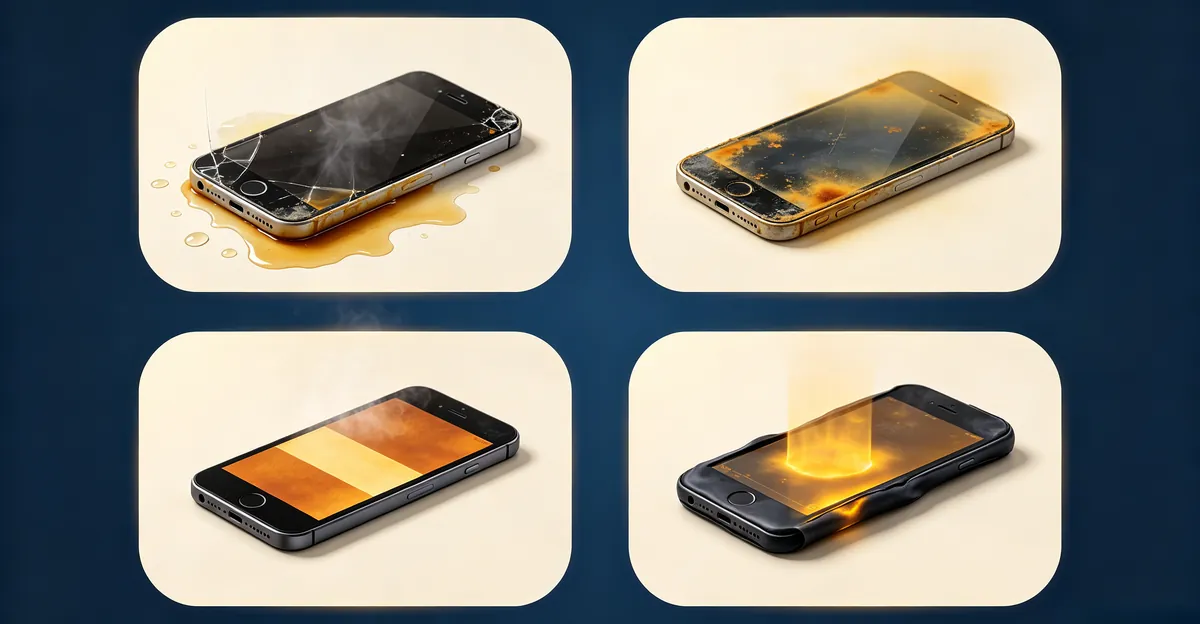
The Four Causes of Yellow Spots
1. Liquid Damage (Most Urgent)
When liquid penetrates a phone and reaches the display assembly, it damages the color filter layer and creates yellow-brown stains. The damage can appear immediately after a spill, or develop over days as moisture slowly works its way under additional layers.
Characteristics:
- Often appears after liquid exposure (water, sweat, rain, beverage)
- May have irregular or diffuse edges that fade into surrounding pixels
- May appear immediately or develop over 24-72 hours as moisture spreads
- Often accompanied by touch responsiveness issues, ghost taps, or dead touch zones
Why it spreads: Liquid damage is progressive. Moisture under the display can migrate horizontally through capillary action, reaching new areas of the OCA and polarizer over time. Even after the visible surface dries, trapped moisture keeps reacting with the optical layers.
Urgency: High. If liquid has reached the display, it may also be reaching other components including the battery. Stop using the phone, do not charge it, and have it professionally inspected within 24-48 hours.
2. Adhesive Degradation (Most Common for Old Phones)
Modern smartphones use an optical clear adhesive (OCA) to bond the cover glass, touch sensor, polarizer, and LCD or OLED panel into a single assembly. Over time — especially with heat and humidity exposure — this adhesive can oxidize and turn yellow or brown.
Characteristics:
- Develops slowly over 12-36 months of use
- Often appears near screen edges where the OCA bead is thickest
- Edges are typically diffuse (not sharply defined), blending gradually into normal pixels
- Not accompanied by other functional issues unless the underlying layers have also failed
Why it happens: The OCA contains organic compounds that can oxidize over time, especially in hot or humid environments. Once degraded, the chemical change is irreversible. Phones used in tropical climates, left in cars regularly, or charged heavily while gaming tend to develop this issue sooner. Repair technicians on r/mobilerepair confirm that yellow staining from adhesive oxidation is among the most common cosmetic defects on 2-3 year old phones.
3. Heat Damage (Often from Charging)
Excessive heat from charging, intensive use, or direct sunlight exposure damages the organic compounds in LCD displays and the polarizer film in both LCD and OLED panels. The affected area shows up as a yellow or brown patch because the degraded compounds absorb blue light unevenly.
Characteristics:
- May appear after the phone was left in a hot car or exposed to direct sunlight
- Often flat and uniform in shape, sometimes rectangular following the heating pattern
- More visible on white or neutral backgrounds
- Not accompanied by liquid exposure history
Common scenarios:
- Phone left on a car dashboard in summer (interior temperatures can exceed 60°C/140°F)
- Phone used intensively while charging (gaming, navigation, video streaming)
- Phone placed on or near a heat source (radiator, oven, heater vent)
- Fast charger used in a hot environment without thermal throttling
4. Battery Swelling (Most Dangerous)
Lithium-ion batteries can swell due to age, physical damage, manufacturing defects, or prolonged exposure to high temperatures. As the battery expands, it physically pushes against the display from inside the phone, creating pressure damage that appears as a yellow or dark spot.
Characteristics:
- Screen or case appears raised, bulging, or no longer sits flat on a table
- Yellow spot accompanied by visible screen separation from frame
- Phone "rocks" or wobbles when placed on a flat surface
- May hear clicking sounds as the display assembly shifts under pressure
This is a safety hazard: Swollen lithium-ion batteries can crack the screen, vent toxic fumes, catch fire, or explode. Do not charge the phone. Power it down. Store in a fireproof container and seek professional battery replacement immediately. iFixit's swollen battery guide explicitly warns against exposing a swollen battery to water — the lithium reacts violently with moisture, making water-based fire suppression worse than the fire itself.
LCD vs OLED: Why Display Technology Matters
The type of display in your phone changes how yellow spots appear, how they progress, and which fixes are even worth attempting. Knowing your panel technology narrows the diagnosis before you spend money on repair.
LCD (Liquid Crystal Display): LCD phones use a backlight behind the panel that shines through the color filter, liquid crystal layer, and polarizer. A yellow spot on an LCD almost always traces to one of these layers failing — the backlight LED itself (rare), the OCA between layers (most common), the polarizer film (heat damage), or the color filter (liquid damage). Because the backlight is shared, a defect in any layer usually shows up as a diffuse yellow patch rather than a sharp dot. LCD yellow spots are typically permanent but stable.
OLED (Organic Light Emitting Diode): OLED phones — including all iPhones from the X onward and most modern Samsung Galaxy, Google Pixel, and OnePlus flagships — have no shared backlight. Each pixel generates its own light from organic compounds. Yellow spots on OLED screens usually trace to one of three causes: degraded OCA between the cover glass and the panel (most common), pressure damage from a swollen battery (urgent), or localized organic compound aging (rare on phones because usage cycles are short). OLED yellow spots often have sharper edges than LCD ones because the layer separation is more localized.
| Display Type | Yellow Spot Appearance | Most Common Cause | Typical Repair Path |
|---|---|---|---|
| LCD | Diffuse yellow patch with soft edges | Adhesive OCA degradation | Full screen assembly replacement |
| OLED | Sharper-edged yellow patch near edges | OCA failure or pressure | Full screen assembly replacement |
| Both | Spot accompanied by case bulging | Battery swelling | Battery replacement + display assessment |
| Both | Spot growing over 24-72 hours | Liquid damage | Disassembly, cleaning, screen replacement |
Yellow Spot vs Other Color Issues on Phone Screens
Yellow spots are one of several color anomalies that can appear on a phone screen. Correctly identifying what you see is the difference between a free diagnosis and a wasted repair quote.
| Symptom | Most Likely Cause | Fixable Without Hardware? | Free Tool to Confirm |
|---|---|---|---|
| Yellow spot (localized, edges defined) | Physical display damage | No | Solid color test |
| Full yellow tint across screen | True Tone, Night Light, color temperature | Yes — settings change | Toggle color settings |
| Yellow band along one edge | Adhesive degradation or pressure | No | Inspect for case bulge |
| Yellow patch with growing dark center | Battery swelling | No — emergency | Stop using phone |
| Yellow + green tint on white backgrounds | Software color profile | Yes | Switch display profile |
| Yellow burn-in of keyboard or status bar | OLED pixel aging | Partially (5-AVE compensation) | Display gray screen |
| Yellow with vertical lines | Flex cable damage | No | Tilt test |
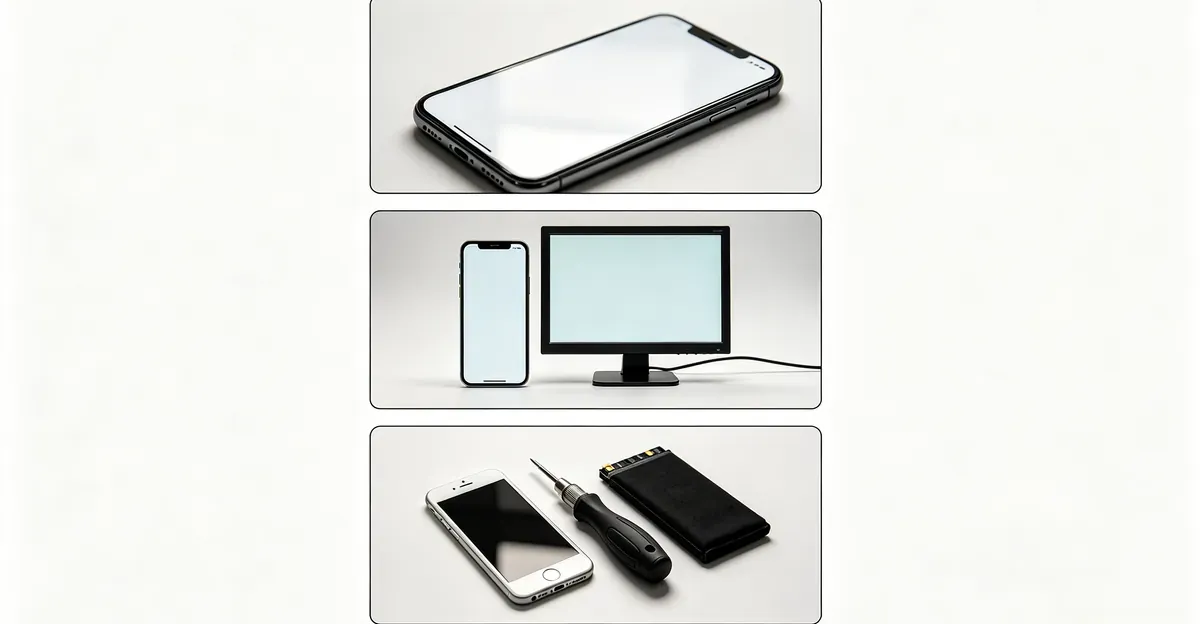
The single most useful diagnostic is to display a pure white background. Yellow spots stand out clearly against white; faint tinting or burn-in may need a pure gray or pure light blue to show. Use the screen test tool to cycle through solid colors and capture photos of the anomaly — these become essential evidence for any warranty or insurance claim.
How to Diagnose Which Cause
A systematic diagnosis takes 5-10 minutes and determines whether you need urgent professional help, scheduled repair, or no action at all. Follow these steps in order.
Step 1: Liquid exposure history
- Was the phone recently exposed to water, rain, sweat, steam, or beverages?
- Has the phone been used in humid environments (bathroom, kitchen, pool deck)?
- Has the phone been dropped in any liquid, even briefly?
- If yes to any → liquid damage is likely the primary or contributing cause.
Step 2: Growth monitoring
- Photograph the spot today with a ruler or coin in frame for scale.
- Check daily for one week. Mark the spot boundaries on a piece of tape applied to the screen protector (don't write on the screen itself).
- Growing spot → liquid damage or ongoing pressure (battery swelling) — urgent.
- Stable spot after 7 days → adhesive degradation or old heat damage — not urgent.
Step 3: Physical inspection
- Place the phone screen-down on a flat, hard surface. Does it sit flat or rock?
- Inspect for any gap between the screen and the frame, especially near the spot.
- Look for case bulging, screen lifting, or asymmetry.
- Yes to any → battery swelling. Stop using the phone immediately.
Step 4: Temperature history
- Was the phone left in a hot car, in direct sunlight, or used heavily while charging?
- Did the spot appear after a specific heat event you can identify?
- Yes → heat damage is likely the cause.
Step 5: Tilt and angle test
- Slowly tilt the phone while displaying a white background.
- Does the spot change shape, intensity, or position with viewing angle?
- LCD pressure marks shift slightly with angle; OLED layer separation and adhesive yellowing stay fixed.
How to Fix a Yellow Spot
Software Approaches (Won't Work for Physical Spots)
Minor yellow discoloration from software color temperature settings can be adjusted through phone settings. iPhone users can disable True Tone and Night Shift, then drag the color temperature slider cooler. Android users can disable Night Light, Eye Comfort Shield, or any blue light filter, then switch the display color mode to Natural or Neutral.
Try this first: Settings → Display → Color Temperature (adjust warm/cool). If the spot does not change, the cause is physical layer damage — no software setting will fix it. This step takes 30 seconds and rules out settings-based discoloration before you pay for any repair.
Professional Repair Options
For adhesive degradation or heat damage:
- Screen replacement is the only permanent fix.
- Third-party repair shops: $40-150 for common iPhone and Samsung models.
- Manufacturer authorized service: $100-400 depending on model (e.g., Apple charges $279 out-of-warranty for iPhone X-class screens).
- DIY screen replacement: $30-80 for the part, but voids warranty and risks further damage.
For liquid damage:
- Professional disassembly, ultrasonic cleaning of the logic board, and assessment of the display.
- Cleaning may prevent further spread but cannot undo existing stains.
- Full screen replacement often needed for visible yellow patches: same cost ranges as above.
- Get a written diagnosis before agreeing to any repair — reputable shops will quote after inspection, not before.
For battery swelling:
- Battery replacement is mandatory: $30-80 third-party, $70-99 via manufacturer.
- The display may also need replacement if pressure has damaged the OCA or panel.
- Handle the swollen battery only with professional assistance — puncturing a lithium-ion battery can cause thermal runaway and fire.
Repair Cost Ranges by Device Type
Repair costs for yellow spot issues vary dramatically by device, repair channel, and warranty status. The table below reflects typical 2026 pricing in USD and is intended for budgeting only — always get a personalized quote before agreeing to work.
| Device / Channel | Screen Replacement | Battery Replacement | Typical Out-of-Pocket |
|---|---|---|---|
| iPhone (Apple, out of warranty) | $199-379 | $99 | $199-379 for screen-only fix |
| iPhone (AppleCare+ covered) | $29 flat deductible | $0 if below 80% | $29 |
| iPhone (third-party shop) | $80-200 | $50-90 | $80-200 |
| Samsung Galaxy (Samsung Care+) | $29-99 deductible | $60-90 | $29-99 |
| Samsung Galaxy (Samsung authorized) | $199-449 | $60-90 | $199-449 |
| Samsung Galaxy (third-party) | $100-200 | $50-80 | $100-200 |
| Google Pixel (Google authorized) | $89-299 | $79-99 | $89-299 |
| Google Pixel (third-party) | $80-180 | $50-80 | $80-180 |
| Older / out-of-production phone | Often not OEM-available | Often not OEM-available | Use repair-vs-replace threshold |
Repair-vs-replace rule of thumb: If the quoted repair cost is more than 50% of the device's current resale value, replacement usually wins on cost. A $150 third-party screen replacement on a $200 phone is a worse financial decision than buying a $250 used phone in better condition.
Apple's iPhone screen replacement service explicitly excludes accidental damage and battery wear from the standard Limited Warranty but covers manufacturing defects. Google Pixel out-of-warranty repair costs vary by issue type and device model — Pixel 6 and later typically run $89-299 for screen work. Samsung's authorized service centers charge $199-449 for flagship Galaxy screens, with newer S26 series pricing roughly $20-35 higher than the S25 lineup.
The Battery Swelling Emergency Protocol
If you suspect battery swelling — even before you have professional confirmation — treat the situation as urgent. Lithium-ion battery fires release toxic gas, burn at over 1000°C, and cannot be extinguished with water (lithium reacts violently with moisture). Use sand, a fire blanket, or a Class D fire extinguisher.
- Stop using the phone immediately — do not charge it, do not run apps, power it down.
- Do not press on the screen — physical pressure can rupture the swollen battery cell.
- Move to a safe location — away from flammable materials (paper, fabric, fuel).
- Place in a fireproof container if available — metal box, ceramic bowl, sand-filled container. Do not use water.
- Do not transport loosely in a bag or pocket — keep the phone in a non-conductive, rigid container.
- Seek professional repair — swollen batteries must be handled by technicians trained in lithium-ion safety.
- Do not dispose in regular trash — take to a certified e-waste recycling center that accepts lithium batteries.
iFixit's swollen battery guide specifically warns against attempting DIY removal unless the battery is cool, intact, and only slightly swollen — and even then, requires eye protection, gloves, ventilation, and a fireproof surface as prerequisites. If the phone is hot, smells sweet or chemical, or is visibly venting, evacuate the area and call emergency services.
How to Document a Yellow Spot for Warranty / Insurance
The first hour after noticing a yellow spot matters more than you might think. A few quick actions establish a baseline for tracking whether the issue worsens and create the documentation you need if you file a warranty or insurance claim.
Step 1: Run the screen test immediately. Display pure white, pure black, and solid red, green, and blue backgrounds. Photograph each color with the spot clearly visible. These photos become your baseline for tracking whether the spot spreads over time.
Step 2: Note the spot's exact characteristics. Write down the location (e.g., "lower right corner, 2 cm from edge"), approximate diameter, color tone (yellow, orange, brown), edge sharpness, and the date you first noticed it. Save this in a note with the photos.
Step 3: Capture the serial number and proof of purchase. Locate your device serial number through Settings → General → About (Apple), Settings → About Phone (Android), or by reading the sticker under the battery on removable-battery devices. Save the original receipt, the box, and any warranty card in a single folder.
Step 4: Photograph under multiple angles. Use a smartphone camera and capture the same spot from straight-on, slightly left, and slightly right. Pressure marks shift shape with viewing angle; adhesive yellowing and OLED layer separation stay fixed. Angle photographs help remote support technicians tell defect types apart without seeing the panel in person.
Step 5: Stop pressing on the screen. If the spot is from pressure damage or a swollen battery, additional pressure will not fix it — it will make the affected area larger. Avoid cleaning with pressure, stacking items on top of the device, or carrying the phone in a tight pocket.
Step 6: Document any prior incident. If the phone was exposed to water, dropped, or left in heat shortly before the spot appeared, write down the date and circumstances. This timeline often determines whether the manufacturer will treat the issue as a manufacturing defect (covered) or accidental damage (not covered).
Prevention
Avoid Liquid Exposure
- Keep your phone away from water, pools, sinks, and wet environments.
- Dry hands thoroughly before using your phone.
- Use a waterproof pouch or case near pools, beaches, and boats.
- Do not use your phone in heavy rain; if you must, place it in a sealed bag first.
- Never charge a phone that you suspect has gotten wet — wait 24-48 hours minimum.
Protect from Heat
- Never leave your phone in a hot car, especially in summer — interior temperatures exceed 60°C/140°F and degrade optical layers.
- Avoid direct sunlight for extended periods; carry your phone in a pocket or bag when outdoors in summer.
- Remove your phone case while charging if the phone gets noticeably warm.
- Avoid intensive use (gaming, navigation, video calls) while charging, especially with fast chargers.
Monitor Battery Health
- Check battery health in Settings regularly — iOS: Settings → Battery → Battery Health; Android: varies by manufacturer but usually under Settings → Battery → Battery Usage or Diagnostics.
- Watch for sudden battery drain, unexpected shutdowns at high percentage, or any sign of physical bulging.
- Replace batteries showing capacity below 80% or any sign of swelling before they can damage the display.
- Use only manufacturer-approved or reputable third-party batteries; cheap replacements are more prone to swelling.
Related Guides
- Yellow Screen: Full-screen yellow tint — usually a settings or cable issue
- Mobile White Spots: White spots on phone and tablet screens
- LCD Spot Damage: Physical damage to LCD panel layers
- Blue Patch on Mobile Screen: Sibling guide for blue/purple/cyan patches
- Screen Test Tool: Free tool to display solid colors for diagnosis
Conclusion
Yellow spots on mobile screens are caused by physical damage to display layers — liquid exposure, adhesive degradation, heat, or battery swelling. Liquid damage requires urgent professional attention to prevent corrosion from spreading. Battery swelling is a safety hazard requiring immediate action and is the only category where you should stop using the phone before you understand the full extent of the problem. Adhesive degradation and heat damage are irreversible without screen replacement. Prevention through careful handling, heat avoidance, and battery monitoring is the most reliable strategy. Use the screen test tool to document any spots with photos across multiple solid-color backgrounds — these photos become essential evidence for warranty claims, insurance claims, and remote technician consultations.