Horizontal lines on LCD screens appear as full-width artifacts running from the left edge to the right edge of the display. They are one of the most common LCD defects, affecting monitors, laptops, and televisions.
Horizontal Lines on LCD Screen: Causes & Fixes
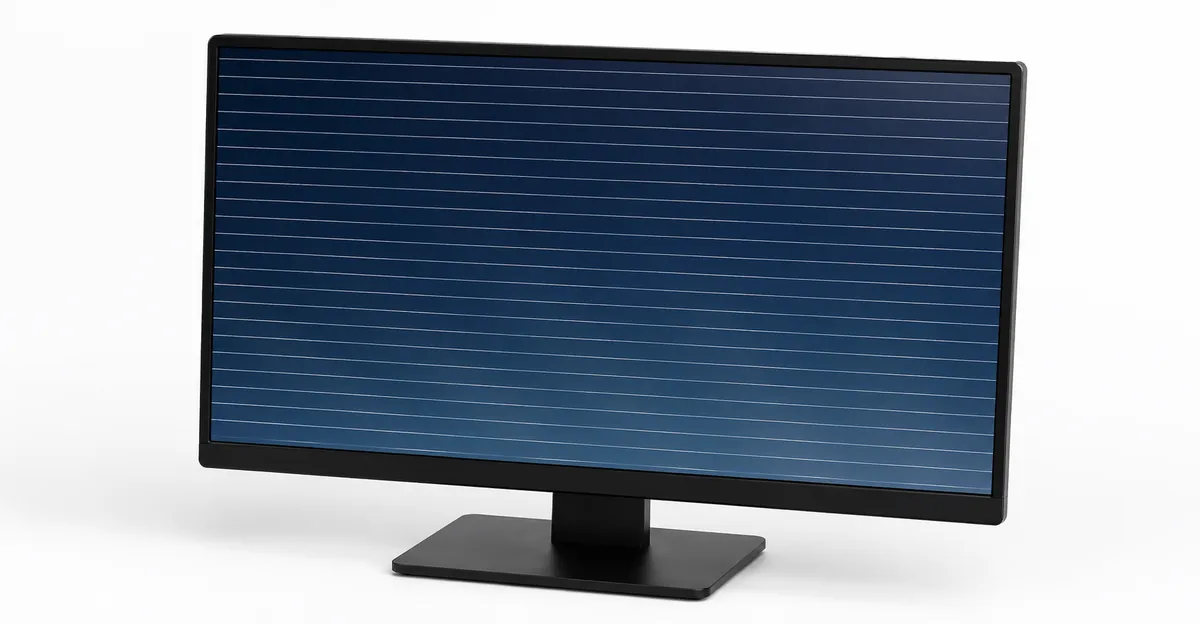
How Horizontal LCD Lines Actually Work — Row Electrode Basics
Before diagnosing horizontal lines, understanding the mechanism helps you choose the right fix.
An LCD panel is organized into a grid of rows and columns. Each row runs horizontally from left to right. A single row electrode controls every pixel in that row. The T-con board sends timing signals through this row electrode to refresh each pixel row in sequence, top to bottom, approximately 60 times per second.
When the row electrode fails, every pixel in that row receives the same incorrect voltage. The result is a horizontal line running edge to edge — because the electrode passes through the entire width of the screen.
This is fundamentally different from vertical lines, which involve column electrodes (running top to bottom).
The gate driver chain effect: Gate drivers operate in a "bucket brigade" pattern. Each gate driver chip activates a section of rows and passes timing information to the next chip below it. If one gate driver fails, all rows controlled by that chip and every chip below it can fail to operate properly. This is why horizontal line failures sometimes show as normal image in the upper portion of the screen with distorted video from the point of failure downward.
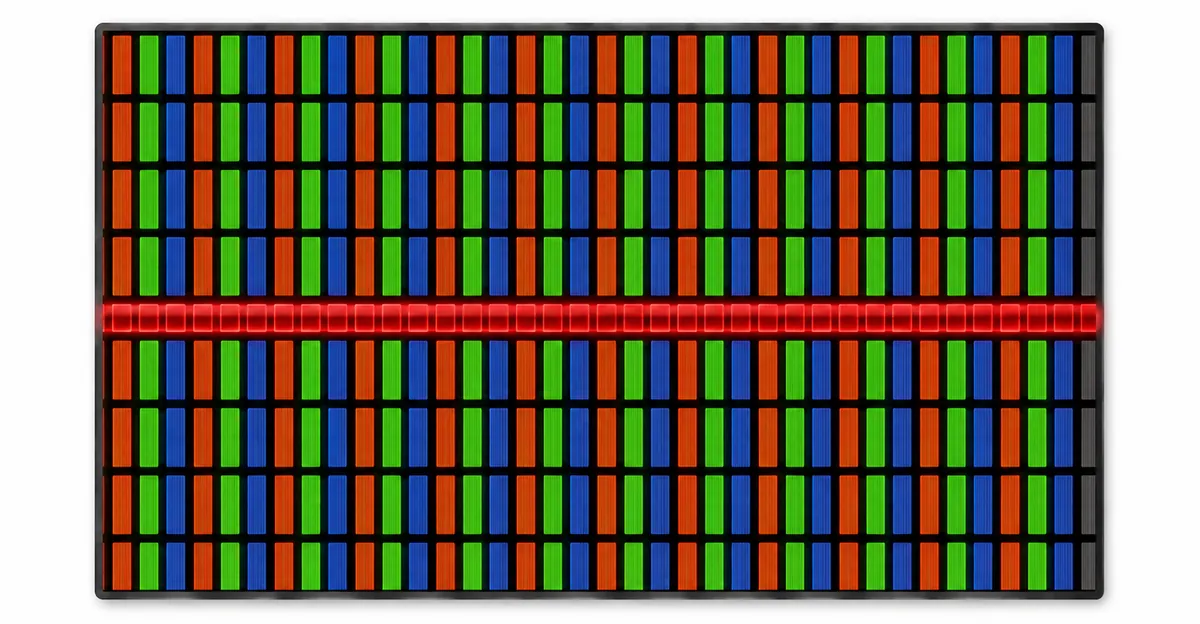
What Your Line Color Tells You About the Cause
The color of the horizontal line provides diagnostic clues:
| Line Color | What It Means |
|---|---|
| Black line | Row electrode completely failed — no signal reaches that row |
| White line | Row electrode permanently stuck energized — displays full brightness |
| Single color (red/green/blue) | One sub-pixel column within the row has failed |
| Flickering/rolling line | Intermittent connection — T-con or cable issue (often fixable) |
| Stable line, no flicker | Physical electrode damage inside the panel (may need panel replacement) |
| Lines in upper half only | Failed gate driver IC affecting rows from that point down |
| Multiple random horizontal lines | Multiple gate driver outputs failing or tab bond issues |
Key diagnostic rule: Flickering lines → external component failure (fixable). Stable lines → internal panel failure (may need panel replacement).
Why T-Con Boards Fail on LCD TVs More Than Monitors
LCD televisions have a disproportionately high rate of T-con board failures compared to computer monitors.
The heat accumulation factor: TVs are typically enclosed in cabinets with limited ventilation and operated for extended hours in living room environments. The T-con board sits in a confined space where heat builds up over years. Capacitors on the T-con board degrade faster in these conditions, eventually causing timing signal errors that manifest as horizontal lines.
Monitor vs. TV comparison:
| Monitors | LCD TVs | |
|---|---|---|
| Typical T-con lifespan | 5-8 years | 3-5 years |
| Heat management | Usually passive + fan | Often enclosed cabinet |
| Repair accessibility | Easy to open | Often requires complete disassembly |
| Parts availability | Very high | High |
| Common failure mode | Output channel failure | Capacitor degradation from heat |
If your TV has horizontal lines, the T-con board is the first thing to check — and the most likely culprit.
Field Notes: Diagnosing Horizontal Lines on a 10-Year-Old LG 42LN5300
During a repair session, we encountered an LG 42LN5300 LCD TV with a single horizontal white line in the upper third of the screen.
Initial assessment: White line = row electrode permanently stuck at high voltage. Could be T-con, cable, or panel-level.
Diagnostic steps:
- Opened the back panel and located the T-con board
- Checked ribbon cable connection — clean and secure
- Measured T-con output voltages with a multimeter
- Found one row electrode channel outputting consistently high voltage
Solution: Replaced the T-con board ($45 part). The horizontal line disappeared immediately and did not return after 6 months of use.
Lesson: Even panel-adjacent failures often trace back to the T-con board. Replace the T-con before assuming the panel itself is dead.
The Five Most Common Causes of Horizontal LCD Lines
Cause 1: T-Con Board Timing Failures The timing controller generates precise signals that sequence pixel row refresh. When it malfunctions, it corrupts data for specific rows, creating horizontal lines. Often accompanied by flickering or rolling artifacts. The T-con board can fail at any age but is most common in TVs and monitors over 3 years old.
Cause 2: Ribbon Cable Signal Degradation The ribbon cable carries row electrode data from the T-con to the panel. When individual conductors break or degrade, the affected row displays constant incorrect values. Often appears gradually over months. Most common on laptops where the cable flexes at the hinge.
Cause 3: Row Electrode Trace Degradation The conductive traces embedded in the LCD glass degrade over time from heat cycling and humidity. This is permanent and requires panel replacement. Usually affects older panels (5+ years).
Cause 4: Refresh Rate Signal Mismatch Running at non-native refresh rates causes timing errors that can manifest as horizontal artifacts. Common after display setting changes. Easy to fix — set the refresh rate to the panel's native value.
Cause 5: Physical Panel Damage Impacts or pressure on the panel can break internal row electrode connections. Usually obvious from the circumstances. Not fixable without panel replacement.
Cause 6 (newer panels): Gate-On-Array (GOA) Failure Modern panels sometimes integrate the gate driver directly into the glass substrate rather than using separate gate driver ICs. This "Gate-On-Array" design eliminates the gate driver chips and their tab bonds, but introduces a new failure mode: if the integrated gate driver fails, the panel is unrepairable (cannot swap a T-con board to fix it).
Technical Deep Dive: How the Row Driver Path Actually Works
Understanding the precise signal path helps when diagnosing horizontal lines.
Signal path from GPU to pixel row:
- GPU output: The graphics card renders each frame and outputs a digital video stream.
- External cable: The cable carries the digital signal to the monitor's input board.
- T-Con board: The T-Con receives the digital signal, deserializes it, and generates row timing signals. The row timing is typically a "shift register clock" that triggers each row in sequence.
- Gate driver chain: The row timing signals are sent to a chain of gate driver ICs (or GOA circuits in modern panels). Each gate driver activates a section of rows.
- Row electrodes: The activated rows receive voltages that allow the column data to update those pixels.
Where horizontal line failures happen:
- T-Con timing failure: Usually affects all rows (entire screen) or specific timing outputs.
- Single gate driver IC failure: Affects a section of rows from that IC's position downward.
- Tab bond failure (where gate driver bonds to glass): Affects specific rows controlled by that bond point.
- Row electrode trace failure (inside the glass): Affects individual rows permanently.
- GOA integrated driver failure: Affects all rows controlled by that section of glass-integrated circuitry.
GPU vs. Monitor Horizontal Lines — How to Tell the Difference
Before opening the monitor, rule out the GPU. Graphics card failures can mimic horizontal lines.
Signs the GPU is the cause:
- Horizontal lines appear on multiple monitors connected to the same computer
- Horizontal lines change position when you change the screen resolution
- Horizontal lines only appear in specific applications (games, video playback)
- Driver updates coincided with the lines appearing
- The GPU is overheating (fan running at full speed, hot to touch)
Steps to rule out GPU:
- Connect the monitor to a different computer. If lines persist: monitor hardware. If lines disappear: GPU issue.
- Update or roll back graphics drivers via Device Manager.
- Lower the resolution and refresh rate to standard values.
- Check GPU temperature with MSI Afterburner or HWiNFO.
If GPU is the cause, the fix is a driver update ($0) or GPU replacement ($150–$500), not monitor repair.
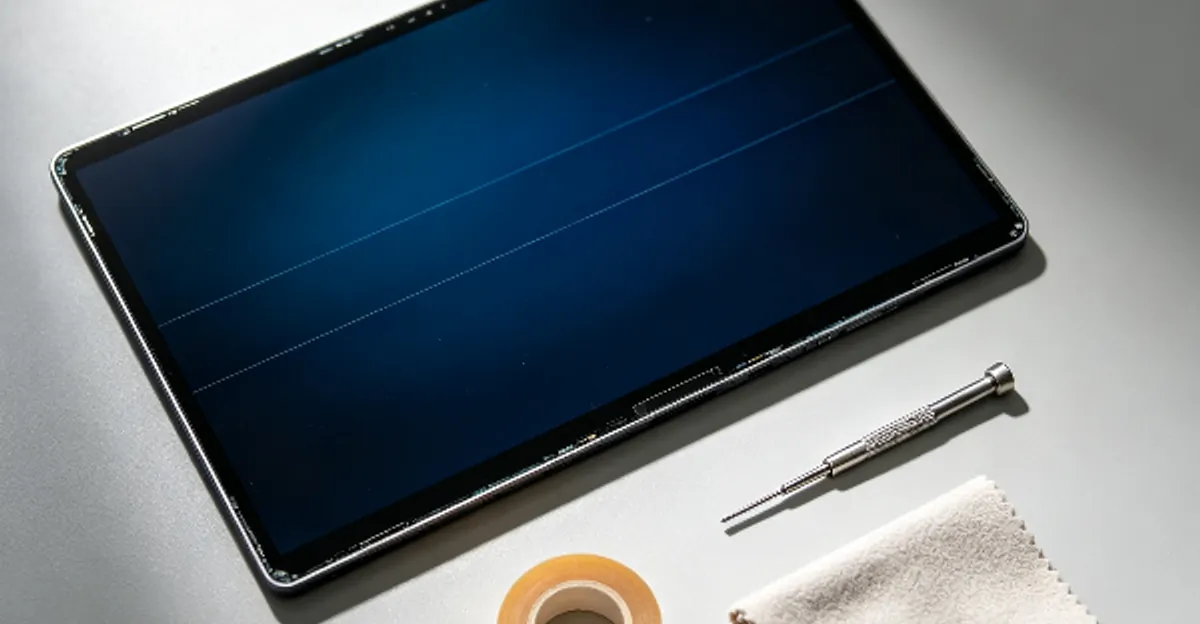
Step-by-Step Fix Guide (From Easiest to Hardest)
Step 1: Power cycle (5 minutes) Unplug the device. Press and hold power for 30 seconds. Wait 5 minutes. Power on. Rules out temporary T-con glitches.
Step 2: Cable and signal checks Replace the display cable. Try different ports. Reduce refresh rate to 60Hz. Update or roll back graphics drivers. Rules out signal-level issues.
Step 3: T-Con board replacement ($25-80) Search for "[your model] T-con board" online. Parts are widely available. Requires opening the device. This fixes the majority of horizontal line cases.
Step 4: Ribbon cable replacement ($15-40 for laptops) For internal cable degradation. Follow iFixit disassembly guides. Handle ribbon cables carefully — they are fragile.
Step 5: Gate driver re-bonding ($50-150, professional only) If the gate driver IC has lifted from its tab bond, a professional can sometimes re-bond it by adding tape for additional pressure, applying heat to reflow the ACF, or replacing the ACF entirely. This is a specialized repair.
Step 6: Panel replacement ($100-400) Only for permanent row electrode failures inside the panel. Compare repair cost against replacement cost. For TVs over 5 years old, full replacement often makes more economic sense.
The "Tab Bond Repair" Trick for Horizontal Lines on TVs
For LCD TVs with horizontal lines caused by tab bond failure (where the gate driver flex cable connects to the panel glass), there is a well-known professional repair trick:
The tape technique: Apply strips of electrical tape along the edges of the panel where the gate driver flex cables enter. The tape adds pressure to the tab bond, which can restore contact between the gate driver and the panel glass. This is a temporary fix — the proper repair is to replace the ACF bond, but the tape technique can extend the TV's life by months or years.
When the tape trick works:
- The horizontal line responds to pressure on the bezel (squeezing the edges of the screen)
- The line position is near the top or bottom edge of the screen
- The TV is more than 5 years old (ACF degradation is likely)
When it does not work:
- The line is perfectly stable regardless of pressure
- The line is in the middle of the screen (tab bonds are typically at the edges)
- The panel itself is cracked or physically damaged
This repair does not require opening the TV — the tape is applied externally along the bezel seam.
Monitor vs. Laptop vs. TV — Repair Differences
Monitors: Easiest to repair. Back panel usually removes with visible screws. T-con board accessible. Wide parts availability.
Laptops: More complex. Requires full display panel removal. Ribbon cables are model-specific. Screen replacement requires re-assembly with precise alignment.
Televisions: Heat is the primary killer. Check ventilation after repair. Surge protectors recommended to extend T-con lifespan post-repair.
Repair cost comparison:
| Device | T-Con Board Cost | Panel Cost | Common Failure |
|---|---|---|---|
| 22-27" Monitor | $15-30 | $50-100 | T-Con output |
| 27-32" Monitor | $25-45 | $100-200 | T-Con timing |
| 4K/Pro Monitor | $35-60 | $150-350 | T-Con + Gate drivers |
| Laptop | $25-60 | $80-200 | Flex cable at hinge |
| LCD TV (40-55") | $30-80 | $150-400 | T-Con from heat |
| LCD TV (55"+) | $50-120 | $300-600 | Multiple gate drivers |
Prevention — How to Reduce Horizontal Line Risk
For TV users:
- Ensure adequate ventilation around the TV (do not push it flush against a wall)
- Use a quality surge protector to prevent power spike damage
- Reduce backlight brightness to lower internal heat generation
- Avoid mounting TVs in direct sunlight
- Power off the TV when not in use for extended periods (reduces total operating hours)
For monitor users:
- Mount monitors securely to reduce vibration
- Avoid placing monitors near heating vents or in direct sunlight
- Use a surge protector to prevent power spike damage
- Clean dust from ventilation holes annually
- Power off the monitor during thunderstorms (or use a quality surge protector)
For laptop users:
- Open and close the lid gently — avoid forcing it past the normal range
- Do not lift the laptop by the screen
- Keep the laptop away from extreme temperatures
- Use a protective sleeve during transport
- Avoid leaving the laptop in direct sunlight for extended periods
General best practices:
- Keep firmware and drivers up to date
- Use the monitor's native resolution and recommended refresh rate
- Replace aging cables before they fail (cables over 5 years old are at higher risk)
Related LCD Line Problems
- LCD Line Hub: Overview of all lcd line types
- Vertical Lines on LCD: Column electrode failures
- Black Lines on LCD: Dead row failures
- Green Lines on LCD: Colored line issues
- How to Fix LCD Lines: Complete repair guide
Conclusion
Horizontal lines on LCD screens indicate row electrode failures. The most common cause is T-con board malfunction — and T-con replacement ($25-80) resolves the majority of cases without panel replacement. Always start with power cycling and cable replacement. For LCD TVs, heat management is critical: improve ventilation and use surge protectors to extend the repaired unit's lifespan. Use the screen test tool to track whether your horizontal lines are changing over time — flickering suggests fixable issues; stable lines may require panel replacement.
Related Articles from the Blog
- How to Fix a Broken Screen Protector (and When to Replace It): A cracked screen protector cannot be repaired — only replaced. How to remove a broken one safely without damaging the real screen.
- Best Laptop for Coding and Programming (2026): MacBook Pro M5 Pro, MacBook Air M5, Dell XPS 16, ThinkPad X1 Carbon, and ROG Zephyrus G16 ranked by use case for software developers.
- Best JBL Studio Monitors in 2026: JBL nearfield, install, and live-sound monitors ranked by use case, with modern equivalents for the discontinued LSR series.